
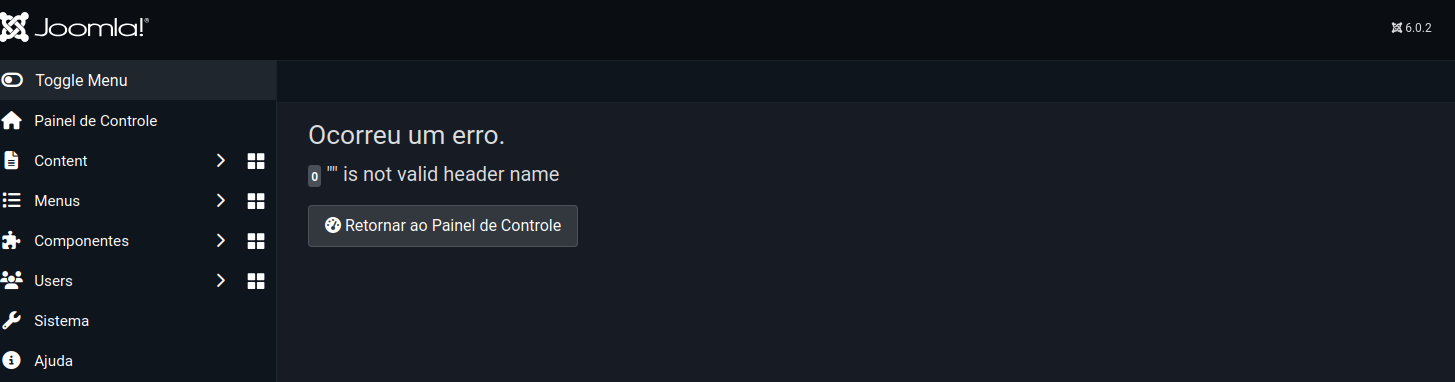
Depois do erro do upgrade pro Joomla 6.0.3 descrito em deu ruim com o Joomla 6.0.2, eu meio que deixei pra lá esperando algo como sair o 6.0.4 que talvez resolvesse isso. Mas hoje eu decidi abrir um bug report.
Botei o site em mode debug e rodei o upgrade. Peguei o erro e fui pro site registrar o bug.
A primeira tarefa foi ver se já existia bug aberto. E encontrei um:
https://issues.joomla.org/tracker/joomla-cms/31330
No bug é comentado que falta suporte ao curl.
Então conectei no servidor e instaleio php8.4-curl. Rodei o upgrade e... falhou.
Claro! PHP exige reiniciar o servidor web, que é Apache.
Reiniciei e... pimba! Estamos na versão 6.0.3.
Quebrou algum treco. E não faz mais upgrade.
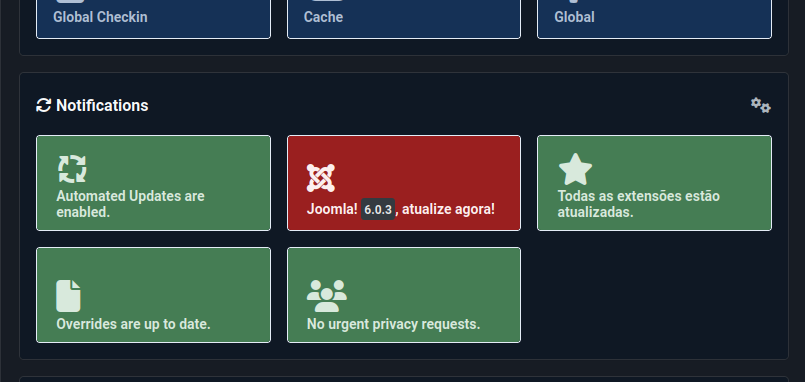
Aparece certo na tela de apresentação de administração. Mas na hora de fazer o upgrade em si...
Não tenho muito o que fazer e vou aguardar a próxima versão.
Faz tempo que eu queria dar um tapa no servidor do bolha.linux-br.org, que fica na máquina mimir. A descrição pode ser lida aqui: uma bolha pra chamar de minha.
O servidor ficou temporariamente no meu quarto, ao lado da impressora. E perto da Alexa, que é uma baita duma má influência. Apesar de não fazer muito barulho, fazia um ruído baixo. E eu prefiro não ter som nenhum enquanto durmo.
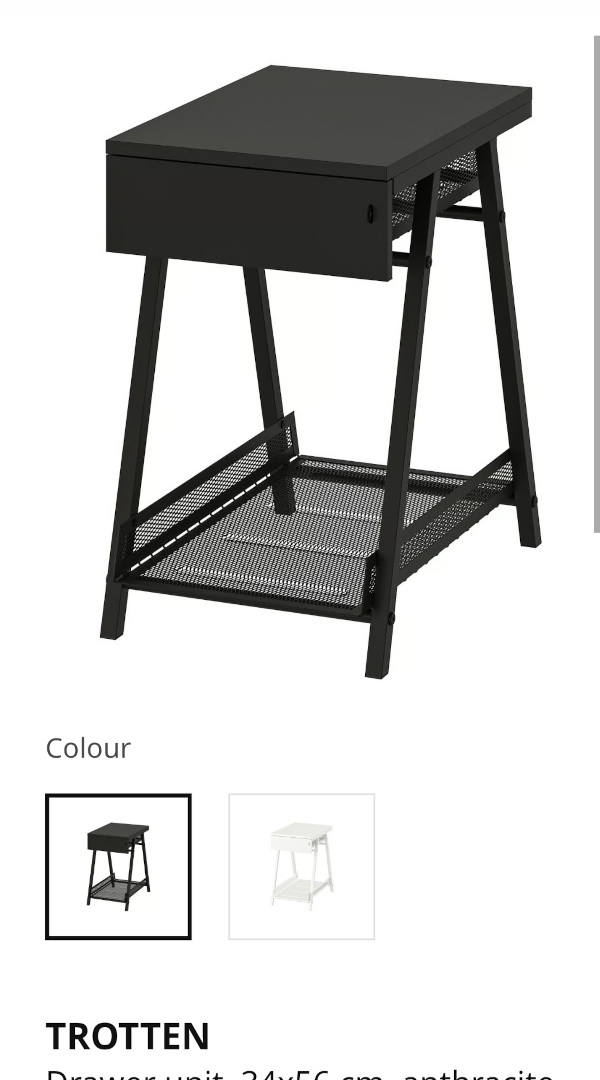
Eu estava de olho em alguns móveis na Ikea pra mover o servidor pra sala, onde ficam outros dispositivos como o PlayStation 5. Esse aliás habitando uma cadeira desde que soltou um alerta de aquecimento durante o verão. Que nem é tão quente assim por aqui.
 |
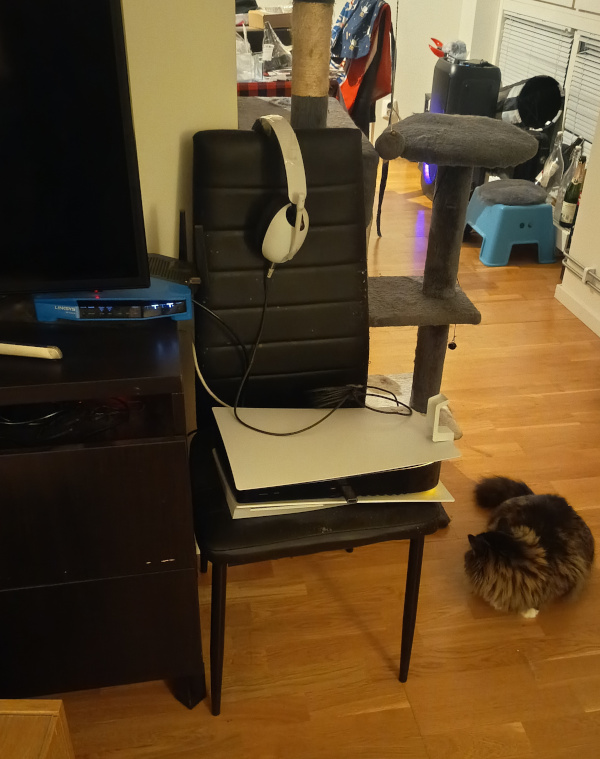 |
Então aproveitei o fim de semana pra ir almoçar no Ikea, uma grande tradição sueca, e dar uma olhada nos móveis. E acabei comprando esse Trotten mesmo. Eu já tinha comprado um cabo de energia mais comprido, então bastou passar tudo por dentro do móvel da TV e ligar.
E agora tem um visual mais... digamos menos bagunçado.
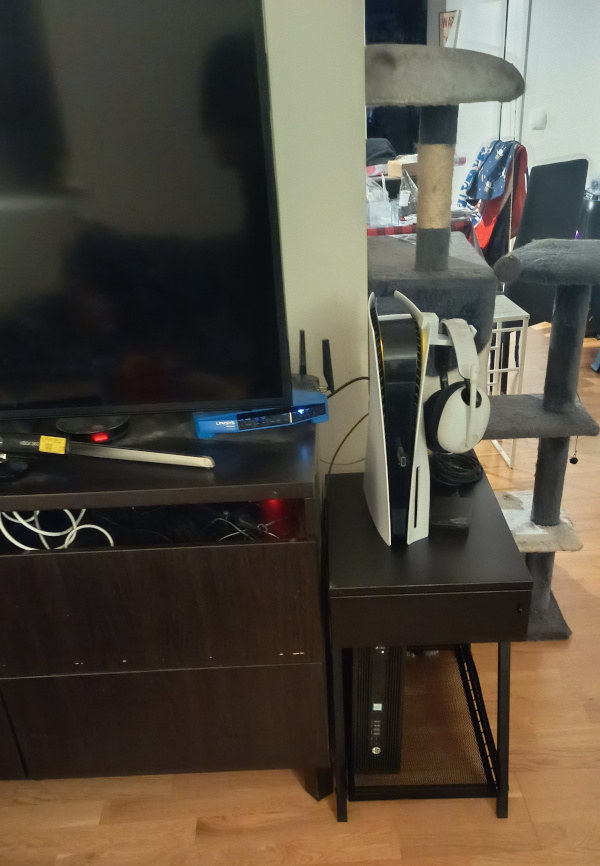
A Miko supervisionou todo o trabalho do humano dela e aprovou o resultado. E não sei quanto tempo o PlayStation vai aguentar de pé. Hoje pelo menos ele passou no teste de fogo do Bender, o roomba que uso pra tirar o pó e pelos de gata do chão.
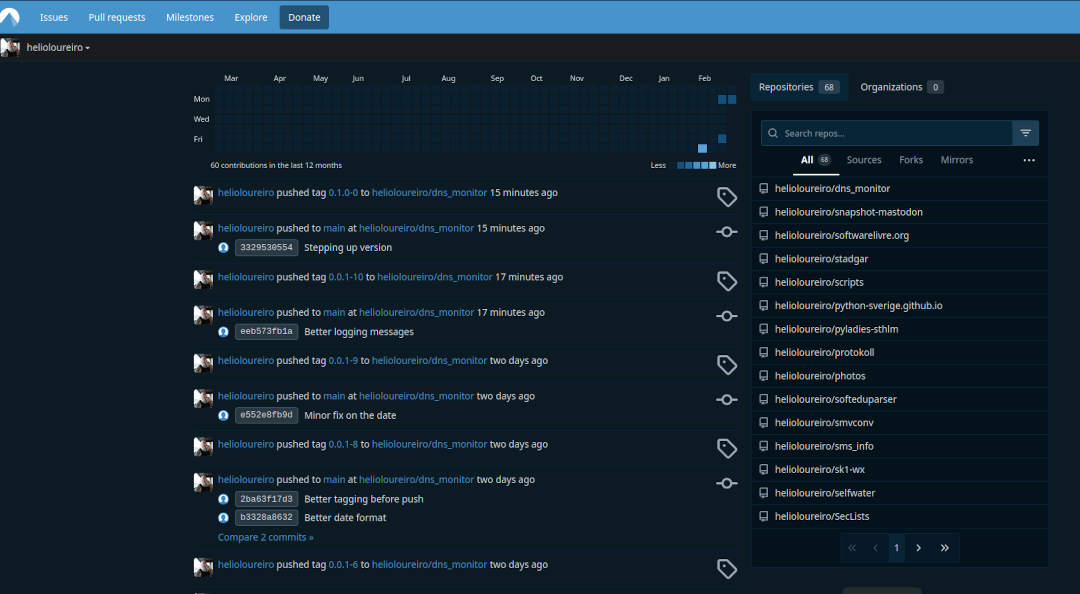
Durante o FOSDEM2026 a palavra de ordem da conferência foi "soberania de dados", sobre como não deixar nossos dados na Big Techs ou mesmo serviços, mesmos que livres, nos EUA. E dentro do mais citados estava o site que está no título do artigo: GitHub.
Não só pelo fato de ser agora parte da Microsoft, mas porque está enfiando AI em tudo, mesmo ninguém pedindo por isso. Como faz atualmente a Mozilla.
A alternativa, Codeberg, eu já tinha conta. Mas nunca de fato mexi. Só que o poder do git é justamente não depender de servidor centralizado. Basta alterar o destino e mandar o push.
Então comecei a fazer isso pros repos que estou mexendo atualmente. Manualmente.
❯ git clone This email address is being protected from spambots. You need JavaScript enabled to view it. :helioloureiro/obamawatcher.git
❯ cd obamawatcher
❯ git remote add codeberg ssh://This email address is being protected from spambots. You need JavaScript enabled to view it. /helioloureiro/obamawatcher.git
❯ git fetch -a
❯ it push codeberg
Claro que isso não ia escalar. Então resolvi buscar um script pra fazer o trabalho sujo por mim. E achei. E no GitHub aind por cima (sinta o gosto doce do sarcasmo aqui).
https://github.com/LionyxML/migrate-github-to-codeberg
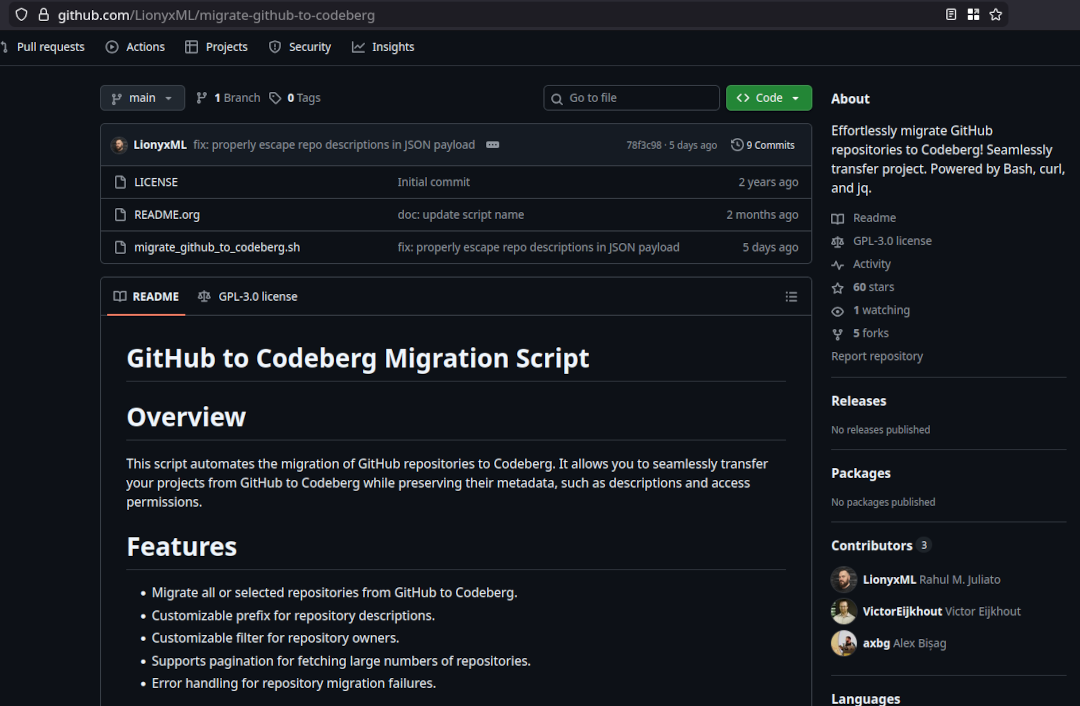
Bastou configurar com os tokens de ambos os lados, GitHub e Codeberg, rodar, esperar alguns minutos e lá estava meu Codeberg todo populado com tudo o que eu tenho no GitHub.
Vou apagar o GitHub? Com certeza não. Mas vou passar a atualizar somente no Codeberg que aliás fica na Alemanha. Então dentro da soberania de dados, eu não estou tão soberano assim, mas pelo menos estou dentro da EU.
Quer acompanhar? Esse é meu perfil por lá:
Aproveitei a oportunidade do FOSDEM pra tirar uma foto com o Maddog. Da última vez foi no FISL. Acho que o de 2001, mas pode ter sido no de 2002.
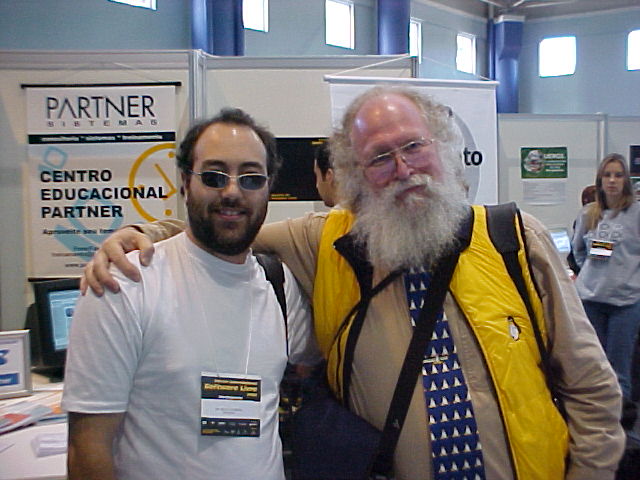
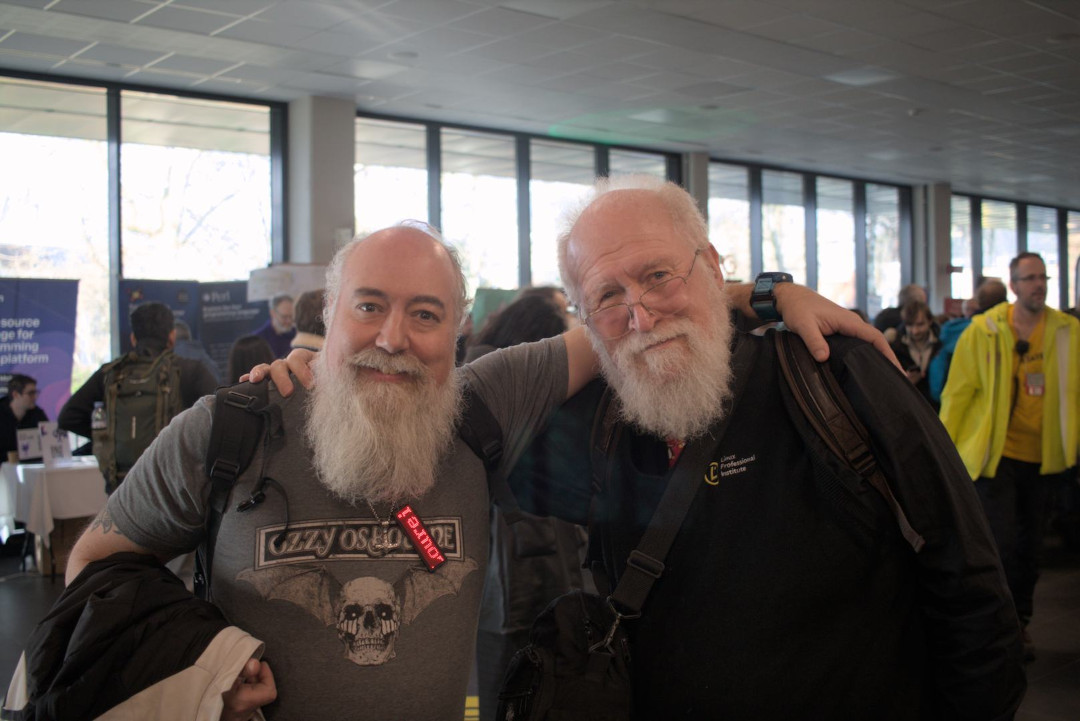
Jamais imaginei em que algum dia minha barba estaria maior que a do Maddog.
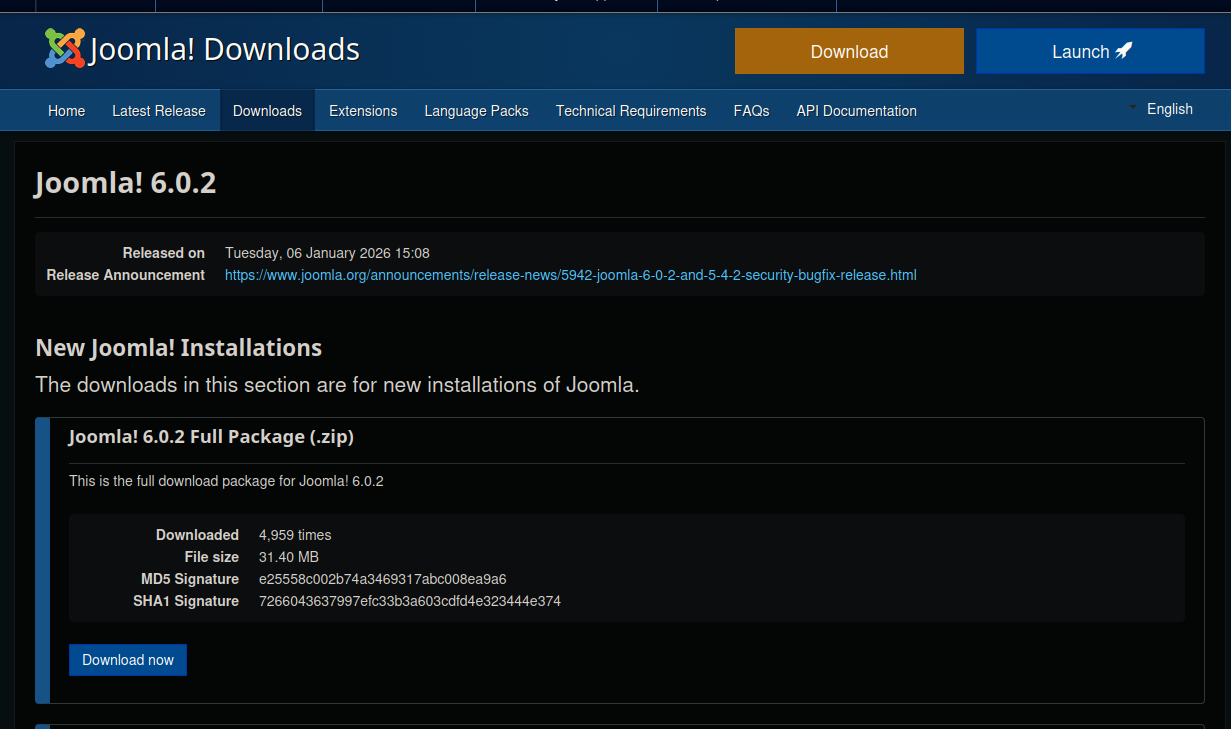
Se saiu, então temos de atualizar.
Claro que não mandei o full package. Fiz com o de upgrade.
Em tempo: descobri alguns arquivos que não foram bem sucedidos durante o upgrade. Fui olhar e o dono estava para... root. Foram corrigidos.

Como faço em todo começo de ano, ou quase todo uma vez que não fiz isso no ano passado, voltei a jogar Skyrim. E dessa vez como nórdico. Beowulf, pra ficar bem à carácter. Como já descrevi em skyrim, um dos melhores jogos que existem eu gosto de começar pela Thieves Guild pra pegar a skeleton key. Depois vou pra Assassins Brotherhood. E aqui estou eu com meu traje de assassino vindo atrás da informação do "Gourmet".

Eu até comecei a jogar The Outer Worlds, mas achei enfadonho que leva muito tempo carregando a tela e jogar o tempo todo em primeira pessoa é cansativo (não é mesmo sr. CyberPunk 2077?).
Mas não só de Skyrim eu vivo. E como retrospectiva de 2025 eu gostaria de deixar a menção de honra pras pedaladas. Em 2025 eu fiz uma retrospectiva sobre a isso em totais de transporte durante 2024. Lá eu descrevi como fiquei decepcionado por ter chegado mais ou menos em 2000 Km pedalados. Esse ano não foi muito diferente em relação ao Google: não achei o resumo do ano. Teria de entrar mensalmente e pegar manualmente os totais.
Mas em 2025 eu tinha à mão o computador da Garmin. E com ele eu pude realmente acompanhar o quanto pedalei.
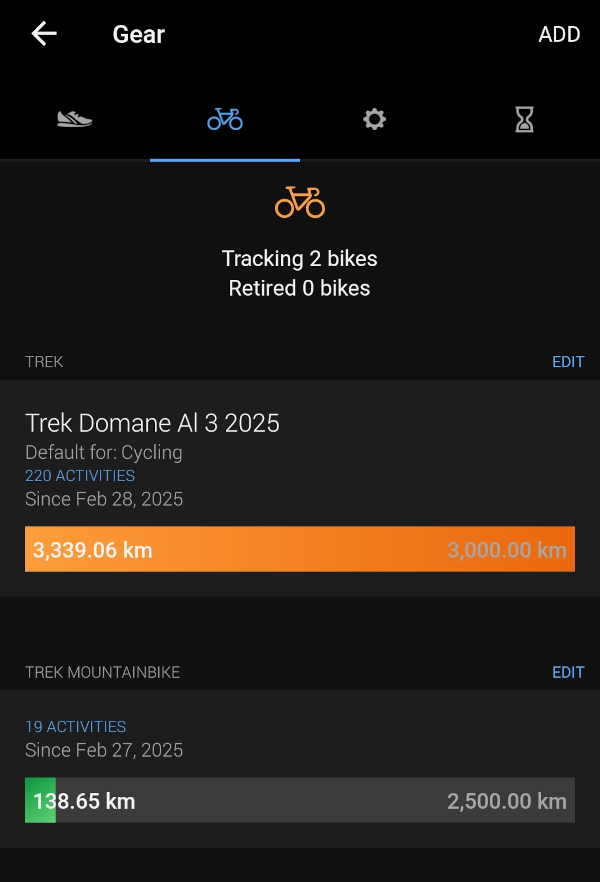
Foram 3.339,06 Km na Gravel e 138,65 na MTB. 3.477,71 Km total. Pra minha felicidade, passei dos almejados 3.000 Km.
2025 foi o ano em que pedalamos muito mais. Passamos de ir pro local de destino e voltar de trem a pedalar todo o caminho de volta.
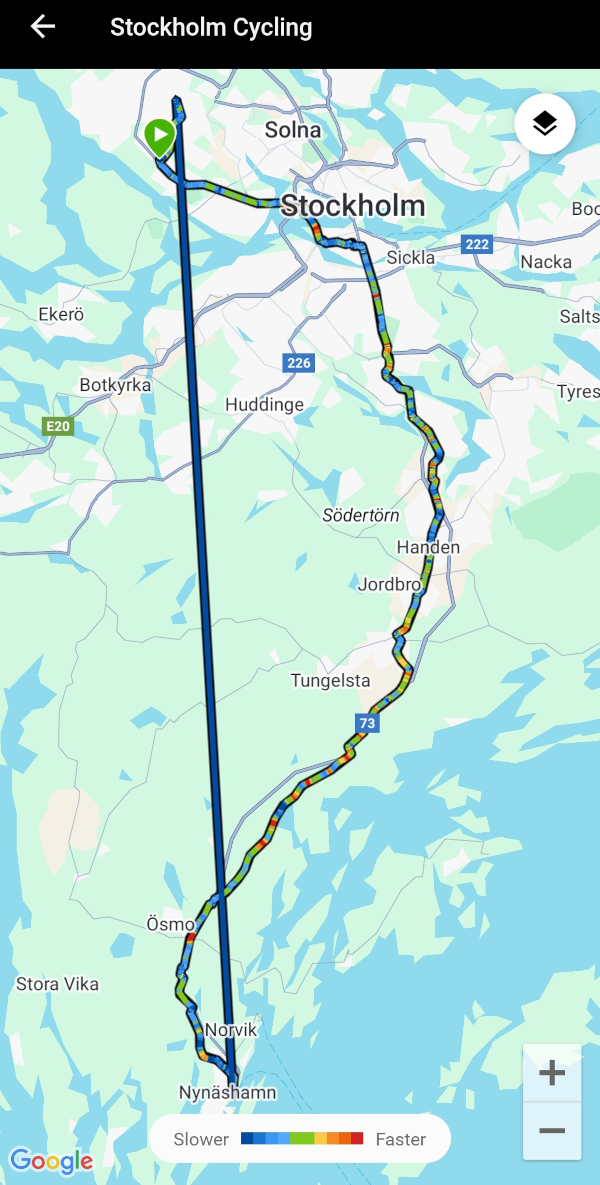
E não só isso: fizemos os trechos várias vezes. Se nos anos anteriores fomos pra Nynäshamn uma vez, em 2025 fomos 4. Uppsala? 3.
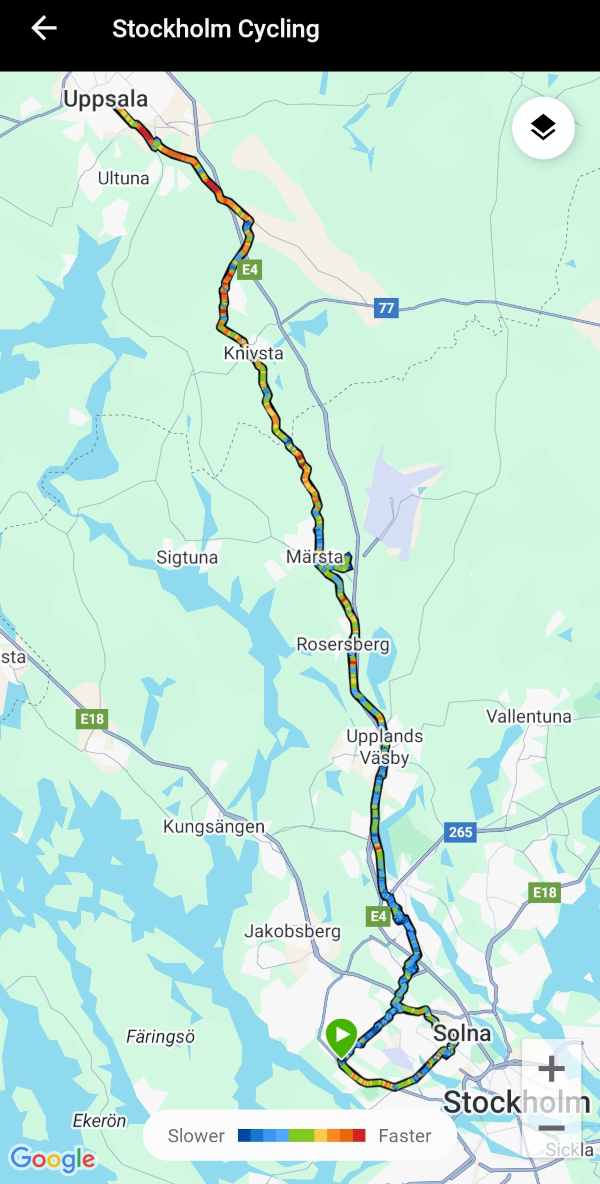
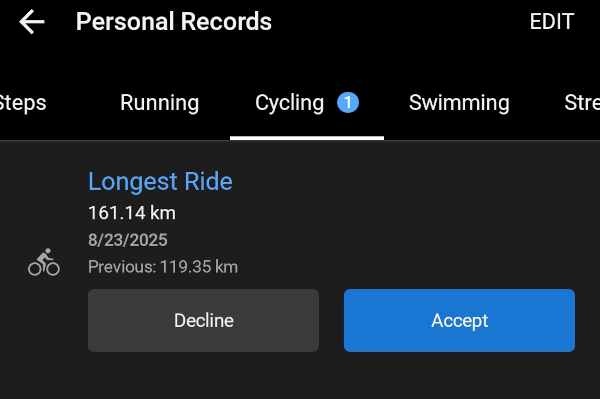
Uppsala inclusive foi o recorde de distância no ano passado: 161,14 Km pedalados.
E claro que não foi um ano isento de acidentes. 2 batidas com a bike, sendo uma que eu voei por cima dela ao bater numa grade (que não vi), e a outra uma virada pra esquerda sem avisar com antecedência. Arranhões, torções, roupas rasgadas e uns pontos roxos mas no fim sobrevivemos. E tive ainda uma corrente quebrada no meio do caminho.

Depois dessa eu passei a usar quick-links e levo uns extras de backup. E passei a medir a distância de uso da corrente em outro indicador da Garmin.
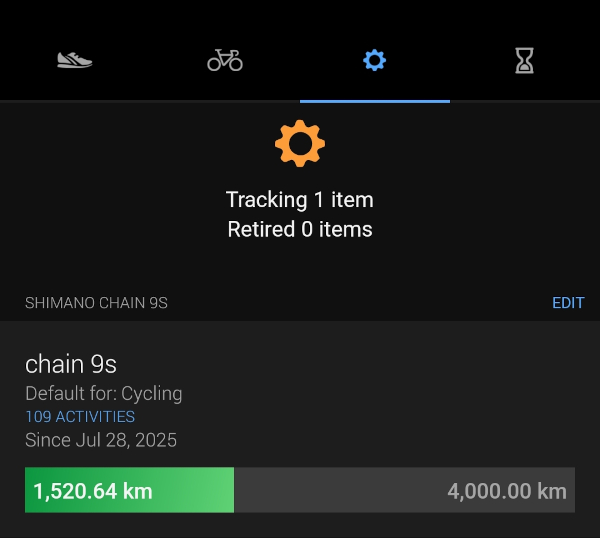
Já com 1.520,64 Km rodados. Assumindo que vá durar uns 3.000 Km, já está em meia vida.
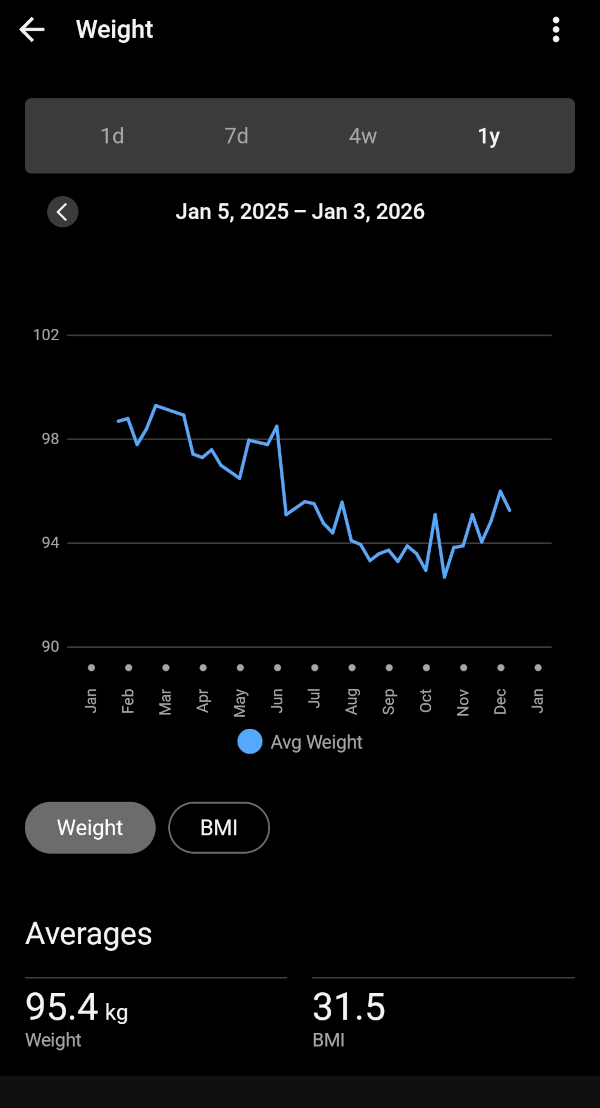
E também foi em 2025 que comecei a acompanhar meu peso mais de perto. Não com uma balança lá muito das boas, mas o suficiente pra fazer um acompanhamento básico e ver que baixei de quase 100 Kg pra 95 Kg (agora no inverno, com poucas pedaladas, não tenho muito o que fazer).
Aproveitei que comprei o smartwatch da Garmin e passei também a acompanhar meu ritmo cardíaco.
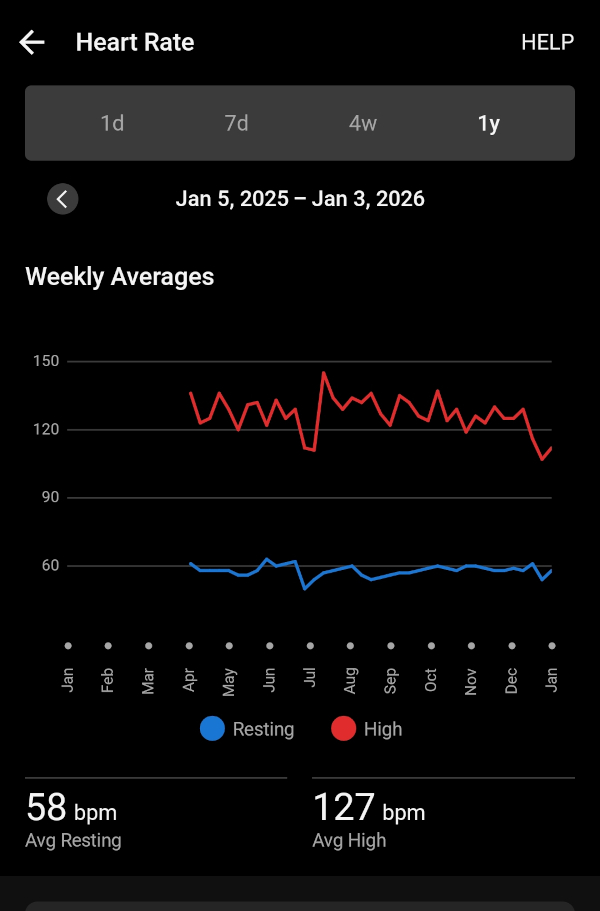
E sono.
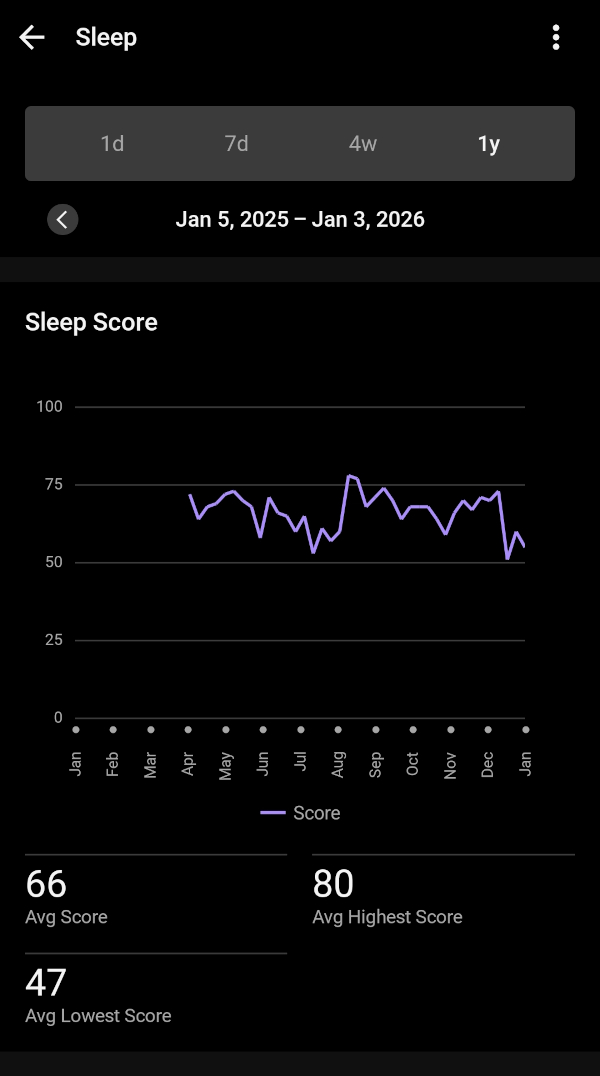
Menção de honra ao Komoot, o app que usamos pra navegação quando saímos pra pedalar. Ele achou por algum motivo que pedalei 4.500 Km. Só 1000 Km a mais. Como ele integra com o app e computador da Garmin, imagino que tenha contado dobrado algumas pedaladas.

Mas vamos de mês em mês pra ver o que aconteceu comigo em 2025. Pegue seu café que a viagem é longa.


Depois de 8 anos só na Europa, eu finalmente fui ao Brasil. Passei o natal com a família e ano novo com os amigos. Foi bom, mas no fim eu já estava com saudades de casa.
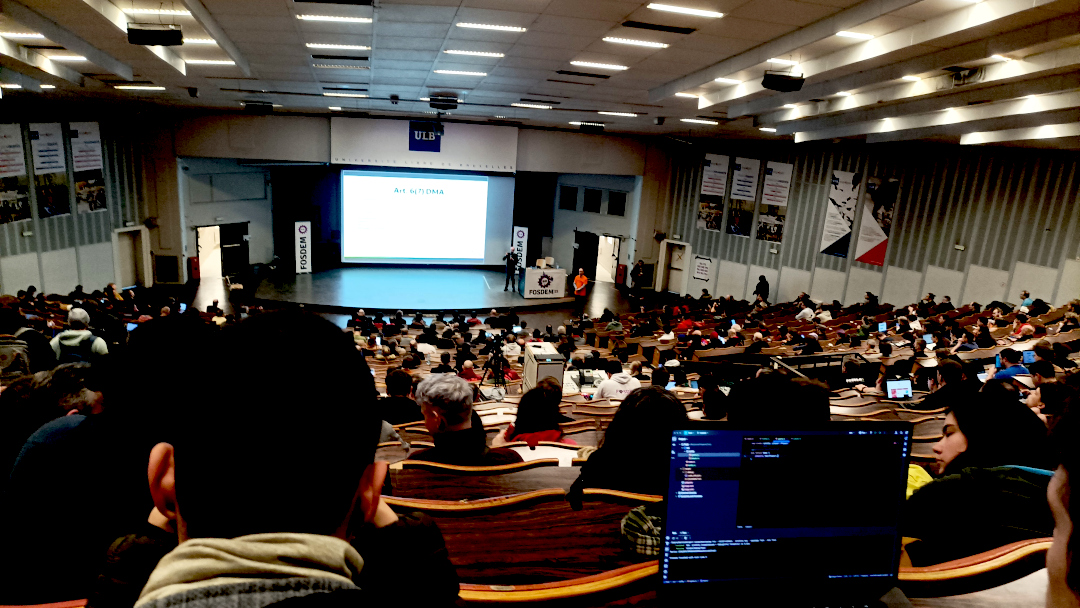
Todo feveiro tem FOSDEM. E lá estarei eu novamente esse ano. Melhor evento de software livre da Europa.
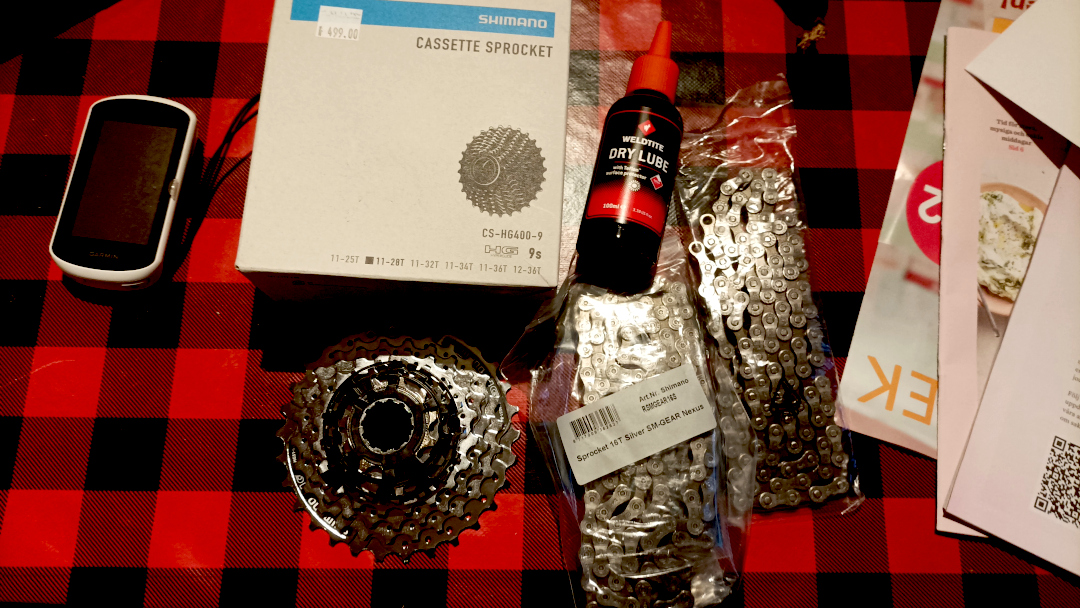
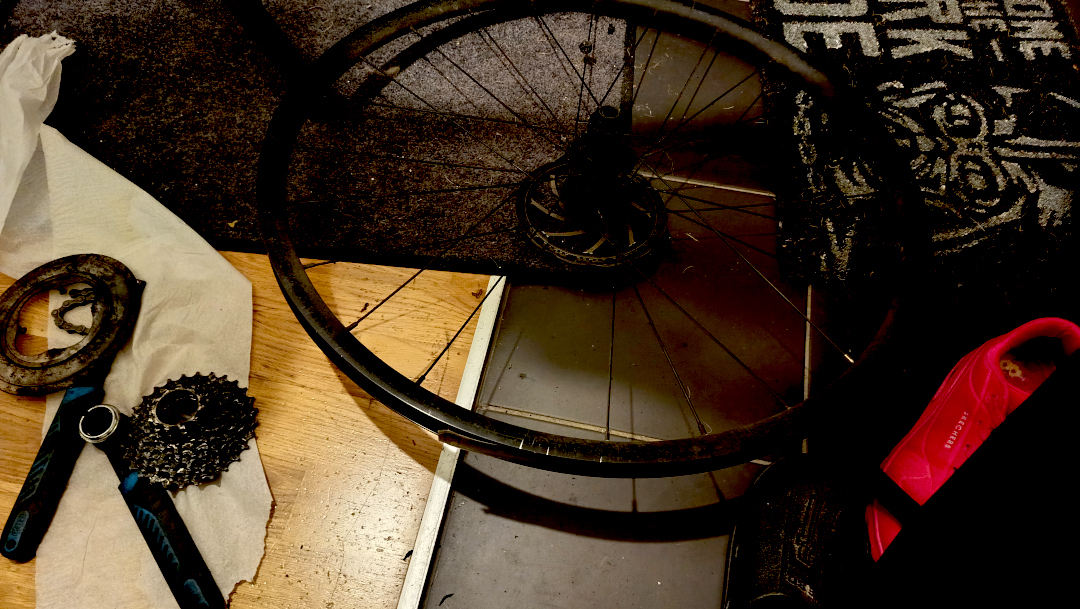
Foi também em fevereiro que dei manutenção nas bike. Troquei as catracas e correntes de ambas. Da gravel e da MTB (mountainbike).

Março foi o primeiro pedal mais longo. Somente uns 50 Km, mas o suficiente pra estreiar o ano.

Em abril que realmente começamos a pedalar distâncias maiores. Essa é a foto de Gustavsberg, 70 Km de pedal.
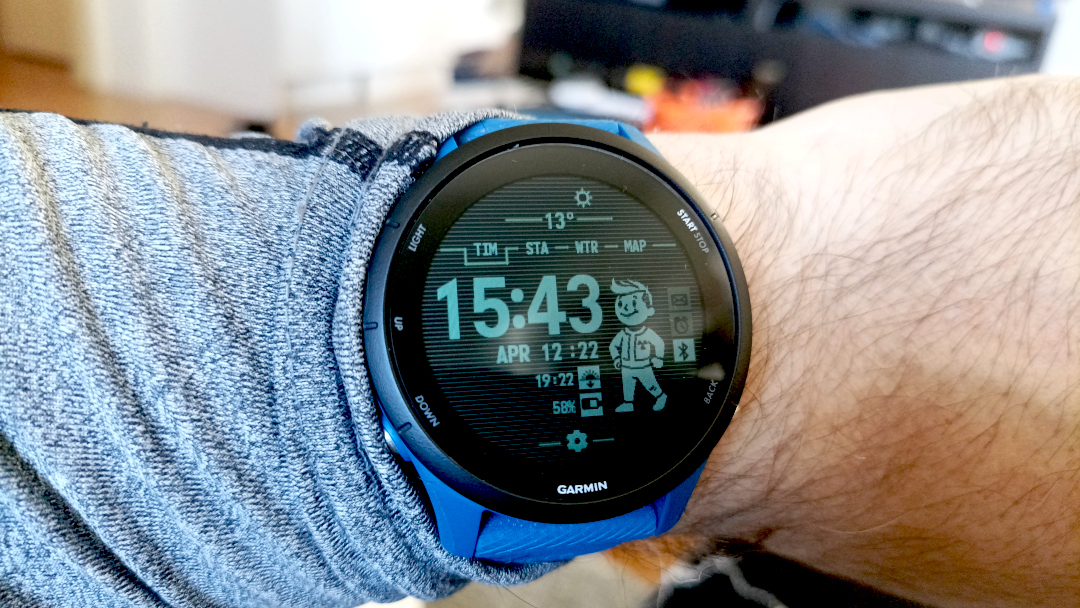
E foi em Abril que meu Fitbit morreu. Não carregou mais. E comprei um Garmin pra fazer companhia pro computador da bike.
E posso dizer que foi 6 por meia dúzia. Os dados não ficaram mais precisos ou melhores. Basicamente foi a mesma coisa. Mesma quantidade de passos, mesma ritmo cardíaco, etc. Mas no Garmin ao menos eu pude carregar esse skin do pip-boy.
Maio é o mês da flores.

Sério.
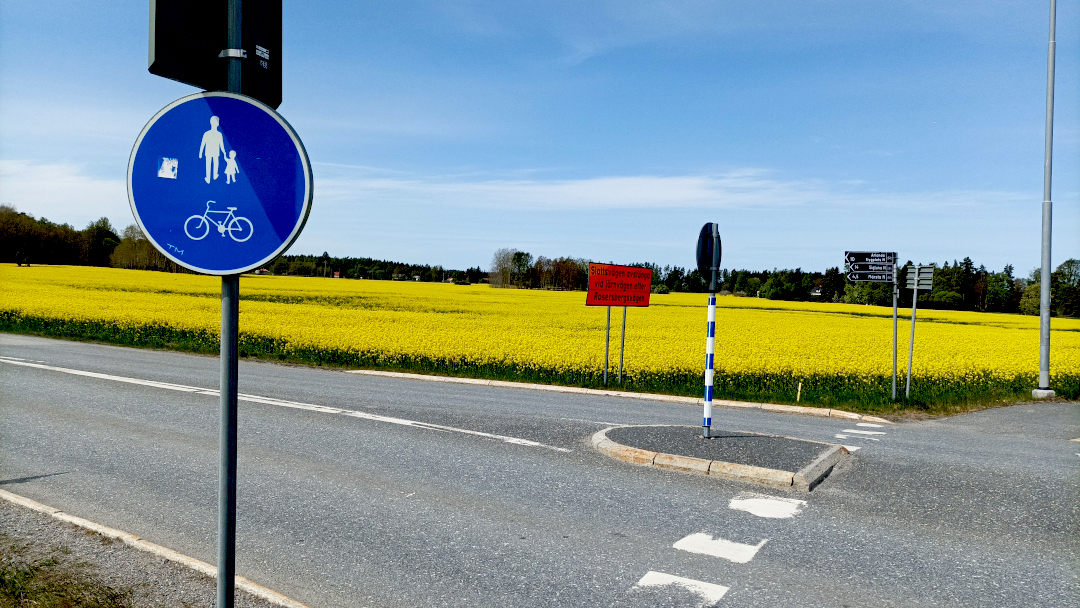
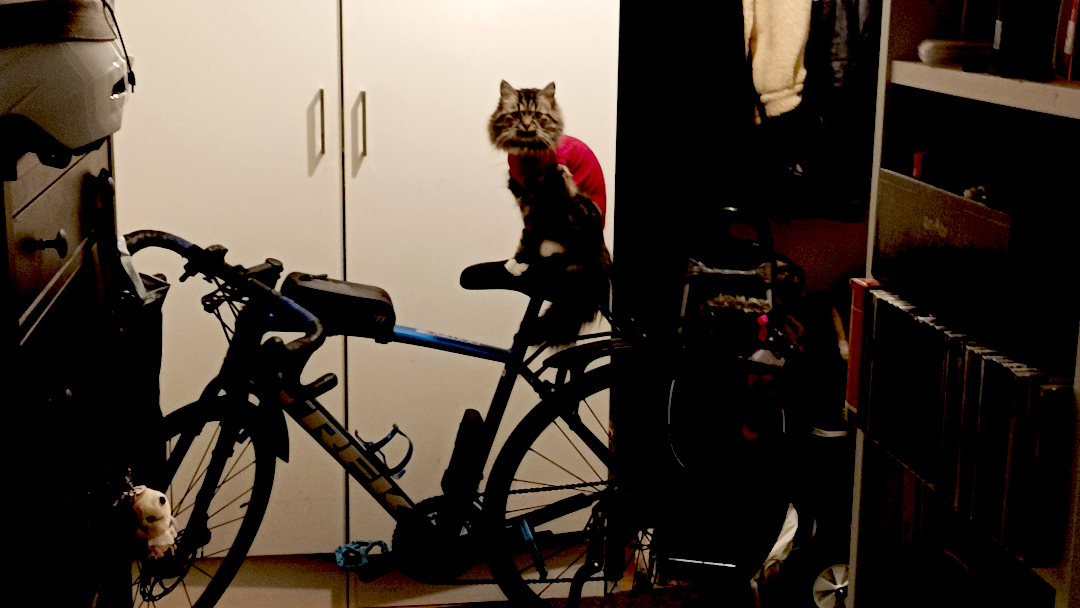
E foi também o mês que finalmente eu levei a felina pra castrar. Ela estava fazendo xixi em tudo quanto era lugar e não estava dando certo.
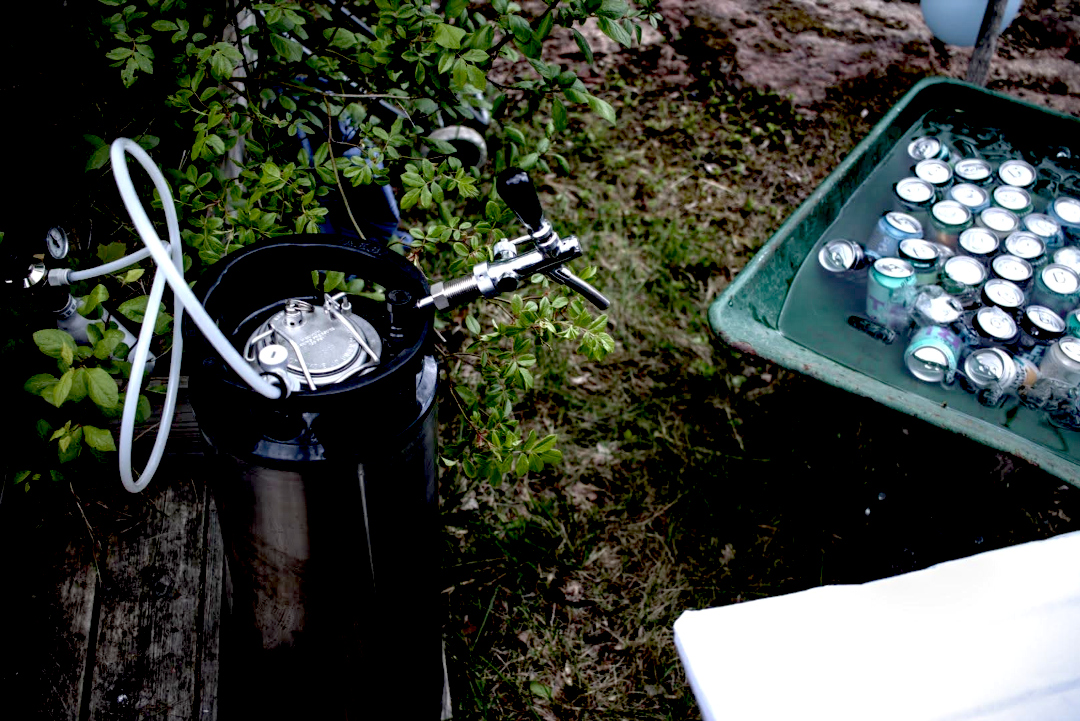
E teve a festa de primavera-verão da firma. Tem de ser na primavera porque no verão todo mundo some de férias. Eu generosamente levei um keg de 23 litros de IPA.
Em junho não tem nem o que discutir: é Sweden Rock!

Com fechamento do Sabaton.

E foi nesse mês que meu bebê foi ao seu primeiro concerto de rock/metal. E foi Iron Maiden ainda por cima.
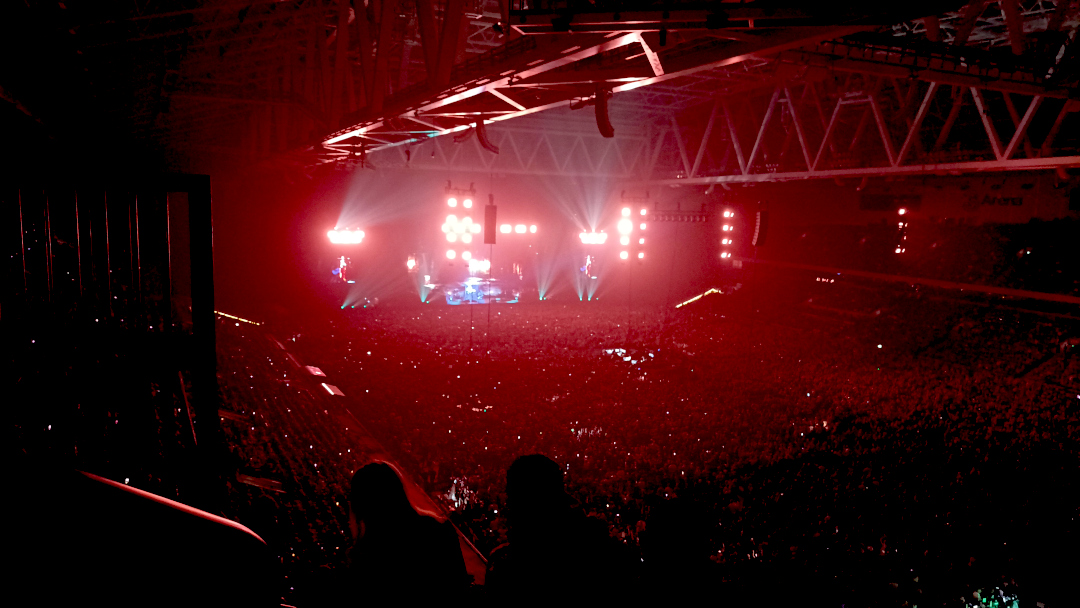
Já em julho é férias. É ir dar um pulo no laguinho no fim do dia pra dar uma refrescada.

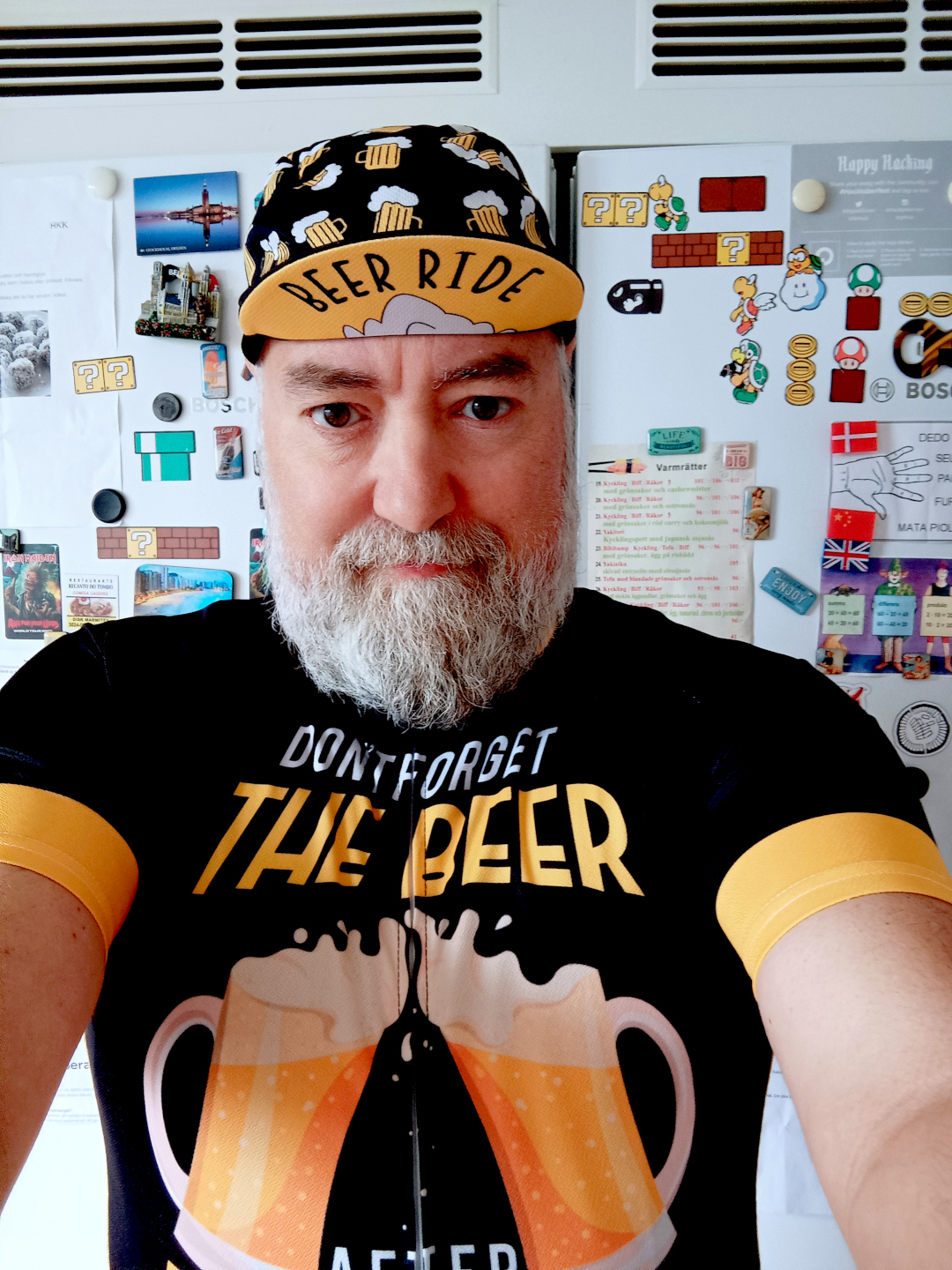
Foi em julho que também comecei a usar o que seria o uniforme do time de pedal.
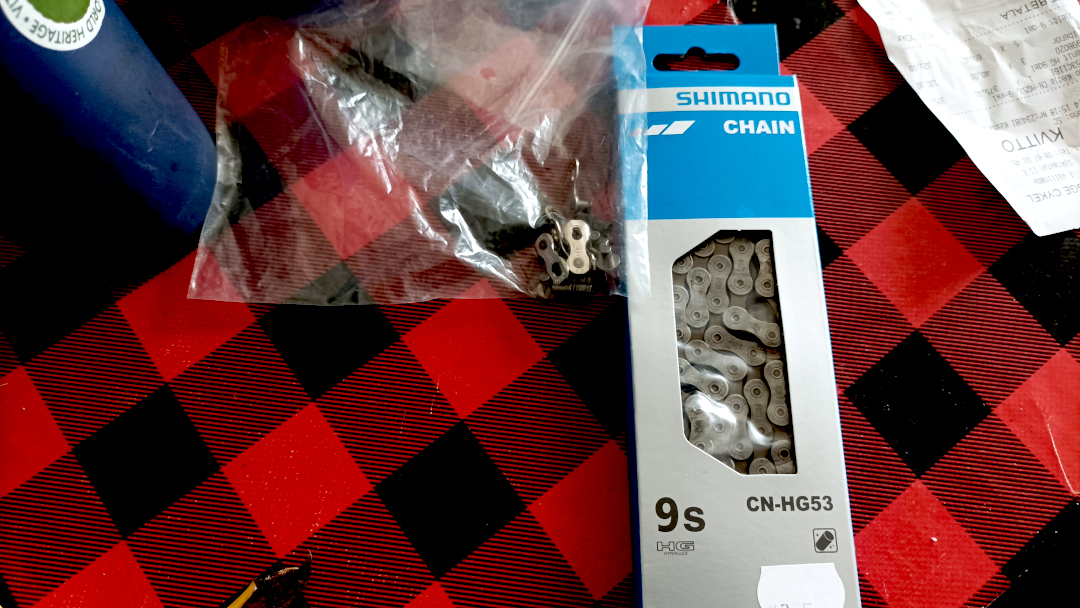
E foi também em julho que quebrou minha corrente.
Em agosto fomos até Gotemburgo pra assistir AC⚡DC. For those about to rock, we sallute you!

Também fizemos um pedal bacana, que pegava duas balsas na região de Waxholm.

Nem tudo foi bom em 2025. Em setembro foi quando saiu a notícia do querido José Naves ter sido forçado a voltar ao Brasil por conta da nova lei anti-imigração da Suécia.

Outro problema de bike. Dessa vez um raio quebrado. O equipamento já está mostrando fadiga do tempo (e distância) de uso.
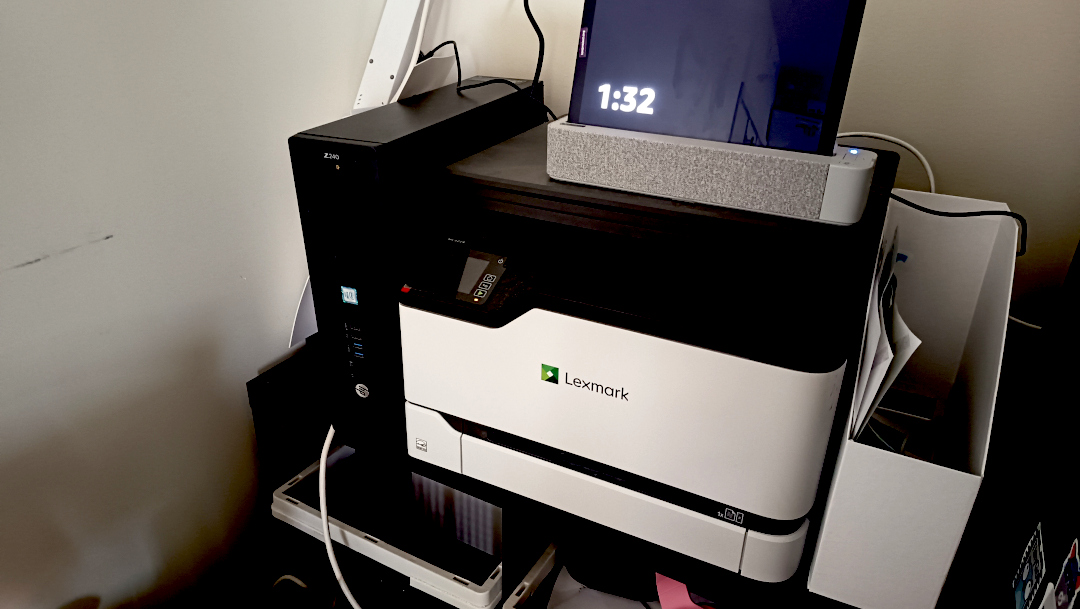
Foi em outubro que comprei o hardware usado, esse do lado esquerdo da impressora, e fiz minha própria instância no fediverso.
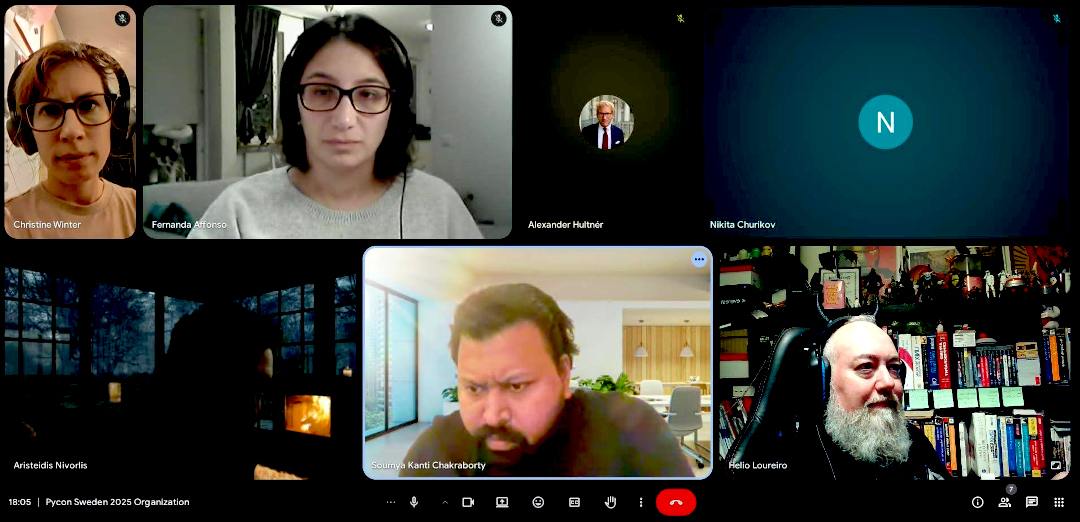
E tivemos PyCon Suécia. No fim de outubro, mas teve.
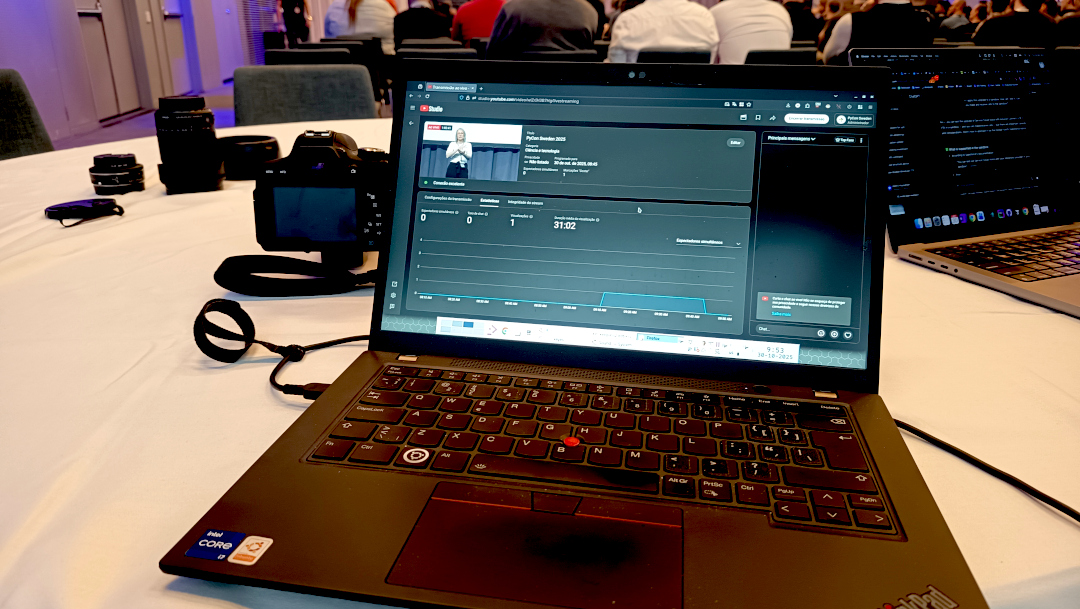
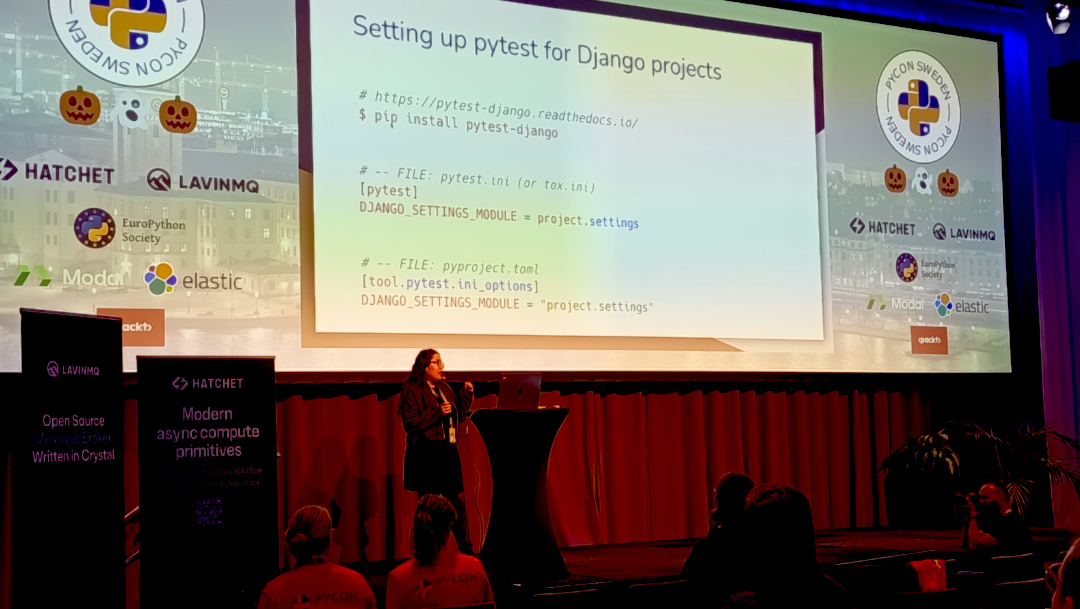
Tudo organizado via web com uma equipe maravilhosa.
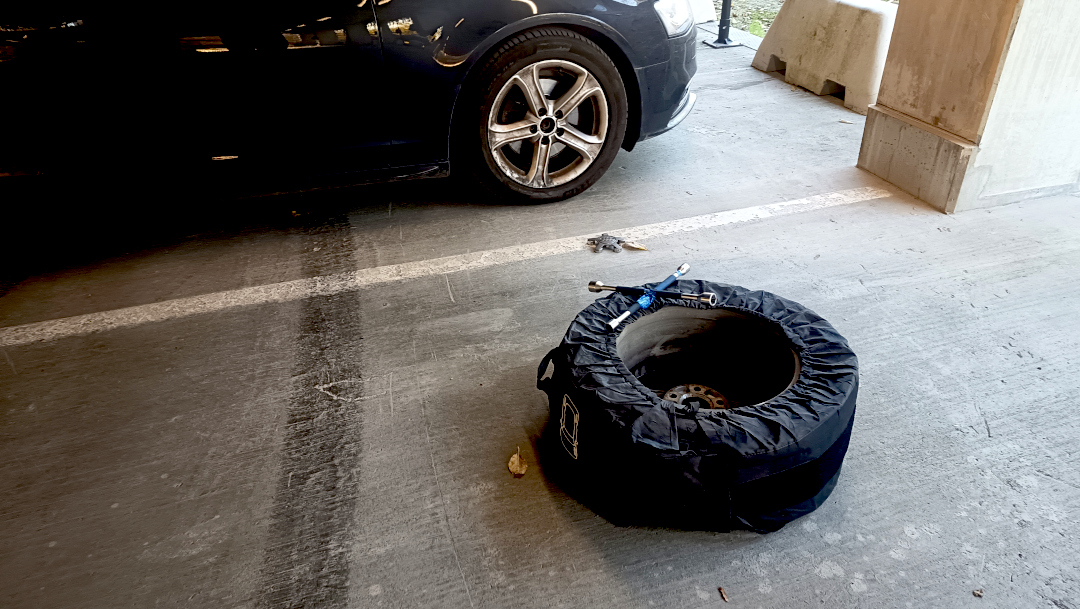
Em novembro é época de levar aquele soco na barriga do inverno e te lembrar que aqui é Suécia. Fica escuro logo às 16:00 e temos de trocar os pneus pros de inverno.
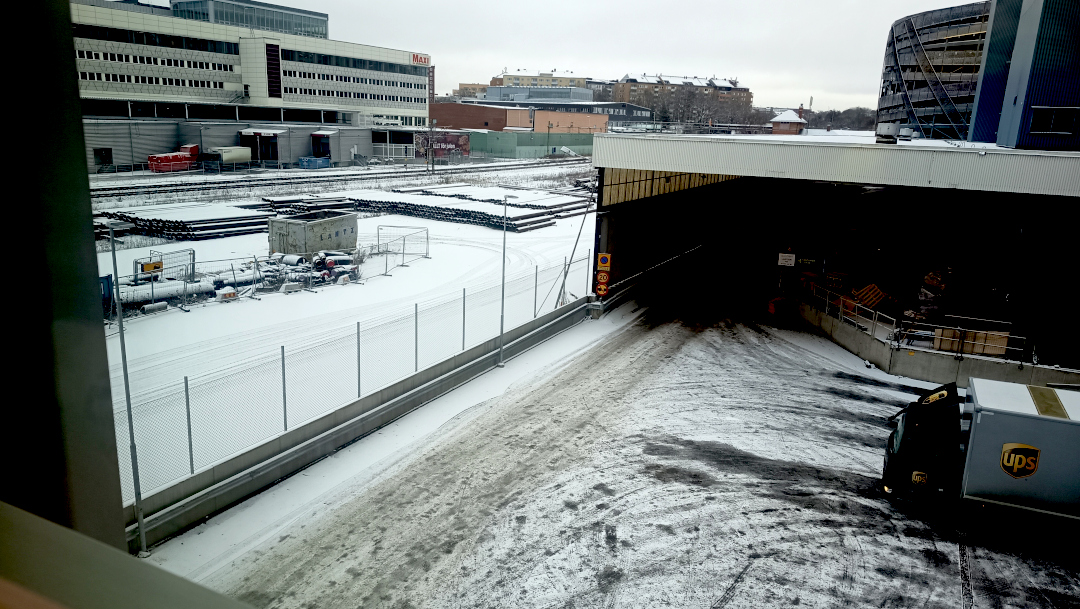
E temos sempre uma nevadinha. De leve. Mas tem.
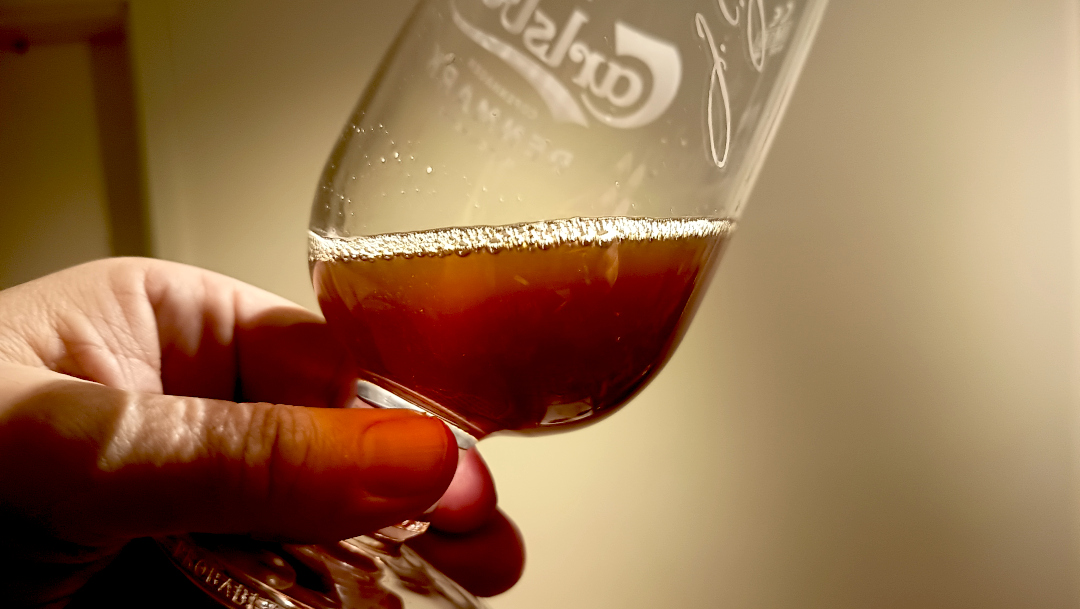
E chega o último mês do ano. Aquele que a gente só quer descansar. Eu aproveitei pra fazer uma Winter Ale, de sabor caramelado.
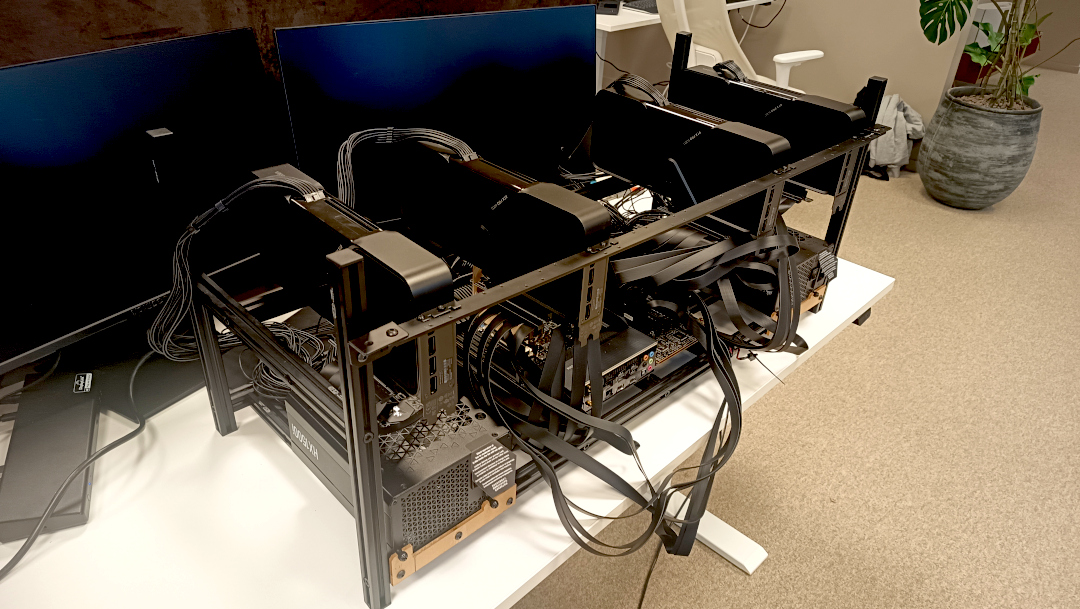
Dezembro foi também quando terminei de montar a nova máquina de AI da firma. Lego de gente grande. Foi bem divertido.
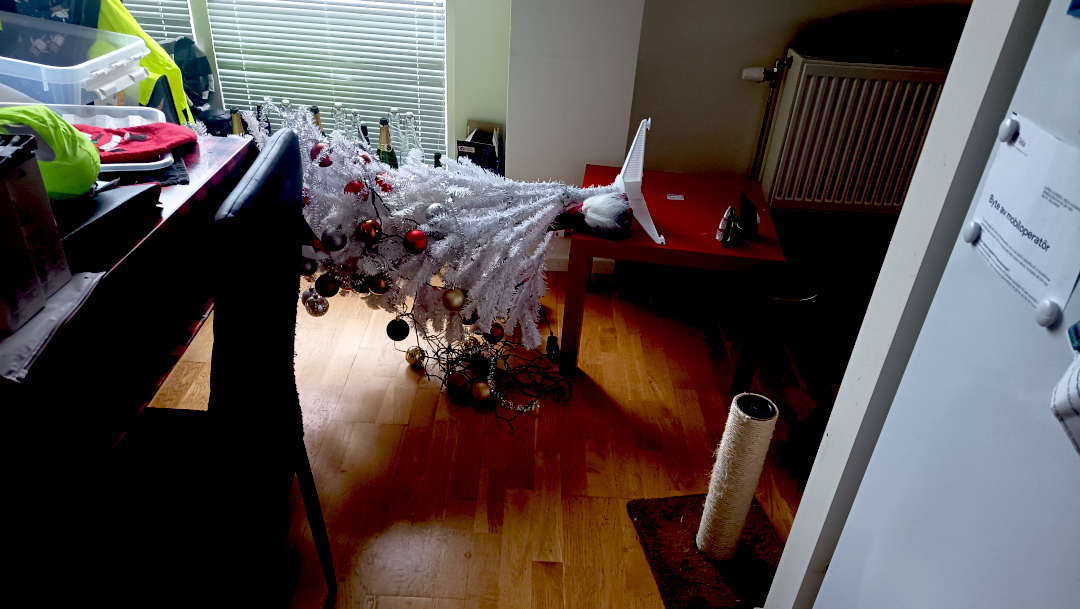
E claro, é o mês em que a felina da casa entra em polvorosa.
E com isso chegamos ao final do grande pequeno resumo do meu ano.
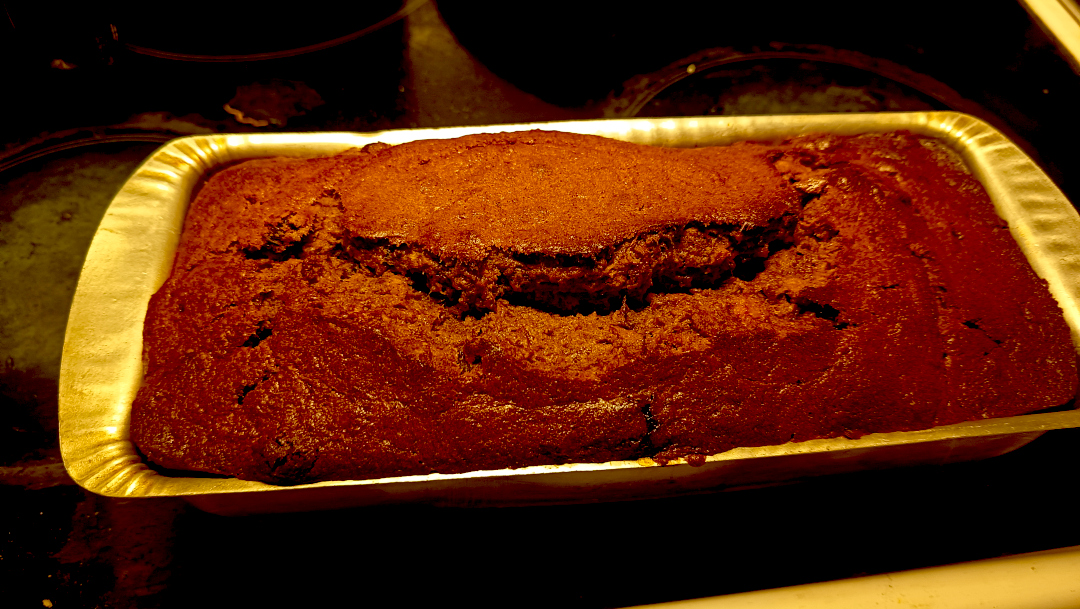
Deixo vocês com a imagem do pão de banana que estou ficando craque em fazer. E bom 2026!
E vamos de volta pra Skyrim. Mother, mother, sweety mother. Temos um contrato pra matar o imperador de Tanriel pra completar.

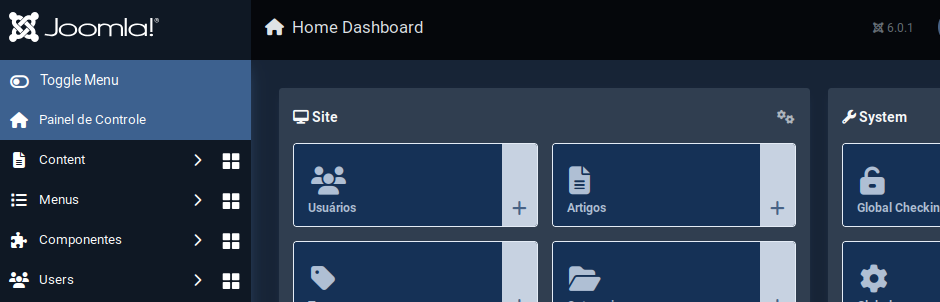
Como parte das atividades de fim de ano, atualizei o Joomla do site pro 6.0.1. Se algo estiver quebrado, já sabem o motivo.
Aproveitei o embalo e também fiz upgrade do sistema operacional pro Debian Trixie.
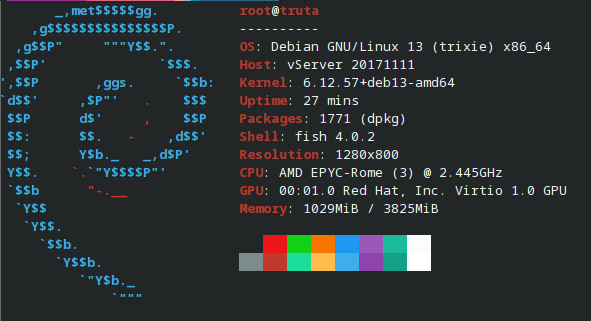
Tudo pronto pra iniciar 2026.
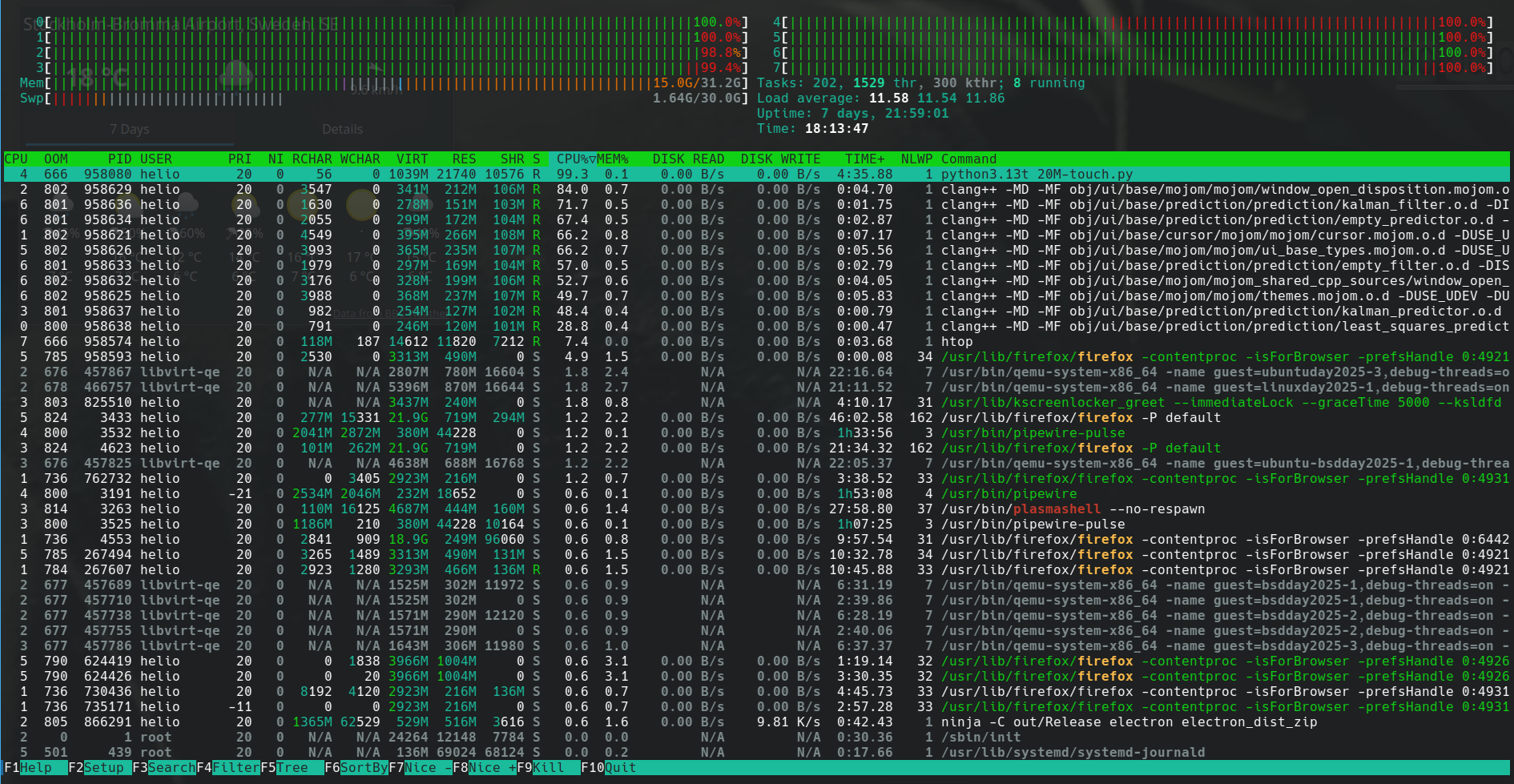
E aqui segue a minha última dica desse ano. Pelo menos escrita do laptop de trabalho, uma vez que sempre dedico algumas horas pra escrever artigos nas sextas-feiras nele.
Tem algumas situações que meu terminal para de funcionar o ctrl-c.
Treco chato pra caramba.
Você conecta numa máquina remota, roda um journalctl e... fica preso.
Qualquer outro comando como ping também te trava.
E eu não sei exatamente em que situação isso ocorre.
Mas eu não rebooto meu laptop com muita frequência.
Fico com uns 10 terminais abertos, alguns no konsole, outros no yakuake.
Não sei se foram terminais que eu estava rodando algo como htop ou mesmo tmux.
Como diria Chicó: não sei, só sei que foi assim.
E tentei de tudo pra recuperar o ctrl-c: reset, recofigurar o fish pra
entender terminal_break, etc.
Tudo quanto era receita exotérica eu tentei.
E continuei não sabendo exatamente como arrumar além de fechar o terminal e abrir outro.
Até que um dia buscado na Internet achei uma dica que fez voltar o ctrl-c:
stty sane
Simples assim. Todo o sofrimento acabou. Esse comando reconfigura o terminal com parâmetros... sei lá. Mais sãos? O importante é que funciona.
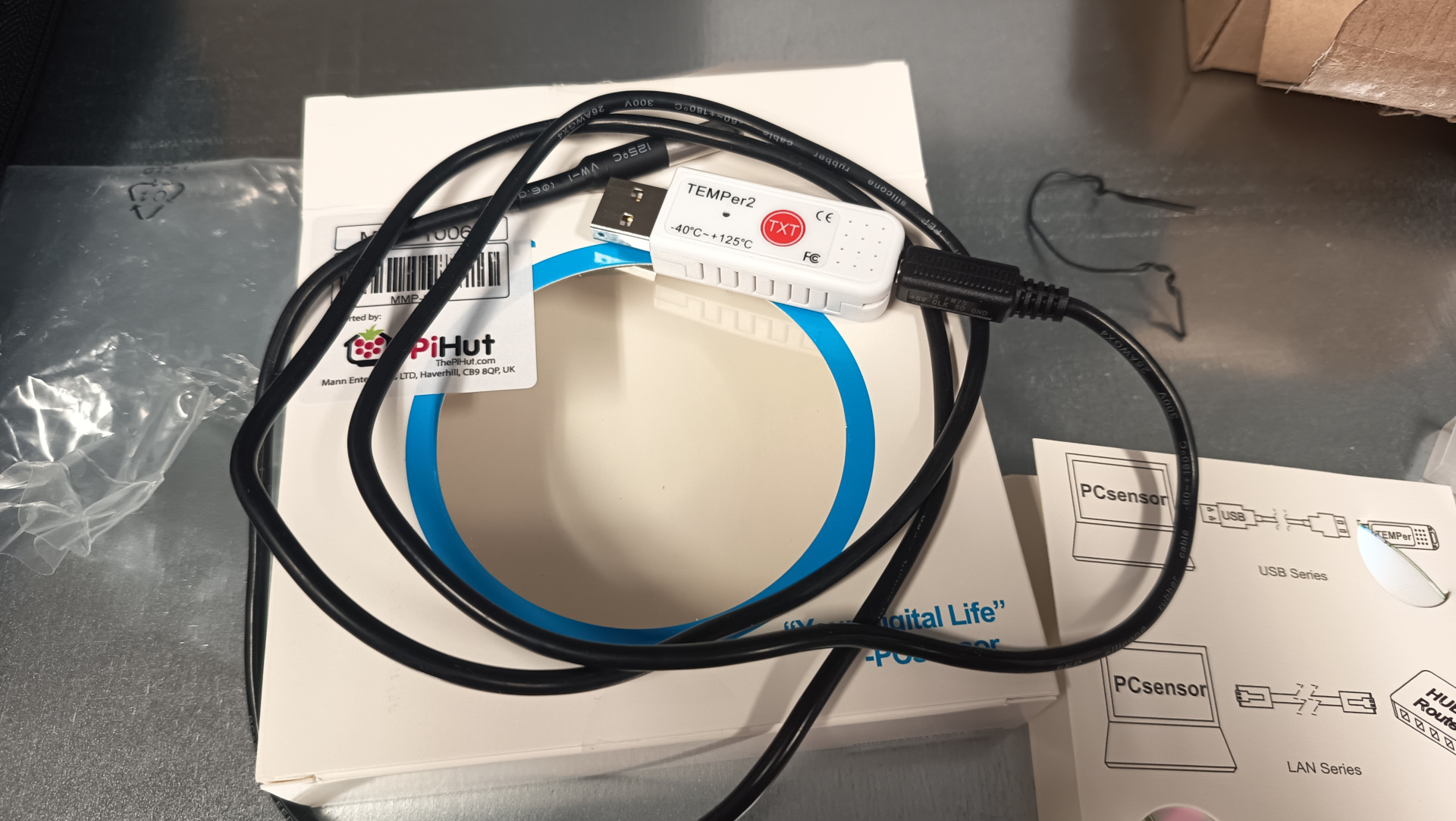
Eu descrevi o uso do sensor temper com raspberrypi no artigo
monitorando a temperatura da sala dos servidores.
O que eu não contei ali foi que eu passei a monitorar outros parâmetros mostrado pelo programa sensor.
O sensor faz parte do pacote lm-sensor no Ubuntu.
Rodando o programa com parâmetro -j mostra a saída em format JSON.
❯ sensors -j
{
   "coretemp-isa-0000":{
      "Adapter": "ISA adapter",
      "Package id 0":{
         "temp1_input": 61.000,
         "temp1_max": 100.000,
         "temp1_crit": 100.000,
         "temp1_crit_alarm": 0.000
      },
      "Core 0":{
         "temp2_input": 52.000,
         "temp2_max": 100.000,
         "temp2_crit": 100.000,
         "temp2_crit_alarm": 0.000
      },
      "Core 4":{
         "temp6_input": 54.000,
         "temp6_max": 100.000,
         "temp6_crit": 100.000,
         "temp6_crit_alarm": 0.000
      },
      "Core 8":{
         "temp10_input": 61.000,
         "temp10_max": 100.000,
         "temp10_crit": 100.000,
         "temp10_crit_alarm": 0.000
      },
      "Core 9":{
         "temp11_input": 61.000,
         "temp11_max": 100.000,
         "temp11_crit": 100.000,
         "temp11_crit_alarm": 0.000
      },
      "Core 10":{
         "temp12_input": 61.000,
         "temp12_max": 100.000,
         "temp12_crit": 100.000,
         "temp12_crit_alarm": 0.000
      },
      "Core 11":{
         "temp13_input": 61.000,
         "temp13_max": 100.000,
         "temp13_crit": 100.000,
         "temp13_crit_alarm": 0.000
      },
      "Core 12":{
         "temp14_input": 59.000,
         "temp14_max": 100.000,
         "temp14_crit": 100.000,
         "temp14_crit_alarm": 0.000
      },
      "Core 13":{
         "temp15_input": 59.000,
         "temp15_max": 100.000,
         "temp15_crit": 100.000,
         "temp15_crit_alarm": 0.000
      },
      "Core 14":{
         "temp16_input": 59.000,
         "temp16_max": 100.000,
         "temp16_crit": 100.000,
         "temp16_crit_alarm": 0.000
      },
      "Core 15":{
         "temp17_input": 60.000,
         "temp17_max": 100.000,
         "temp17_crit": 100.000,
         "temp17_crit_alarm": 0.000
      }
   },
   "thinkpad-isa-0000":{
      "Adapter": "ISA adapter",
      "fan1":{
         "fan1_input": 2191.000
      },
      "CPU":{
         "temp1_input": 59.000
      },
      "GPU":{
ERROR: Can't get value of subfeature temp2_input: Can't read

      },
      "temp3":{
         "temp3_input": 59.000
      },
      "temp4":{
         "temp4_input": 0.000
      },
      "temp5":{
         "temp5_input": 59.000
      },
      "temp6":{
         "temp6_input": 59.000
      },
      "temp7":{
         "temp7_input": 59.000
      },
      "temp8":{
ERROR: Can't get value of subfeature temp8_input: Can't read

      }
   },
   "ucsi_source_psy_USBC000:001-isa-0000":{
      "Adapter": "ISA adapter",
      "in0":{
         "in0_input": 0.000,
         "in0_min": 0.000,
         "in0_max": 0.000
      },
      "curr1":{
         "curr1_input": 0.000,
         "curr1_max": 0.000
      }
   },
   "BAT0-acpi-0":{
      "Adapter": "ACPI interface",
      "in0":{
         "in0_input": 12.909
      },
      "power1":{
         "power1_input": 0.000
      }
   },
   "iwlwifi_1-virtual-0":{
      "Adapter": "Virtual device",
      "temp1":{
         "temp1_input": 42.000
      }
   },
   "ucsi_source_psy_USBC000:002-isa-0000":{
      "Adapter": "ISA adapter",
      "in0":{
         "in0_input": 0.000,
         "in0_min": 0.000,
         "in0_max": 0.000
      },
      "curr1":{
         "curr1_input": 3.000,
         "curr1_max": 0.000
      }
   },
   "nvme-pci-0200":{
      "Adapter": "PCI adapter",
      "Composite":{
         "temp1_input": 44.850,
         "temp1_max": 85.850,
         "temp1_min": -273.150,
         "temp1_crit": 86.850,
         "temp1_alarm": 0.000
      },
      "Sensor 1":{
         "temp2_input": 47.850,
         "temp2_max": 65261.850,
         "temp2_min": -273.150
      },
      "Sensor 2":{
         "temp3_input": 44.850,
         "temp3_max": 65261.850,
         "temp3_min": -273.150
      }
   },
   "acpitz-acpi-0":{
      "Adapter": "ACPI interface",
      "temp1":{
         "temp1_input": 59.000
      }
   }
}
Essa saída de comando é do laptop de trabalho, onde estou escrevendo esse artigo.
É possível ver que aparecem alguns erros como ERROR: Can't get value of subfeature temp2_input: Can't read
e que alguns dados não tem valor como em { "coretemp-isa-0000":{ "Adapter": "ISA adapter" } }.
Quando fiz pro servidor, eu acabei meio que escrevendo o código na mão.
    sensors = shellExec("/usr/bin/sensors -j")
    logger.debug(f"sensors: {sensors}")
    jResp = json.loads(sensors)

    resp = list()
    resp.append("#HELP server_board_temperature_celsius the server board current temperatures")
    resp.append("#TYPE server_board_temperature_celsius gauge")
    device_1 = "nvme-pci-2b00"
    device_2 = "k10temp-pci-00c3"
    composite = jResp[device_1]["Composite"]["temp1_input"]
    logger.info(f"device: {device_1}, composite, temperature: {composite}")
    resp.append("server_board_temperature_celsius{device=\"" + device_1 + "\",sensor=\"composite\"} " + "%0.2f" % composite )
    sensor_1 = jResp[device_1]["Sensor 1"]["temp2_input"]
    resp.append("server_board_temperature_celsius{device=\"" + device_1 + "\",sensor=\"sensor_1\"} " + "%0.2f" % sensor_1 )
    sensor_2 = jResp[device_1]["Sensor 2"]["temp3_input"]
    resp.append("server_board_temperature_celsius{device=\"" + device_1 + "\",sensor=\"sensor_2\"} " + "%0.2f" % sensor_2 )
    tctl = jResp[device_2]["Tctl"]["temp1_input"]
    resp.append("server_board_temperature_celsius{device=\"" + device_2 + "\",sensor=\"tctl\"} " + "%0.2f" % tctl )
    tccd3 = jResp[device_2]["Tccd3"]["temp5_input"]
    resp.append("server_board_temperature_celsius{device=\"" + device_2 + "\",sensor=\"tccd3\"} " + "%0.2f" % tccd3 )
    tccd5 = jResp[device_2]["Tccd5"]["temp7_input"]
    resp.append("server_board_temperature_celsius{device=\"" + device_2 + "\",sensor=\"tccd5\"} " + "%0.2f" % tccd5 )
    resp.append("")
Então essa semana eu gastei um tempo pra fazer um script mais genérico.
Aparecem agora todos os dados que saem com valor no comando sensor -j, mas em contrapartida não sei exatamente o que são.
Sem mais delongas, aqui o código:
#! /usr/bin/env -S uv run --script
#
# /// script
# dependencies = [
#    "uvicorn",
#    "fastapi"
# ]
# ///

import argparse
import sys
import subprocess
import logging
import json
import re

from fastapi import FastAPI
from fastapi.responses import PlainTextResponse
import uvicorn


DEFAULTS = {"port": 9090, "path": "/metrics"}
__version__ = "0.1.0"

logger = logging.getLogger(__file__)
consoleOutputHandler = logging.StreamHandler()
formatter = logging.Formatter(
    fmt="[%(asctime)s] (%(levelname)s) %(message)s", datefmt="%Y-%m-%d %H:%M:%S"
)
consoleOutputHandler.setFormatter(formatter)
logger.addHandler(consoleOutputHandler)
logger.setLevel(logging.INFO)


def shellExec(command: str) -> str:
    "run a command and return its output"
    try:
        # result = subprocess.getoutput(command, errors=subprocess.DEVNULL)
        result = subprocess.check_output(
            command, stderr=subprocess.DEVNULL, encoding="utf-8"
        )
        logger.debug(f"shellExec: {result}")
        return result
    except Exception as e:
        logger.error(f"Error executing shell command '{command}': {e}")
        return f"Error: {e}"


class SensorMetrics:
    open_metrics: dict = {}

    def generateMetrics(self) -> list:
        self.dataReset()
        sensors_output = shellExec(["sensors", "-j"])
        logger.debug(f"sensors: {sensors_output}")
        sensorsJSON = json.loads(sensors_output)
        # sensorsJSON = {
        #     "thinkpad-isa-0000": {
        #         "Adapter": "ISA adapter",
        #         "fan1": {"fan1_input": 2786.000},
        #         "CPU": {"temp1_input": 69.000},
        #         "GPU": {},
        #         "temp3": {"temp3_input": 69.000},
        #         "temp4": {"temp4_input": 0.000},
        #         "temp5": {"temp5_input": 69.000},
        #         "temp6": {"temp6_input": 69.000},
        #         "temp7": {"temp7_input": 69.000},
        #         "temp8": {},
        #     }
        # }
        self.getOpenMetrics([], sensorsJSON)

        return []

    def dataReset(self):
        self.open_metrics = {}

    def getOpenMetrics(self, header: list, data_dict: dict):
        if isinstance(data_dict, dict):
            for k, v in data_dict.items():
                logger.debug(f"k={k}, v={v}")
                if isinstance(v, dict):
                    self.getOpenMetrics(header + [k], v)
                else:
                    logger.debug(
                        f"Value is not dictionary: header={header}, k={k}, v={v}"
                    )
                    try:
                        v = float(v)
                    except ValueError:
                        logger.debug(f"invalid value: {v}")
                        continue
                    metric_head = self.generateMetricHeader(header, k)
                    metric_description = " ".join(header)
                    metric_description += f" {k}"

                    if metric_head in self.open_metrics:
                        logger.error(f"metric name '{metric_head}' already exists")

                    self.open_metrics[metric_head] = {
                        "value": v,
                        "description": metric_description,
                    }
                    logger.debug(
                        f"Adding: metric_head={metric_head}, value={v}, description='{metric_description}'"
                    )
        else:
            logger.debug(f"Not dictionary: header={header}, data_dict={data_dict}")

    def generateMetricHeader(self, header: list, key: str) -> str:
        metric_header = "_".join(header)
        metric_header = re.sub(" ", "_", metric_header)
        return f"{metric_header}_{key}"


if __name__ == "__main__":
    parse = argparse.ArgumentParser(
        description="Script to expose the sensors as open metrics"
    )
    parse.add_argument(
        "--port", type=int, default=DEFAULTS["port"], help="Port to listen"
    )
    parse.add_argument(
        "--path", default=DEFAULTS["path"], help="The path to serve the metrics"
    )

    parse.add_argument(
        "--version",
        action=argparse.BooleanOptionalAction,
        help="Print version and exit",
    )
    parse.add_argument(
        "--printout",
        action=argparse.BooleanOptionalAction,
        help="Print the exposed metrics found in the system",
    )

    parse.add_argument("--loglevel", default="info", help="Logging level")

    args = parse.parse_args()

    if args.loglevel != "info":
        logger.setLevel(args.loglevel.upper())

    if args.version is True:
        print(sys.argv[0], __version__)
        sys.exit(0)

    if args.printout is True:
        mts = SensorMetrics()
        mts.generateMetrics()
        for k, v in mts.open_metrics.items():
            description = v["description"]
            print(f"#HELP {k} {description}")
            print(f"#TYPE {k} gauge")
            print(f"{k}: {v['value']}")
        sys.exit(0)

    app = FastAPI()

    @app.get(args.path, response_class=PlainTextResponse)
    async def metrics():
        logger.info(f"serving web page on {args.path}")
        mts = SensorMetrics()
        mts.generateMetrics()
        resp = list()
        for k, v in mts.open_metrics.items():
            description = v["description"]
            resp.append(f"#HELP {k} {description}")
            resp.append(f"#TYPE {k} gauge")
            resp.append(f"{k}: {v['value']}")
        return "\n".join(resp)

    logger.info(f"starting service on port {args.port}")
    uvicorn.run(app, host="127.0.0.1", port=args.port)
O código pode ser encontrado aqui:
Como pode ser visto no cabeçalho:
#! /usr/bin/env -S uv run --script
#
# /// script
# dependencies = [
#    "uvicorn",
#    "fastapi"
# ]
# ///
abracei com força a dica do querido Riverfount, que mostrou que o uv podia fazer isso.
E passei a adotar o pacote logging ao invés de enviar prints pro terminal.
logger = logging.getLogger(__file__)
consoleOutputHandler = logging.StreamHandler()
formatter = logging.Formatter(
    fmt="[%(asctime)s] (%(levelname)s) %(message)s", datefmt="%Y-%m-%d %H:%M:%S"
)
consoleOutputHandler.setFormatter(formatter)
logger.addHandler(consoleOutputHandler)
logger.setLevel(logging.INFO)
Eu sempre amarro esse singleton de logging, logger, com função do argparse pra poder modificar
o nível.
Começo sempre com info, mas usando o parâmetro --loglevel=debug eu mudo pro nível debug.
Torna prático e flexível pra gerenciar logs de funcionamento.
Além disso o logging usa STDERR pra enviar as mensagens.
Olhando agora pra parte de execução do script shell, onde sensors -j é chamado:
def shellExec(command: str) -> str:
    "run a command and return its output"
    try:
        # result = subprocess.getoutput(command, errors=subprocess.DEVNULL)
        result = subprocess.check_output(
            command, stderr=subprocess.DEVNULL, encoding="utf-8"
        )
        logger.debug(f"shellExec: {result}")
        return result
    except Exception as e:
        logger.error(f"Error executing shell command '{command}': {e}")
        return f"Error: {e}"
Uso como função ao invés de método da classe. Acho que fica mais simples. E poder rodar script do shell dentro de uma classe não parece lá muito como uma propriedade da classe em si.
Notem que inicialmente eu tentei usar subprocess.getoutput( ).
O problema são aquelas mensagens de erros que eu comentei acima,
ERROR: Can't get value of subfeature temp2_input: Can't read,
que saem junto.
Isso quebra a chamada do json.loads( ).
Tentei usar o parâmetro errors=subprocess.DEVNULL, mas aparentemente o subprocess.getoutput( ) não herda isso.
Então não funciona.
O jeito foi usar subprocess.check_output( ).
A grande diferença é que o primeiro aceita string, então poderia usar simplemente "sensors -j" como argumento.
No subprocess.check_output( ), o parâmetro precisa ser uma lista.
Tem de ser passado como ["sensors", "-j"] que não é o fim do mundo, só um pouco mais chato.
A classe SensorMetrics está bem simples de entender no começo.
Acho que a única parte que precisa de um pouco mais de cuidado pra olhar é o método getOpenMetrics( ).
    def getOpenMetrics(self, header: list, data_dict: dict):
        if isinstance(data_dict, dict):
            for k, v in data_dict.items():
                logger.debug(f"k={k}, v={v}")
                if isinstance(v, dict):
                    self.getOpenMetrics(header + [k], v)
                else:
                    logger.debug(
                        f"Value is not dictionary: header={header}, k={k}, v={v}"
                    )
                    try:
                        v = float(v)
                    except ValueError:
                        logger.debug(f"invalid value: {v}")
                        continue
                    metric_head = self.generateMetricHeader(header, k)
                    metric_description = " ".join(header)
                    metric_description += f" {k}"

                    if metric_head in self.open_metrics:
                        logger.error(f"metric name '{metric_head}' already exists")

                    self.open_metrics[metric_head] = {
                        "value": v,
                        "description": metric_description,
                    }
                    logger.debug(
                        f"Adding: metric_head={metric_head}, value={v}, description='{metric_description}'"
                    )
        else:
            logger.debug(f"Not dictionary: header={header}, data_dict={data_dict}")
Esse é um método recursivo. Olhando pra uma estrutura como essa aqui:
{
   "coretemp-isa-0000":{
      "Package id 0":{
         "temp1_input": 61.000,
         "temp1_max": 100.000,
         "temp1_crit": 100.000,
         "temp1_crit_alarm": 0.000
      }
    }
}
O loop quebra o dicionário recebido em k, v, ou "key" e "value".
Na primeira vez que recebe, os dados ficam assim:
{"Package id 0":{"temp1_input": 61.000,"temp1_max": 100.000,"temp1_crit": 100.000,"temp1_crit_alarm": 0.000 }}
Então ele se chama de novo, mas passa no parâmetro header a primeira chave que encontrou: coretemp-isa-0000.
{"temp1_input": 61.000,"temp1_max": 100.000,"temp1_max": 100.000,"temp1_crit_alarm": 0.000 }
Como value ainda é um dictionário, testando com isinstance( ), então ele
adiciona a chave Package id 0 na lista de headers e roda mais uma vez:
Como é um for-loop, ele pega essas chaves e valores.
Daí como tem o histórico do que veio antes dentro de header, fica fácil montar a estrutura.
Basta juntar tudo com "_" como separador.
    def generateMetricHeader(self, header: list, key: str) -> str:
        metric_header = "_".join(header)
        metric_header = re.sub(" ", "_", metric_header)
        return f"{metric_header}_{key}"
E é isso que é feito no método generateMetricHeader( ).
Espero que agora tenha ficado um pouco mais claro o que foi que eu fiz nesse programa. E o porquê de não saber se o valor é temperatura em Celsius ou o que seja, uma vez que esse dado não existe na estrutura em JSON gerada. Ou se é tensão em Volts. Fica tudo no mesmo balaio.
Nota: a manpage do sensors descreve que toda temperatura é por padrão em °C pra temperatura.
E também descreve que eu deveria estar usando o parâmetro "-J", que sai no formato que preciso.
Isso fica pra versão 0.2.0 do script 😊.
Rodando simplemente pelo shell, temos a seguinte saída (que pode mudar de acordo com seu hardware):
❯ sensors
coretemp-isa-0000
Adapter: ISA adapter
Package id 0:  +61.0°C  (high = +100.0°C, crit = +100.0°C)
Core 0:        +53.0°C  (high = +100.0°C, crit = +100.0°C)
Core 4:        +57.0°C  (high = +100.0°C, crit = +100.0°C)
Core 8:        +61.0°C  (high = +100.0°C, crit = +100.0°C)
Core 9:        +61.0°C  (high = +100.0°C, crit = +100.0°C)
Core 10:       +61.0°C  (high = +100.0°C, crit = +100.0°C)
Core 11:       +61.0°C  (high = +100.0°C, crit = +100.0°C)
Core 12:       +60.0°C  (high = +100.0°C, crit = +100.0°C)
Core 13:       +60.0°C  (high = +100.0°C, crit = +100.0°C)
Core 14:       +60.0°C  (high = +100.0°C, crit = +100.0°C)
Core 15:       +60.0°C  (high = +100.0°C, crit = +100.0°C)

thinkpad-isa-0000
Adapter: ISA adapter
fan1:        2199 RPM
CPU:          +60.0°C
GPU:              N/A
temp3:        +60.0°C
temp4:         +0.0°C
temp5:        +60.0°C
temp6:        +60.0°C
temp7:        +60.0°C
temp8:            N/A

ucsi_source_psy_USBC000:001-isa-0000
Adapter: ISA adapter
in0:           0.00 V  (min =  +0.00 V, max =  +0.00 V)
curr1:         0.00 A  (max =  +0.00 A)

BAT0-acpi-0
Adapter: ACPI interface
in0:          12.91 V
power1:        0.00 W

iwlwifi_1-virtual-0
Adapter: Virtual device
temp1:        +43.0°C

ucsi_source_psy_USBC000:002-isa-0000
Adapter: ISA adapter
in0:           0.00 V  (min =  +0.00 V, max =  +0.00 V)
curr1:         3.00 A  (max =  +0.00 A)

nvme-pci-0200
Adapter: PCI adapter
Composite:    +45.9°C  (low  = -273.1°C, high = +85.8°C)
                       (crit = +86.8°C)
Sensor 1:     +48.9°C  (low  = -273.1°C, high = +65261.8°C)
Sensor 2:     +45.9°C  (low  = -273.1°C, high = +65261.8°C)

acpitz-acpi-0
Adapter: ACPI interface
temp1:        +60.0°C

❯ ./sensors-open-metrics.py --printout
#HELP coretemp-isa-0000_Package_id_0_temp1_input coretemp-isa-0000 Package id 0 temp1_input
#TYPE coretemp-isa-0000_Package_id_0_temp1_input gauge
coretemp-isa-0000_Package_id_0_temp1_input: 66.0
#HELP coretemp-isa-0000_Package_id_0_temp1_max coretemp-isa-0000 Package id 0 temp1_max
#TYPE coretemp-isa-0000_Package_id_0_temp1_max gauge
coretemp-isa-0000_Package_id_0_temp1_max: 100.0
#HELP coretemp-isa-0000_Package_id_0_temp1_crit coretemp-isa-0000 Package id 0 temp1_crit
#TYPE coretemp-isa-0000_Package_id_0_temp1_crit gauge
coretemp-isa-0000_Package_id_0_temp1_crit: 100.0
#HELP coretemp-isa-0000_Package_id_0_temp1_crit_alarm coretemp-isa-0000 Package id 0 temp1_crit_alarm
#TYPE coretemp-isa-0000_Package_id_0_temp1_crit_alarm gauge
coretemp-isa-0000_Package_id_0_temp1_crit_alarm: 0.0
#HELP coretemp-isa-0000_Core_0_temp2_input coretemp-isa-0000 Core 0 temp2_input
#TYPE coretemp-isa-0000_Core_0_temp2_input gauge
coretemp-isa-0000_Core_0_temp2_input: 61.0
#HELP coretemp-isa-0000_Core_0_temp2_max coretemp-isa-0000 Core 0 temp2_max
#TYPE coretemp-isa-0000_Core_0_temp2_max gauge
coretemp-isa-0000_Core_0_temp2_max: 100.0
#HELP coretemp-isa-0000_Core_0_temp2_crit coretemp-isa-0000 Core 0 temp2_crit
#TYPE coretemp-isa-0000_Core_0_temp2_crit gauge
coretemp-isa-0000_Core_0_temp2_crit: 100.0
#HELP coretemp-isa-0000_Core_0_temp2_crit_alarm coretemp-isa-0000 Core 0 temp2_crit_alarm
#TYPE coretemp-isa-0000_Core_0_temp2_crit_alarm gauge
coretemp-isa-0000_Core_0_temp2_crit_alarm: 0.0
#HELP coretemp-isa-0000_Core_4_temp6_input coretemp-isa-0000 Core 4 temp6_input
#TYPE coretemp-isa-0000_Core_4_temp6_input gauge
coretemp-isa-0000_Core_4_temp6_input: 58.0
#HELP coretemp-isa-0000_Core_4_temp6_max coretemp-isa-0000 Core 4 temp6_max
#TYPE coretemp-isa-0000_Core_4_temp6_max gauge
coretemp-isa-0000_Core_4_temp6_max: 100.0
#HELP coretemp-isa-0000_Core_4_temp6_crit coretemp-isa-0000 Core 4 temp6_crit
#TYPE coretemp-isa-0000_Core_4_temp6_crit gauge
coretemp-isa-0000_Core_4_temp6_crit: 100.0
#HELP coretemp-isa-0000_Core_4_temp6_crit_alarm coretemp-isa-0000 Core 4 temp6_crit_alarm
#TYPE coretemp-isa-0000_Core_4_temp6_crit_alarm gauge
coretemp-isa-0000_Core_4_temp6_crit_alarm: 0.0
#HELP coretemp-isa-0000_Core_8_temp10_input coretemp-isa-0000 Core 8 temp10_input
#TYPE coretemp-isa-0000_Core_8_temp10_input gauge
coretemp-isa-0000_Core_8_temp10_input: 66.0
#HELP coretemp-isa-0000_Core_8_temp10_max coretemp-isa-0000 Core 8 temp10_max
#TYPE coretemp-isa-0000_Core_8_temp10_max gauge
coretemp-isa-0000_Core_8_temp10_max: 100.0
#HELP coretemp-isa-0000_Core_8_temp10_crit coretemp-isa-0000 Core 8 temp10_crit
#TYPE coretemp-isa-0000_Core_8_temp10_crit gauge
coretemp-isa-0000_Core_8_temp10_crit: 100.0
#HELP coretemp-isa-0000_Core_8_temp10_crit_alarm coretemp-isa-0000 Core 8 temp10_crit_alarm
#TYPE coretemp-isa-0000_Core_8_temp10_crit_alarm gauge
coretemp-isa-0000_Core_8_temp10_crit_alarm: 0.0
#HELP coretemp-isa-0000_Core_9_temp11_input coretemp-isa-0000 Core 9 temp11_input
#TYPE coretemp-isa-0000_Core_9_temp11_input gauge
coretemp-isa-0000_Core_9_temp11_input: 66.0
#HELP coretemp-isa-0000_Core_9_temp11_max coretemp-isa-0000 Core 9 temp11_max
#TYPE coretemp-isa-0000_Core_9_temp11_max gauge
coretemp-isa-0000_Core_9_temp11_max: 100.0
#HELP coretemp-isa-0000_Core_9_temp11_crit coretemp-isa-0000 Core 9 temp11_crit
#TYPE coretemp-isa-0000_Core_9_temp11_crit gauge
coretemp-isa-0000_Core_9_temp11_crit: 100.0
#HELP coretemp-isa-0000_Core_9_temp11_crit_alarm coretemp-isa-0000 Core 9 temp11_crit_alarm
#TYPE coretemp-isa-0000_Core_9_temp11_crit_alarm gauge
coretemp-isa-0000_Core_9_temp11_crit_alarm: 0.0
#HELP coretemp-isa-0000_Core_10_temp12_input coretemp-isa-0000 Core 10 temp12_input
#TYPE coretemp-isa-0000_Core_10_temp12_input gauge
coretemp-isa-0000_Core_10_temp12_input: 66.0
#HELP coretemp-isa-0000_Core_10_temp12_max coretemp-isa-0000 Core 10 temp12_max
#TYPE coretemp-isa-0000_Core_10_temp12_max gauge
coretemp-isa-0000_Core_10_temp12_max: 100.0
#HELP coretemp-isa-0000_Core_10_temp12_crit coretemp-isa-0000 Core 10 temp12_crit
#TYPE coretemp-isa-0000_Core_10_temp12_crit gauge
coretemp-isa-0000_Core_10_temp12_crit: 100.0
#HELP coretemp-isa-0000_Core_10_temp12_crit_alarm coretemp-isa-0000 Core 10 temp12_crit_alarm
#TYPE coretemp-isa-0000_Core_10_temp12_crit_alarm gauge
coretemp-isa-0000_Core_10_temp12_crit_alarm: 0.0
#HELP coretemp-isa-0000_Core_11_temp13_input coretemp-isa-0000 Core 11 temp13_input
#TYPE coretemp-isa-0000_Core_11_temp13_input gauge
coretemp-isa-0000_Core_11_temp13_input: 66.0
#HELP coretemp-isa-0000_Core_11_temp13_max coretemp-isa-0000 Core 11 temp13_max
#TYPE coretemp-isa-0000_Core_11_temp13_max gauge
coretemp-isa-0000_Core_11_temp13_max: 100.0
#HELP coretemp-isa-0000_Core_11_temp13_crit coretemp-isa-0000 Core 11 temp13_crit
#TYPE coretemp-isa-0000_Core_11_temp13_crit gauge
coretemp-isa-0000_Core_11_temp13_crit: 100.0
#HELP coretemp-isa-0000_Core_11_temp13_crit_alarm coretemp-isa-0000 Core 11 temp13_crit_alarm
#TYPE coretemp-isa-0000_Core_11_temp13_crit_alarm gauge
coretemp-isa-0000_Core_11_temp13_crit_alarm: 0.0
#HELP coretemp-isa-0000_Core_12_temp14_input coretemp-isa-0000 Core 12 temp14_input
#TYPE coretemp-isa-0000_Core_12_temp14_input gauge
coretemp-isa-0000_Core_12_temp14_input: 61.0
#HELP coretemp-isa-0000_Core_12_temp14_max coretemp-isa-0000 Core 12 temp14_max
#TYPE coretemp-isa-0000_Core_12_temp14_max gauge
coretemp-isa-0000_Core_12_temp14_max: 100.0
#HELP coretemp-isa-0000_Core_12_temp14_crit coretemp-isa-0000 Core 12 temp14_crit
#TYPE coretemp-isa-0000_Core_12_temp14_crit gauge
coretemp-isa-0000_Core_12_temp14_crit: 100.0
#HELP coretemp-isa-0000_Core_12_temp14_crit_alarm coretemp-isa-0000 Core 12 temp14_crit_alarm
#TYPE coretemp-isa-0000_Core_12_temp14_crit_alarm gauge
coretemp-isa-0000_Core_12_temp14_crit_alarm: 0.0
#HELP coretemp-isa-0000_Core_13_temp15_input coretemp-isa-0000 Core 13 temp15_input
#TYPE coretemp-isa-0000_Core_13_temp15_input gauge
coretemp-isa-0000_Core_13_temp15_input: 61.0
#HELP coretemp-isa-0000_Core_13_temp15_max coretemp-isa-0000 Core 13 temp15_max
#TYPE coretemp-isa-0000_Core_13_temp15_max gauge
coretemp-isa-0000_Core_13_temp15_max: 100.0
#HELP coretemp-isa-0000_Core_13_temp15_crit coretemp-isa-0000 Core 13 temp15_crit
#TYPE coretemp-isa-0000_Core_13_temp15_crit gauge
coretemp-isa-0000_Core_13_temp15_crit: 100.0
#HELP coretemp-isa-0000_Core_13_temp15_crit_alarm coretemp-isa-0000 Core 13 temp15_crit_alarm
#TYPE coretemp-isa-0000_Core_13_temp15_crit_alarm gauge
coretemp-isa-0000_Core_13_temp15_crit_alarm: 0.0
#HELP coretemp-isa-0000_Core_14_temp16_input coretemp-isa-0000 Core 14 temp16_input
#TYPE coretemp-isa-0000_Core_14_temp16_input gauge
coretemp-isa-0000_Core_14_temp16_input: 61.0
#HELP coretemp-isa-0000_Core_14_temp16_max coretemp-isa-0000 Core 14 temp16_max
#TYPE coretemp-isa-0000_Core_14_temp16_max gauge
coretemp-isa-0000_Core_14_temp16_max: 100.0
#HELP coretemp-isa-0000_Core_14_temp16_crit coretemp-isa-0000 Core 14 temp16_crit
#TYPE coretemp-isa-0000_Core_14_temp16_crit gauge
coretemp-isa-0000_Core_14_temp16_crit: 100.0
#HELP coretemp-isa-0000_Core_14_temp16_crit_alarm coretemp-isa-0000 Core 14 temp16_crit_alarm
#TYPE coretemp-isa-0000_Core_14_temp16_crit_alarm gauge
coretemp-isa-0000_Core_14_temp16_crit_alarm: 0.0
#HELP coretemp-isa-0000_Core_15_temp17_input coretemp-isa-0000 Core 15 temp17_input
#TYPE coretemp-isa-0000_Core_15_temp17_input gauge
coretemp-isa-0000_Core_15_temp17_input: 61.0
#HELP coretemp-isa-0000_Core_15_temp17_max coretemp-isa-0000 Core 15 temp17_max
#TYPE coretemp-isa-0000_Core_15_temp17_max gauge
coretemp-isa-0000_Core_15_temp17_max: 100.0
#HELP coretemp-isa-0000_Core_15_temp17_crit coretemp-isa-0000 Core 15 temp17_crit
#TYPE coretemp-isa-0000_Core_15_temp17_crit gauge
coretemp-isa-0000_Core_15_temp17_crit: 100.0
#HELP coretemp-isa-0000_Core_15_temp17_crit_alarm coretemp-isa-0000 Core 15 temp17_crit_alarm
#TYPE coretemp-isa-0000_Core_15_temp17_crit_alarm gauge
coretemp-isa-0000_Core_15_temp17_crit_alarm: 0.0
#HELP thinkpad-isa-0000_fan1_fan1_input thinkpad-isa-0000 fan1 fan1_input
#TYPE thinkpad-isa-0000_fan1_fan1_input gauge
thinkpad-isa-0000_fan1_fan1_input: 2191.0
#HELP thinkpad-isa-0000_CPU_temp1_input thinkpad-isa-0000 CPU temp1_input
#TYPE thinkpad-isa-0000_CPU_temp1_input gauge
thinkpad-isa-0000_CPU_temp1_input: 60.0
#HELP thinkpad-isa-0000_temp3_temp3_input thinkpad-isa-0000 temp3 temp3_input
#TYPE thinkpad-isa-0000_temp3_temp3_input gauge
thinkpad-isa-0000_temp3_temp3_input: 60.0
#HELP thinkpad-isa-0000_temp4_temp4_input thinkpad-isa-0000 temp4 temp4_input
#TYPE thinkpad-isa-0000_temp4_temp4_input gauge
thinkpad-isa-0000_temp4_temp4_input: 0.0
#HELP thinkpad-isa-0000_temp5_temp5_input thinkpad-isa-0000 temp5 temp5_input
#TYPE thinkpad-isa-0000_temp5_temp5_input gauge
thinkpad-isa-0000_temp5_temp5_input: 60.0
#HELP thinkpad-isa-0000_temp6_temp6_input thinkpad-isa-0000 temp6 temp6_input
#TYPE thinkpad-isa-0000_temp6_temp6_input gauge
thinkpad-isa-0000_temp6_temp6_input: 60.0
#HELP thinkpad-isa-0000_temp7_temp7_input thinkpad-isa-0000 temp7 temp7_input
#TYPE thinkpad-isa-0000_temp7_temp7_input gauge
thinkpad-isa-0000_temp7_temp7_input: 60.0
#HELP ucsi_source_psy_USBC000:001-isa-0000_in0_in0_input ucsi_source_psy_USBC000:001-isa-0000 in0 in0_input
#TYPE ucsi_source_psy_USBC000:001-isa-0000_in0_in0_input gauge
ucsi_source_psy_USBC000:001-isa-0000_in0_in0_input: 0.0
#HELP ucsi_source_psy_USBC000:001-isa-0000_in0_in0_min ucsi_source_psy_USBC000:001-isa-0000 in0 in0_min
#TYPE ucsi_source_psy_USBC000:001-isa-0000_in0_in0_min gauge
ucsi_source_psy_USBC000:001-isa-0000_in0_in0_min: 0.0
#HELP ucsi_source_psy_USBC000:001-isa-0000_in0_in0_max ucsi_source_psy_USBC000:001-isa-0000 in0 in0_max
#TYPE ucsi_source_psy_USBC000:001-isa-0000_in0_in0_max gauge
ucsi_source_psy_USBC000:001-isa-0000_in0_in0_max: 0.0
#HELP ucsi_source_psy_USBC000:001-isa-0000_curr1_curr1_input ucsi_source_psy_USBC000:001-isa-0000 curr1 curr1_input
#TYPE ucsi_source_psy_USBC000:001-isa-0000_curr1_curr1_input gauge
ucsi_source_psy_USBC000:001-isa-0000_curr1_curr1_input: 0.0
#HELP ucsi_source_psy_USBC000:001-isa-0000_curr1_curr1_max ucsi_source_psy_USBC000:001-isa-0000 curr1 curr1_max
#TYPE ucsi_source_psy_USBC000:001-isa-0000_curr1_curr1_max gauge
ucsi_source_psy_USBC000:001-isa-0000_curr1_curr1_max: 0.0
#HELP BAT0-acpi-0_in0_in0_input BAT0-acpi-0 in0 in0_input
#TYPE BAT0-acpi-0_in0_in0_input gauge
BAT0-acpi-0_in0_in0_input: 12.909
#HELP BAT0-acpi-0_power1_power1_input BAT0-acpi-0 power1 power1_input
#TYPE BAT0-acpi-0_power1_power1_input gauge
BAT0-acpi-0_power1_power1_input: 0.0
#HELP iwlwifi_1-virtual-0_temp1_temp1_input iwlwifi_1-virtual-0 temp1 temp1_input
#TYPE iwlwifi_1-virtual-0_temp1_temp1_input gauge
iwlwifi_1-virtual-0_temp1_temp1_input: 43.0
#HELP ucsi_source_psy_USBC000:002-isa-0000_in0_in0_input ucsi_source_psy_USBC000:002-isa-0000 in0 in0_input
#TYPE ucsi_source_psy_USBC000:002-isa-0000_in0_in0_input gauge
ucsi_source_psy_USBC000:002-isa-0000_in0_in0_input: 0.0
#HELP ucsi_source_psy_USBC000:002-isa-0000_in0_in0_min ucsi_source_psy_USBC000:002-isa-0000 in0 in0_min
#TYPE ucsi_source_psy_USBC000:002-isa-0000_in0_in0_min gauge
ucsi_source_psy_USBC000:002-isa-0000_in0_in0_min: 0.0
#HELP ucsi_source_psy_USBC000:002-isa-0000_in0_in0_max ucsi_source_psy_USBC000:002-isa-0000 in0 in0_max
#TYPE ucsi_source_psy_USBC000:002-isa-0000_in0_in0_max gauge
ucsi_source_psy_USBC000:002-isa-0000_in0_in0_max: 0.0
#HELP ucsi_source_psy_USBC000:002-isa-0000_curr1_curr1_input ucsi_source_psy_USBC000:002-isa-0000 curr1 curr1_input
#TYPE ucsi_source_psy_USBC000:002-isa-0000_curr1_curr1_input gauge
ucsi_source_psy_USBC000:002-isa-0000_curr1_curr1_input: 3.0
#HELP ucsi_source_psy_USBC000:002-isa-0000_curr1_curr1_max ucsi_source_psy_USBC000:002-isa-0000 curr1 curr1_max
#TYPE ucsi_source_psy_USBC000:002-isa-0000_curr1_curr1_max gauge
ucsi_source_psy_USBC000:002-isa-0000_curr1_curr1_max: 0.0
#HELP nvme-pci-0200_Composite_temp1_input nvme-pci-0200 Composite temp1_input
#TYPE nvme-pci-0200_Composite_temp1_input gauge
nvme-pci-0200_Composite_temp1_input: 45.85
#HELP nvme-pci-0200_Composite_temp1_max nvme-pci-0200 Composite temp1_max
#TYPE nvme-pci-0200_Composite_temp1_max gauge
nvme-pci-0200_Composite_temp1_max: 85.85
#HELP nvme-pci-0200_Composite_temp1_min nvme-pci-0200 Composite temp1_min
#TYPE nvme-pci-0200_Composite_temp1_min gauge
nvme-pci-0200_Composite_temp1_min: -273.15
#HELP nvme-pci-0200_Composite_temp1_crit nvme-pci-0200 Composite temp1_crit
#TYPE nvme-pci-0200_Composite_temp1_crit gauge
nvme-pci-0200_Composite_temp1_crit: 86.85
#HELP nvme-pci-0200_Composite_temp1_alarm nvme-pci-0200 Composite temp1_alarm
#TYPE nvme-pci-0200_Composite_temp1_alarm gauge
nvme-pci-0200_Composite_temp1_alarm: 0.0
#HELP nvme-pci-0200_Sensor_1_temp2_input nvme-pci-0200 Sensor 1 temp2_input
#TYPE nvme-pci-0200_Sensor_1_temp2_input gauge
nvme-pci-0200_Sensor_1_temp2_input: 50.85
#HELP nvme-pci-0200_Sensor_1_temp2_max nvme-pci-0200 Sensor 1 temp2_max
#TYPE nvme-pci-0200_Sensor_1_temp2_max gauge
nvme-pci-0200_Sensor_1_temp2_max: 65261.85
#HELP nvme-pci-0200_Sensor_1_temp2_min nvme-pci-0200 Sensor 1 temp2_min
#TYPE nvme-pci-0200_Sensor_1_temp2_min gauge
nvme-pci-0200_Sensor_1_temp2_min: -273.15
#HELP nvme-pci-0200_Sensor_2_temp3_input nvme-pci-0200 Sensor 2 temp3_input
#TYPE nvme-pci-0200_Sensor_2_temp3_input gauge
nvme-pci-0200_Sensor_2_temp3_input: 45.85
#HELP nvme-pci-0200_Sensor_2_temp3_max nvme-pci-0200 Sensor 2 temp3_max
#TYPE nvme-pci-0200_Sensor_2_temp3_max gauge
nvme-pci-0200_Sensor_2_temp3_max: 65261.85
#HELP nvme-pci-0200_Sensor_2_temp3_min nvme-pci-0200 Sensor 2 temp3_min
#TYPE nvme-pci-0200_Sensor_2_temp3_min gauge
nvme-pci-0200_Sensor_2_temp3_min: -273.15
#HELP acpitz-acpi-0_temp1_temp1_input acpitz-acpi-0 temp1 temp1_input
#TYPE acpitz-acpi-0_temp1_temp1_input gauge
acpitz-acpi-0_temp1_temp1_input: 60.0
Os dados aparecem no #HELP simplesmente sem os _.
Talvez eu devesse melhorar e fazer com que alguns valores fosse labels do valor maior.
Mas por enquanto está funcionando assim.
E pra rodar como serviço:
❯ ./sensors-open-metrics.py
[2025-12-12 19:54:43] (INFO) starting service on port 9090
INFO:     Started server process [1078630]
INFO:     Waiting for application startup.
INFO:     Application startup complete.
INFO:     Uvicorn running on http://127.0.0.1:9090 (Press CTRL+C to quit)
[2025-12-12 19:54:53] (INFO) serving web page on /metrics
INFO:     127.0.0.1:52250 - "GET /metrics HTTP/1.1" 200 OK
Em outro terminal:
  ❯ curl localhost:9090/metrics
#HELP coretemp-isa-0000_Package_id_0_temp1_input coretemp-isa-0000 Package id 0 temp1_input
#TYPE coretemp-isa-0000_Package_id_0_temp1_input gauge
coretemp-isa-0000_Package_id_0_temp1_input: 62.0
#HELP coretemp-isa-0000_Package_id_0_temp1_max coretemp-isa-0000 Package id 0 temp1_max
#TYPE coretemp-isa-0000_Package_id_0_temp1_max gauge
coretemp-isa-0000_Package_id_0_temp1_max: 100.0
#HELP coretemp-isa-0000_Package_id_0_temp1_crit coretemp-isa-0000 Package id 0 temp1_crit
#TYPE coretemp-isa-0000_Package_id_0_temp1_crit gauge
coretemp-isa-0000_Package_id_0_temp1_crit: 100.0
#HELP coretemp-isa-0000_Package_id_0_temp1_crit_alarm coretemp-isa-0000 Package id 0 temp1_crit_alarm
[...]
Pra rodar como serviço do systemd em /etc/systemd/system/sensors-open-metrics.service:
[Unit]
Description=Temperature sensors
Wants=network-online.target
After=network-online.target nginx.service

[Service]
Restart=always
User=root
Group=root
WorkingDirectory=/tmp
ExecStart=/usr/local/bin/sensors-open-metrics.py
TimeoutStopSec=5s

[Install]
WantedBy=multi-user.target
E finalmente adicionando em /etc/alloy/config.alloy:
[...]
    discovery.relabel "temperature_metrics" {
        targets = array.concat(
                [{
                        __address__ = "localhost:9090",
                }],
        )

        rule {
                source_labels = ["__address__"]
                target_label  = "instance"
                replacement   = "nome_do_servidor"
        }
}

prometheus.scrape "temperature_metrics" {
        targets    = discovery.relabel.temperature_metrics.output
        forward_to = [prometheus.remote_write.prod.receiver]
        job_name   = "temperature"
}
Daí é só evocar o Grafana e partir por gráficos.
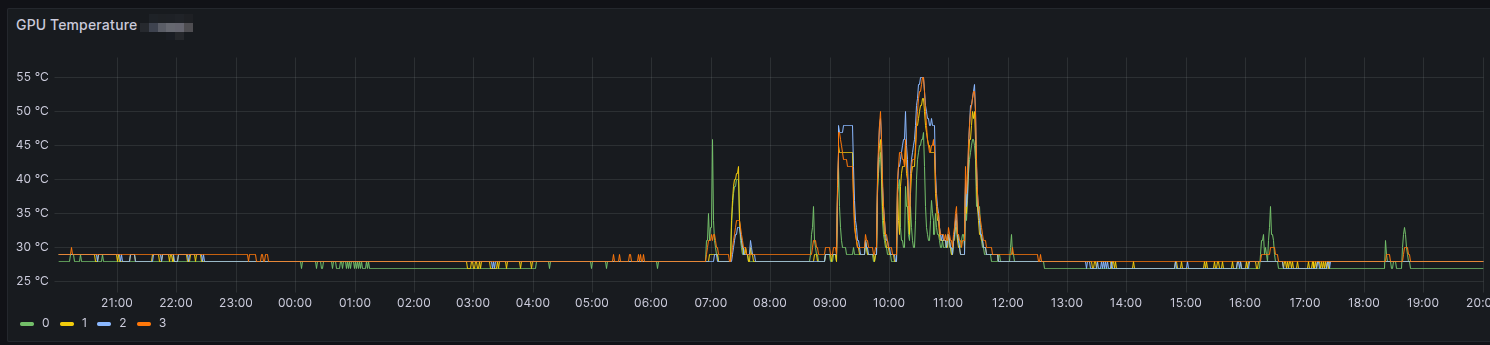
Update: atualizado em
Sat Dec 13 02:43:59 PM CET 2025
com mais informação sobre a parte de script.
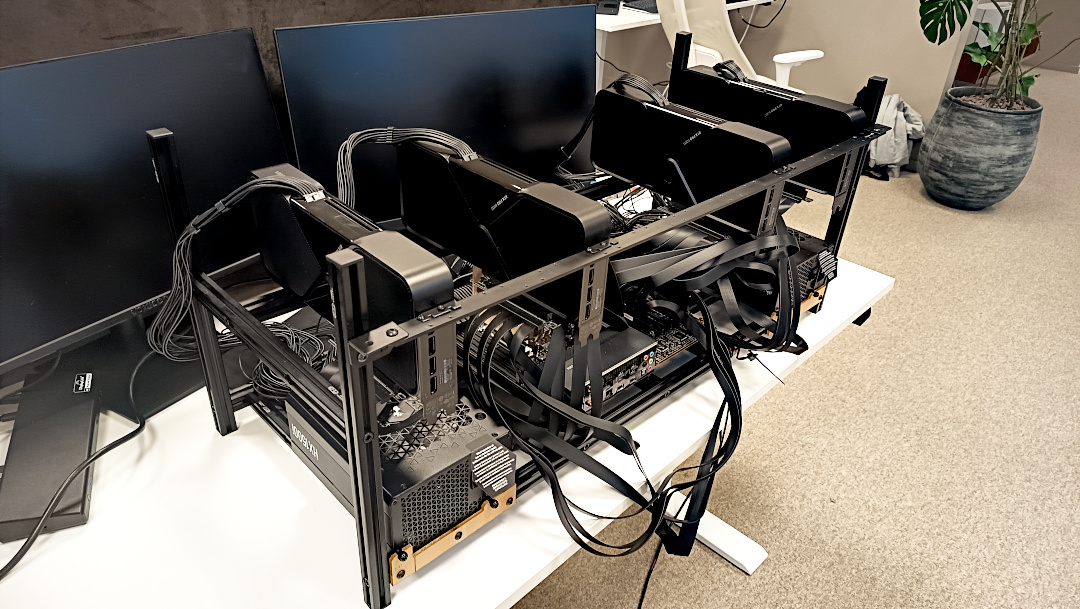
E a luta continua. Agora com 4 placas NVIDIA instaladas, a configuração foi ajustada pra tudo funcionar corretamente.
E tenho que agradecer totalmente ao DevOps Engineer anterior, Peter, que fez esse trabalho todo. Sem ele eu ainda estaria pastando com a configuração da BIOS.
O que foi alterado está na tabela abaixo:
| BIOS | Estado | Nota |
| SVM Mode | Enabled | CPU Virtualization |
| BME DMS/A Mitigation | Enabled | |
| Launch CSM | Enabled | |
| Boot from Network | Disabled | |
| Boot from Storage Devices | UEFI Only | |
| Above 4G Decoding | Enabled | |
| Re-Size BAR Support | Disabled | |
| SR-IOV | Enabled | PCI Virtualization |
| SPCIX16_1 | GEN 3 | Importante |
| SPCIX16_2 | GEN 3 | Importante |
| SPCIX16_3 | GEN 3 | Importante |
| SPCIX16_4 | GEN 3 | Importante |
| SPCIX16_5 | GEN 3 | Importante |
| SPCIX16_6 | GEN 3 | Importante |
| SPCIX16_7 | GEN 3 | Importante |
| WIFI 6 | Disabled | Economizar pros IMMOU Groups |
| Bluetooth Controller | Disabled | Economizar pros IMMOU Groups |
| HD Audio Controller | Disabled | Economizar pros IMMOU Groups |
Com essa configuração eu pude remover o parâmetro pci=nommconf do grub e ter o sistema funcionando.
Por enquanto tudo está rodando redondinho na máquina.
E eu acabei desmontando e invertendo os lados da fonte pra ficar mais fácil de operar. Deixei do mesmo lado da entrada de I/O como cabos de rede, USB, etc.
Apesar da configuração pra todas as entradas EISA/PCI, estamos usando só as ímpares: 1, 3, 5 e 7.
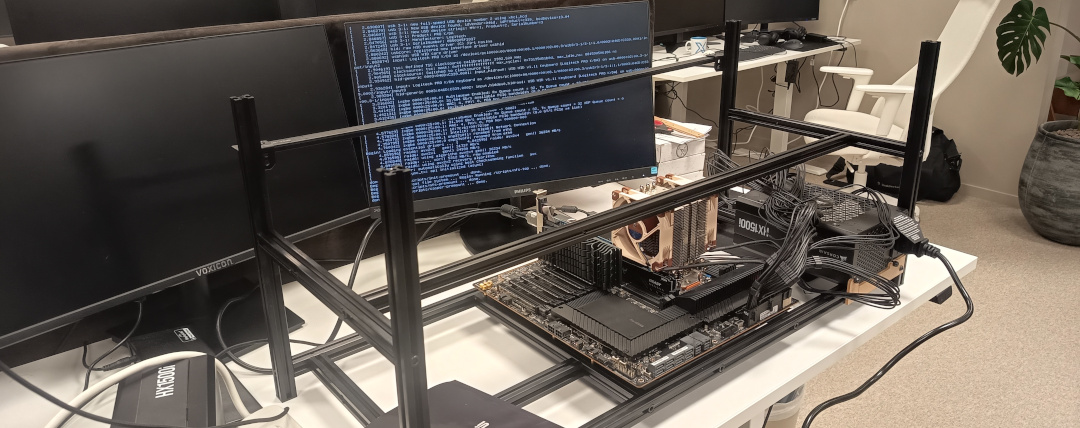
Recebi a missão de montar uma máquina que será usada pra AI na firma. Na foto ainda está o esqueleto dela, que também montei. E com somente uma fonte.
Era o teste pra ver se ligava. E ligou.
Ontem fui instalar o sistema operacional, que será Ubuntu, e... cadê o nvme? Passei algum tempo pesquisando até que achei que é algo com a mother board, a ASUS Pro WS WRX80E-SAGE SE WIFI. O artigo que ajudou foi esse aqui:
tl;dr: é preciso passar o parâmetro pci=nommconf no boot pro kernel achar o nvme.
Quando estiver montada, provavelmente com metade das placas nvidia porque só recebemos 2 das 4 compradas, faço outro post com a foto e mais alguns dados.
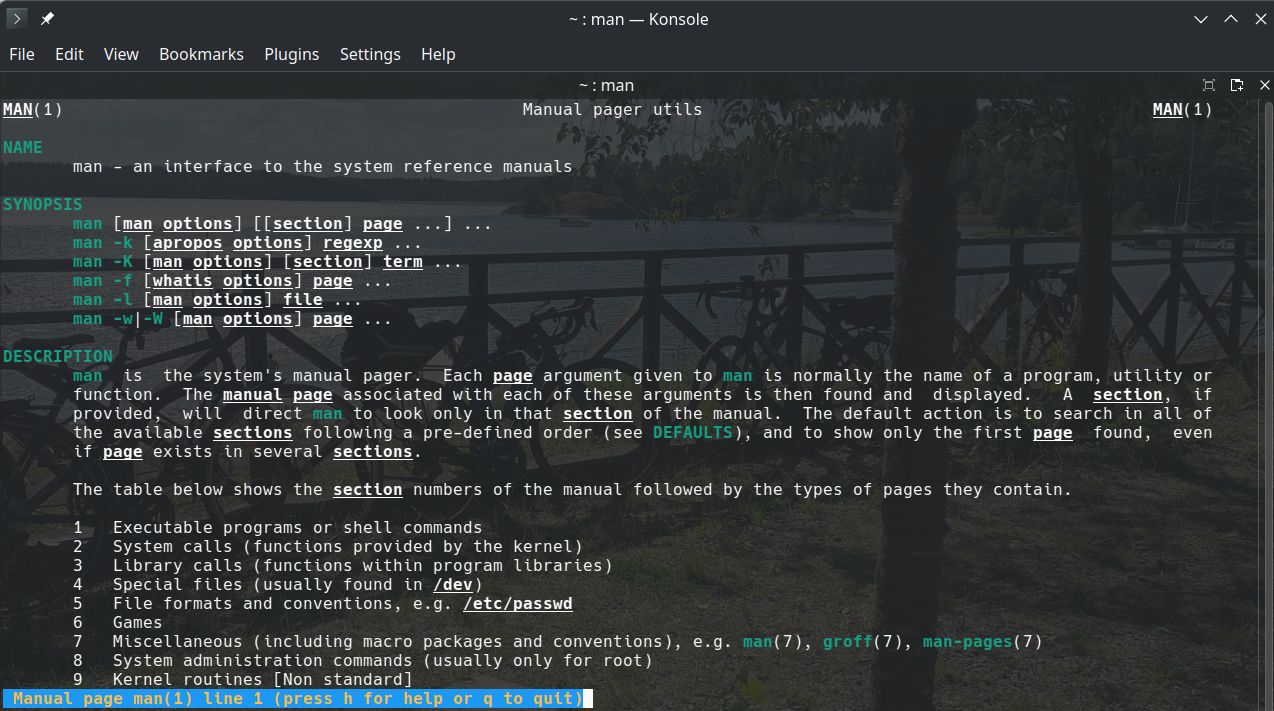
Essa é uma dica pra deixar a páginas do manual, vulgo man, coloridas.
É possível fazer em formato Bourne alike assim:
LESS_TERMCAP_mb=$(tput bold; tput setaf 2) # green
LESS_TERMCAP_md=$(tput bold; tput setaf 6) # cyan
LESS_TERMCAP_me=$(tput sgr0)
LESS_TERMCAP_so=$(tput bold; tput setaf 3; tput setab 4) # yellow on blue
LESS_TERMCAP_se=$(tput rmso; tput sgr0)
LESS_TERMCAP_us=$(tput smul; tput bold; tput setaf 7) # white
LESS_TERMCAP_ue=$(tput rmul; tput sgr0)
LESS_TERMCAP_mr=$(tput rev)
LESS_TERMCAP_mh=$(tput dim)
LESS_TERMCAP_ZN=$(tput ssubm)
LESS_TERMCAP_ZV=$(tput rsubm)
LESS_TERMCAP_ZO=$(tput ssupm)
LESS_TERMCAP_ZW=$(tput rsupm)
GROFF_NO_SGR=1

export LESS_TERMCAP_mb LESS_TERMCAP_md LESS_TERMCAP_me \
    LESS_TERMCAP_so LESS_TERMCAP_se LESS_TERMCAP_us \
    LESS_TERMCAP_ue LESS_TERMCAP_mr LESS_TERMCAP_mh \
    LESS_TERMCAP_ZN LESS_TERMCAP_ZV LESS_TERMCAP_ZO \
    LESS_TERMCAP_ZW GROFF_NO_SGR
Mas como uso fish, então adicionei as seguintes linhas em ~/.config/fish/conf.d/termcap.fish:
set -gx LESS_TERMCAP_mb (tput bold; tput setaf 2) # green
set -gx LESS_TERMCAP_md (tput bold; tput setaf 6) # cyan
set -gx LESS_TERMCAP_me (tput sgr0)
set -gx LESS_TERMCAP_so (tput bold; tput setaf 3; tput setab 4) # yellow on blue
set -gx LESS_TERMCAP_se (tput rmso; tput sgr0)
set -gx LESS_TERMCAP_us (tput smul; tput bold; tput setaf 7) # white
set -gx LESS_TERMCAP_ue (tput rmul; tput sgr0)
set -gx LESS_TERMCAP_mr (tput rev)
set -gx LESS_TERMCAP_mh (tput dim)
set -gx LESS_TERMCAP_ZN (tput ssubm)
set -gx LESS_TERMCAP_ZV (tput rsubm)
set -gx LESS_TERMCAP_ZO (tput ssupm)
set -gx LESS_TERMCAP_ZW (tput rsupm)
set -gx GROFF_NO_SGR 1
Page 3 of 40