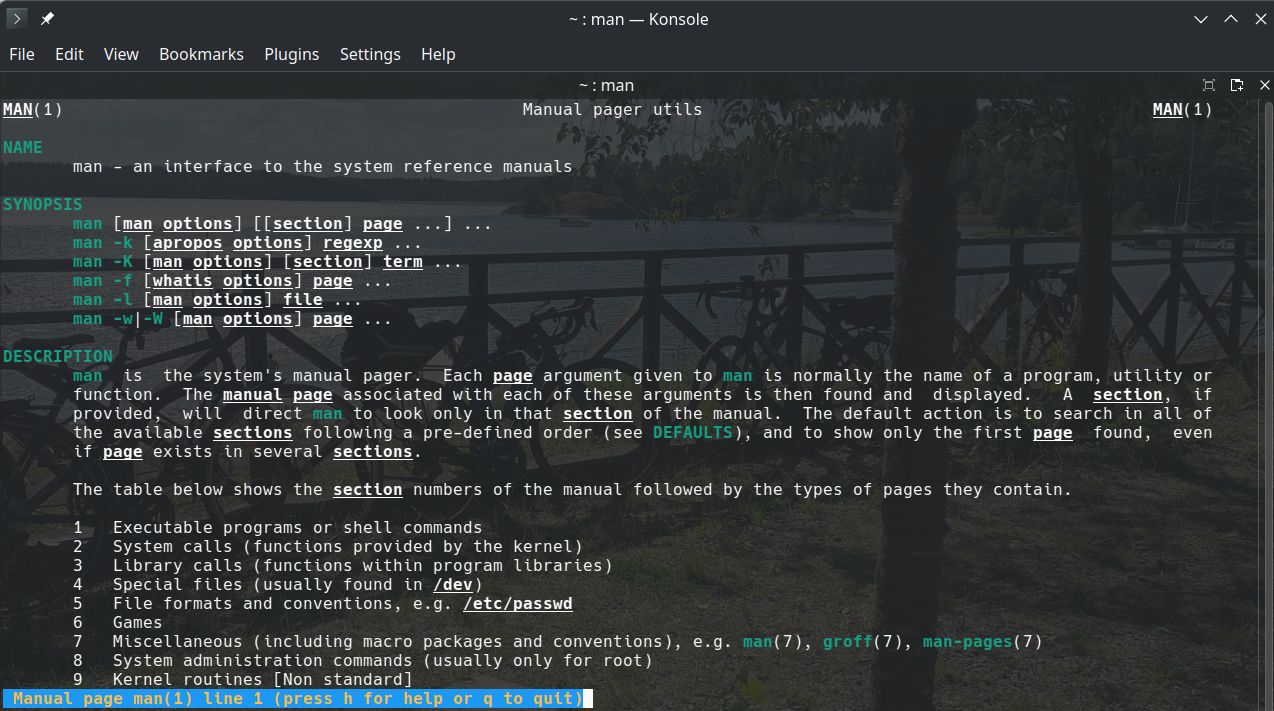
Essa é uma dica pra deixar a páginas do manual, vulgo man, coloridas.
É possível fazer em formato Bourne alike assim:
LESS_TERMCAP_mb=$(tput bold; tput setaf 2) # green
LESS_TERMCAP_md=$(tput bold; tput setaf 6) # cyan
LESS_TERMCAP_me=$(tput sgr0)
LESS_TERMCAP_so=$(tput bold; tput setaf 3; tput setab 4) # yellow on blue
LESS_TERMCAP_se=$(tput rmso; tput sgr0)
LESS_TERMCAP_us=$(tput smul; tput bold; tput setaf 7) # white
LESS_TERMCAP_ue=$(tput rmul; tput sgr0)
LESS_TERMCAP_mr=$(tput rev)
LESS_TERMCAP_mh=$(tput dim)
LESS_TERMCAP_ZN=$(tput ssubm)
LESS_TERMCAP_ZV=$(tput rsubm)
LESS_TERMCAP_ZO=$(tput ssupm)
LESS_TERMCAP_ZW=$(tput rsupm)
GROFF_NO_SGR=1

export LESS_TERMCAP_mb LESS_TERMCAP_md LESS_TERMCAP_me \
    LESS_TERMCAP_so LESS_TERMCAP_se LESS_TERMCAP_us \
    LESS_TERMCAP_ue LESS_TERMCAP_mr LESS_TERMCAP_mh \
    LESS_TERMCAP_ZN LESS_TERMCAP_ZV LESS_TERMCAP_ZO \
    LESS_TERMCAP_ZW GROFF_NO_SGR
Mas como uso fish, então adicionei as seguintes linhas em ~/.config/fish/conf.d/termcap.fish:
set -gx LESS_TERMCAP_mb (tput bold; tput setaf 2) # green
set -gx LESS_TERMCAP_md (tput bold; tput setaf 6) # cyan
set -gx LESS_TERMCAP_me (tput sgr0)
set -gx LESS_TERMCAP_so (tput bold; tput setaf 3; tput setab 4) # yellow on blue
set -gx LESS_TERMCAP_se (tput rmso; tput sgr0)
set -gx LESS_TERMCAP_us (tput smul; tput bold; tput setaf 7) # white
set -gx LESS_TERMCAP_ue (tput rmul; tput sgr0)
set -gx LESS_TERMCAP_mr (tput rev)
set -gx LESS_TERMCAP_mh (tput dim)
set -gx LESS_TERMCAP_ZN (tput ssubm)
set -gx LESS_TERMCAP_ZV (tput rsubm)
set -gx LESS_TERMCAP_ZO (tput ssupm)
set -gx LESS_TERMCAP_ZW (tput rsupm)
set -gx GROFF_NO_SGR 1