
Eu comentei em ThinkPad rodando Ubuntu 26.10 sobre ter reinstalado o laptop, mas esqueci de descrever como fiz boa parte disso. E foi com ansible.
Eu criei um repo com a receita aqui:
https://codeberg.org/helioloureiro/self-provisioning
Eu queria deixar inicialmente mais genérico, mas no fim fiz algo que só roda no Ubuntu. E provavelmente no 26.10 somente. Mas já facilita a vida.
Pra rodar, precisa do ansible instalado. Pode pular o git, que está na lista de pacotes pra serem instalados, e só baixar do repositório o linux.yml. Depois basta somente rodar:
❯ ansible-playbook linux.yml --ask-pass
Por quê o --ask-pass? Porque eu não deixou sudo sem senha.
Só rodar e partior pro abraço.
Com o tempo eu devo melhorar com pacotes separados por versão, etc.
Desde que lançaram o Gimp v3, eu meio que fiquei órfão do plugin "national geographics", que dá um tchans legal nas fotos.
Mas hoje eu resolvi apostar na... AI. Se ela faz algumas tarefas com pés nas costas, porque não arriscar converter o plugin pra Gimp V3?
E foi o que fiz.
Aqui está uma foto normal, sem o plugin.

e agora com o plugin aplicado:

Dá ou não dá aquele talento na foto? Claro que dá.
O script convertido segue abaixo:
#!/usr/bin/env gimp-script-fu-interpreter-3.0
;
; GIMP 3 port of elsamuko National Geographic (2008).
; Reconstructed layer pipeline. Requires testing against the target GIMP 3 build.
;
(define (ng-apply image drawables shadowopacity sharpness screenopacity overlayopacity localcontrast screenmask tint)
(script-fu-use-v3)
(let* ((source (vector-ref drawables 0))
(shadow 0)
(sharp 0)
(screen 0)
(overlay1 0)
(overlay2 0)
(temp1 0)
(temp2 0)
(contrast 0))
(gimp-context-push)
(gimp-image-undo-group-start image)
(if (> shadowopacity 0)
(begin
(set! shadow (gimp-layer-copy source))
(gimp-image-insert-layer image shadow 0 0)
(gimp-drawable-desaturate shadow DESATURATE-LIGHTNESS)
(gimp-drawable-invert shadow #f)
(gimp-layer-set-mode shadow LAYER-MODE-OVERLAY-LEGACY)
(gimp-layer-set-opacity shadow shadowopacity)
(gimp-item-set-name shadow "Shadow Recovery")))
(if (> sharpness 0)
(begin
(set! sharp (gimp-layer-new-from-visible image image "Sharpen"))
(gimp-image-insert-layer image sharp 0 0)
(gimp-drawable-merge-new-filter sharp "gegl:unsharp-mask" "Sharpen" LAYER-MODE-REPLACE 1.0
#:std-dev 1.0 #:scale sharpness #:threshold 0.0)
(gimp-layer-set-opacity sharp 80.0)))
(if (> localcontrast 0)
(begin
(set! temp1 (gimp-layer-new-from-visible image image "Temp 1"))
(set! temp2 (gimp-layer-new-from-visible image image "Temp 2"))
(gimp-image-insert-layer image temp1 0 0)
(gimp-image-insert-layer image temp2 0 0)
(gimp-drawable-merge-new-filter temp1 "gegl:unsharp-mask" "Local contrast" LAYER-MODE-REPLACE 1.0
#:std-dev 60.0 #:scale localcontrast #:threshold 0.0)
(gimp-layer-set-mode temp2 LAYER-MODE-GRAIN-EXTRACT-LEGACY)
(set! contrast (gimp-layer-new-from-visible image image "Local Contrast"))
(gimp-image-insert-layer image contrast 0 0)
(gimp-layer-set-mode contrast LAYER-MODE-GRAIN-MERGE-LEGACY)
(gimp-image-remove-layer image temp1)
(gimp-image-remove-layer image temp2)))
(set! screen (gimp-layer-new-from-visible image image "Screen"))
(set! overlay1 (gimp-layer-new-from-visible image image "Overlay"))
(set! overlay2 (gimp-layer-new-from-visible image image "Overlay 2"))
(gimp-image-insert-layer image screen 0 0)
(gimp-image-insert-layer image overlay1 0 0)
(gimp-image-insert-layer image overlay2 0 0)
(gimp-drawable-desaturate screen DESATURATE-LIGHTNESS)
(gimp-drawable-desaturate overlay1 DESATURATE-LIGHTNESS)
(gimp-drawable-desaturate overlay2 DESATURATE-LIGHTNESS)
(gimp-layer-set-mode screen LAYER-MODE-SCREEN-LEGACY)
(gimp-layer-set-mode overlay1 LAYER-MODE-OVERLAY-LEGACY)
(gimp-layer-set-mode overlay2 LAYER-MODE-OVERLAY-LEGACY)
(gimp-layer-set-opacity screen screenopacity)
(gimp-layer-set-opacity overlay1 overlayopacity)
(gimp-layer-set-opacity overlay2 overlayopacity)
(if screenmask
(let* ((mask (gimp-layer-create-mask screen ADD-MASK-COPY)))
(gimp-layer-add-mask screen mask)
(gimp-drawable-invert mask #f)))
(if (or (= tint 1) (= tint 2))
(let* ((hue (if (= tint 1) 0.0 225.0)))
(gimp-drawable-colorize-hsl screen hue 40.0 0.0)
(gimp-drawable-colorize-hsl overlay1 hue 40.0 0.0)
(gimp-drawable-colorize-hsl overlay2 hue 40.0 0.0)))
(gimp-image-undo-group-end image)
(gimp-displays-flush)
(gimp-context-pop)))
(script-fu-register-filter "ng-apply"
"_National Geographic (GIMP 3)"
"National Geographic-inspired tonal effect; GIMP 3 adaptation."
"elsamuko; GIMP 3 adaptation"
"GPL-3.0-or-later"
"2026"
"RGB*"
SF-ONE-DRAWABLE
SF-ADJUSTMENT "Shadow Recovery Opacity" '(60 0 100 1 5 0 0)
SF-ADJUSTMENT "Sharpness" '(0.5 0 2 0.1 1 1 0)
SF-ADJUSTMENT "Screen Layer Opacity" '(50 0 100 1 5 0 0)
SF-ADJUSTMENT "Overlay Layer Opacity" '(50 0 100 1 5 0 0)
SF-ADJUSTMENT "Local Contrast" '(0.4 0 2 0.1 1 1 0)
SF-TOGGLE "Layer Mask for Screen Layer" #t
SF-OPTION "Overlay Tint" '("Neutral" "Red" "Blue"))
(script-fu-menu-register "ng-apply" "![]() /Filters/Generic")
/Filters/Generic")
Eu copiei esse conteúdo pro arquivo ~/.config/GIMP/3.2/scripts/elsamuko-national-geographic-gimp3.scm e iniciei o Gimp.
O original é daqui: https://github.com/elsamuko/gimp-elsamuko/blob/master/scripts/elsamuko-national-geographic.scm
Como é slop generated, eu não copiei esse plugin pra nenhum lugar, nenhum repositório. O próprio codeberg proíbe uso de slop generated code. Então fica aqui pra quem quiser.
Acabei fazendo upgrade do meu laptop de trabalho pro Ubuntu 26.10. Algo que fiz pro meu laptop pessoal também.
Eu geralmente fico nas LTS, sendo a última 26.04. Mas eu fiz uma bela duma bobagem que me fez repensar em reinstalar com o 26.10. Essa bobagem foi que fiz upgrade de firmware e sistema operacional tudo junto. E só depois percebi o problema que gerou: parou de funcionar o suspend. Então fiquei sem saber se o problema era hardware, por conta do upgrade de firmware, ou de software.
Pra tirar a dúvida, dei boot por um pendrive de instalação e simplemente fechei o laptop. E ele hibernou. Então isso me fez acreditar que era software.
Então esperei sair o 26.10 e fiz uma instalação limpa em cima. Mas fiz backup do /home pra não precisar refazer tudo.
Terminada a instalação, fechei a tampa e... não suspendeu. Meio que suspendeu, mas não inteiramente. Ele mostra o led naquele modo lento de acender e apagar, mas pelos logs eu vi que estava uma parte funcionando. Isso parece ter sido consequência do upgrade de firmware, que só deixou o modo s2idle pra suspender/hibernar. E claro que descobri despois de tirar o laptop da mochila e o dito estar quase derretendo de tão quente que ficou.
No fim eu consegui configurar mais swap no ZFS em disco mesmo e forçar a hibernar com o comando: systemctl hybrid-sleep --verbose --force
Não sei ainda se o problema é totalmente hadware uma vez que agora hiberna na força bruta. Mas ao menos é melhor que ficar desligando todo dia como eu vinha fazendo já por alguns meses.
Não sei se alguém passou por isso, mas eu costumava imprimir as variáveis que são coletadas no ansible com "gather_facts" da seguinte forma num arquivo print-facts.yml:
- name: Print all available facts
  ansible.builtin.debug:
    var: ansible_facts
Eu simplesmente criava esse playbook e rodava:
ansible-playbook -i inventory print-facts.yml
Agora descobri que existe um jeito bem mais fácil: ansible <host> -i inventory -m setup
Um exemplo daqui:
ansible helio -i inventory -m setup
[WARNING]: Invalid characters were found in group names but not replaced, use -vvvv to see details
helio | SUCCESS => {
"ansible_facts": {
"ansible_all_ipv4_addresses": [
"1.2.3.4",
"10.13.8.45"
],
"ansible_all_ipv6_addresses": [
"1:2:3:4::beba:cafe",
"fe80::e0c3:aeff:fe14:6b3a",
"fe80::e0c3:aeff:fe14:34b",
"fe80::e0c3:aeff:fe14:d46b"
],
"ansible_apparmor": {
"status": "enabled"
},
"ansible_architecture": "x86_64",
"ansible_bios_date": "04/01/2014",
"ansible_bios_vendor": "SeaBIOS",
"ansible_bios_version": "1.16.2-debian-1.16.2-1",
"ansible_board_asset_tag": "NA",
"ansible_board_name": "NA",
"ansible_board_serial": "NA",
"ansible_board_vendor": "NA",
"ansible_board_version": "NA",
"ansible_chassis_asset_tag": "NA",
"ansible_chassis_serial": "NA",
"ansible_chassis_vendor": "QEMU",
"ansible_chassis_version": "pc-i440fx-7.2",
"ansible_cmdline": {
"BOOT_IMAGE": "/boot/vmlinuz-7.0.0-29-generic",
"biosdevname": "0",
"memhp_default_state": "online",
"net.ifnames": "0",
"ro": true,
"root": "UUID=40d456dd-db46-48fa-ae40-844e2be77c66"
},
"ansible_date_time": {
"date": "2026-09-24",
"day": "24",
"epoch": "1790242390",
"epoch_int": "1790242390",
"hour": "09",
"iso8601": "2026-09-24T09:33:10Z",
"iso8601_basic": "20260924T093310805068",
"iso8601_basic_short": "20260924T093310",
"iso8601_micro": "2026-09-24T09:33:10.805068Z",
"minute": "33",
"month": "09",
"second": "10",
"time": "09:33:10",
"tz": "UTC",
"tz_dst": "UTC",
"tz_offset": "+0000",
"weekday": "Thursday",
"weekday_number": "4",
"weeknumber": "38",
"year": "2026"
},
"ansible_default_ipv4": {
"address": "1.2.3.4",
"alias": "eth0",
"broadcast": "",
"gateway": "1.2.3.1",
"interface": "eth0",
"macaddress": "e2:c3:ae:14:03:4b",
"mtu": 1500,
"netmask": "255.255.252.0",
"network": "1.2.3.0",
"prefix": "22",
"type": "ether"
},
"ansible_default_ipv6": {
"address": "1:2:3:4::beba:cafe",
"gateway": "fe80::987e:caff:fe73:2650",
"interface": "eth2",
"macaddress": "e2:c3:ae:14:6b:3a",
"mtu": 1500,
"prefix": "64",
"scope": "global",
"type": "ether"
},
"ansible_device_links": {
"ids": {
"vda": [
"virtio-017424eb7d6d40d0978a"
],
"vda1": [
"virtio-017424eb7d6d40d0978a-part1"
],
"vda2": [
"virtio-017424eb7d6d40d0978a-part2"
]
},
"labels": {},
"masters": {},
"uuids": {
"vda2": [
"40d456dd-db46-48fa-ae40-844e2be77c66"
]
}
},
"ansible_devices": {
"loop0": {
"holders": [],
"host": "",
"links": {
"ids": [],
"labels": [],
"masters": [],
"uuids": []
},
"model": null,
"partitions": {},
"removable": "0",
"rotational": "0",
"sas_address": null,
"sas_device_handle": null,
"scheduler_mode": "none",
"sectors": 0,
"sectorsize": "512",
"size": "0.00 Bytes",
"support_discard": "4096",
"vendor": null,
"virtual": 1
},
"loop1": {
"holders": [],
"host": "",
"links": {
"ids": [],
"labels": [],
"masters": [],
"uuids": []
},
"model": null,
"partitions": {},
"removable": "0",
"rotational": "0",
"sas_address": null,
"sas_device_handle": null,
"scheduler_mode": "none",
"sectors": 0,
"sectorsize": "512",
"size": "0.00 Bytes",
"support_discard": "0",
"vendor": null,
"virtual": 1
},
"loop2": {
"holders": [],
"host": "",
"links": {
"ids": [],
"labels": [],
"masters": [],
"uuids": []
},
"model": null,
"partitions": {},
"removable": "0",
"rotational": "0",
"sas_address": null,
"sas_device_handle": null,
"scheduler_mode": "none",
"sectors": 0,
"sectorsize": "512",
"size": "0.00 Bytes",
"support_discard": "0",
"vendor": null,
"virtual": 1
},
"loop3": {
"holders": [],
"host": "",
"links": {
"ids": [],
"labels": [],
"masters": [],
"uuids": []
},
"model": null,
"partitions": {},
"removable": "0",
"rotational": "0",
"sas_address": null,
"sas_device_handle": null,
"scheduler_mode": "none",
"sectors": 0,
"sectorsize": "512",
"size": "0.00 Bytes",
"support_discard": "0",
"vendor": null,
"virtual": 1
},
"loop4": {
"holders": [],
"host": "",
"links": {
"ids": [],
"labels": [],
"masters": [],
"uuids": []
},
"model": null,
"partitions": {},
"removable": "0",
"rotational": "0",
"sas_address": null,
"sas_device_handle": null,
"scheduler_mode": "none",
"sectors": 0,
"sectorsize": "512",
"size": "0.00 Bytes",
"support_discard": "0",
"vendor": null,
"virtual": 1
},
"loop5": {
"holders": [],
"host": "",
"links": {
"ids": [],
"labels": [],
"masters": [],
"uuids": []
},
"model": null,
"partitions": {},
"removable": "0",
"rotational": "0",
"sas_address": null,
"sas_device_handle": null,
"scheduler_mode": "none",
"sectors": 0,
"sectorsize": "512",
"size": "0.00 Bytes",
"support_discard": "0",
"vendor": null,
"virtual": 1
},
"loop6": {
"holders": [],
"host": "",
"links": {
"ids": [],
"labels": [],
"masters": [],
"uuids": []
},
"model": null,
"partitions": {},
"removable": "0",
"rotational": "0",
"sas_address": null,
"sas_device_handle": null,
"scheduler_mode": "none",
"sectors": 0,
"sectorsize": "512",
"size": "0.00 Bytes",
"support_discard": "0",
"vendor": null,
"virtual": 1
},
"loop7": {
"holders": [],
"host": "",
"links": {
"ids": [],
"labels": [],
"masters": [],
"uuids": []
},
"model": null,
"partitions": {},
"removable": "0",
"rotational": "0",
"sas_address": null,
"sas_device_handle": null,
"scheduler_mode": "none",
"sectors": 0,
"sectorsize": "512",
"size": "0.00 Bytes",
"support_discard": "0",
"vendor": null,
"virtual": 1
},
"vda": {
"holders": [],
"host": "SCSI storage controller: Red Hat, Inc. Virtio block device",
"links": {
"ids": [
"virtio-017424eb7d6d40d0978a"
],
"labels": [],
"masters": [],
"uuids": []
},
"model": null,
"partitions": {
"vda1": {
"holders": [],
"links": {
"ids": [
"virtio-017424eb7d6d40d0978a-part1"
],
"labels": [],
"masters": [],
"uuids": []
},
"sectors": 2048,
"sectorsize": 512,
"size": "1.00 MB",
"start": "2048",
"uuid": null
},
"vda2": {
"holders": [],
"links": {
"ids": [
"virtio-017424eb7d6d40d0978a-part2"
],
"labels": [],
"masters": [],
"uuids": [
"40d456dd-db46-48fa-ae40-844e2be77c66"
]
},
"sectors": 41938911,
"sectorsize": 512,
"size": "20.00 GB",
"start": "4096",
"uuid": "40d456dd-db46-48fa-ae40-844e2be77c66"
}
},
"removable": "0",
"rotational": "1",
"sas_address": null,
"sas_device_handle": null,
"scheduler_mode": "mq-deadline",
"sectors": 41943040,
"sectorsize": "512",
"size": "20.00 GB",
"support_discard": "512",
"vendor": "0x1af4",
"virtual": 1
}
},
"ansible_distribution": "Ubuntu",
"ansible_distribution_file_parsed": true,
"ansible_distribution_file_path": "/etc/os-release",
"ansible_distribution_file_variety": "Debian",
"ansible_distribution_major_version": "26",
"ansible_distribution_release": "resolute",
"ansible_distribution_version": "26.04",
"ansible_dns": {
"nameservers": [
"127.0.0.53"
],
"options": {
"edns0": true,
"trust-ad": true
},
"search": [
"."
]
},
"ansible_domain": "",
"ansible_effective_group_id": 0,
"ansible_effective_user_id": 0,
"ansible_env": {
"COLORTERM": "truecolor",
"DBUS_SESSION_BUS_ADDRESS": "unix:path=/run/user/0/bus",
"HOME": "/root",
"LANG": "en_US.UTF-8",
"LC_ADDRESS": "pt_BR.UTF-8",
"LC_ALL": "en_US.UTF-8",
"LC_CTYPE": "pt_BR.UTF-8",
"LC_IDENTIFICATION": "pt_BR.UTF-8",
"LC_MEASUREMENT": "en_SE.UTF-8",
"LC_MONETARY": "en_SE.UTF-8",
"LC_NAME": "pt_BR.UTF-8",
"LC_NUMERIC": "en_SE.UTF-8",
"LC_PAPER": "pt_BR.UTF-8",
"LC_TELEPHONE": "en_SE.UTF-8",
"LC_TIME": "en_SE.UTF-8",
"LOGNAME": "root",
"PATH": "/usr/local/sbin:/usr/local/bin:/usr/sbin:/usr/bin:/sbin:/bin:/usr/games:/usr/local/games:/snap/bin",
"PWD": "/root",
"SHELL": "/bin/bash",
"SHLVL": "0",
"SSH_CLIENT": "94.237.47.208 38832 22",
"SSH_CONNECTION": "94.237.47.208 38832 1.2.3.4 22",
"USER": "root",
"XDG_RUNTIME_DIR": "/run/user/0",
"XDG_SESSION_CLASS": "user",
"XDG_SESSION_ID": "4",
"XDG_SESSION_TYPE": "tty",
"_": "/bin/sh"
},
"ansible_eth0": {
"active": true,
"device": "eth0",
"features": {
"esp_hw_offload": "off [fixed]",
"esp_tx_csum_hw_offload": "off [fixed]",
"generic_receive_offload": "on",
"generic_segmentation_offload": "on",
"highdma": "on [fixed]",
"hsr_dup_offload": "off [fixed]",
"hsr_fwd_offload": "off [fixed]",
"hsr_tag_ins_offload": "off [fixed]",
"hsr_tag_rm_offload": "off [fixed]",
"hw_tc_offload": "off [fixed]",
"l2_fwd_offload": "off [fixed]",
"large_receive_offload": "off [fixed]",
"loopback": "off [fixed]",
"macsec_hw_offload": "off [fixed]",
"ntuple_filters": "off [fixed]",
"receive_hashing": "off [fixed]",
"rx_all": "off [fixed]",
"rx_checksumming": "on [fixed]",
"rx_fcs": "off [fixed]",
"rx_gro_hw": "on",
"rx_gro_list": "off",
"rx_udp_gro_forwarding": "off",
"rx_udp_tunnel_port_offload": "off [fixed]",
"rx_vlan_filter": "on [fixed]",
"rx_vlan_offload": "off [fixed]",
"rx_vlan_stag_filter": "off [fixed]",
"rx_vlan_stag_hw_parse": "off [fixed]",
"scatter_gather": "on",
"tcp_segmentation_offload": "on",
"tls_hw_record": "off [fixed]",
"tls_hw_rx_offload": "off [fixed]",
"tls_hw_tx_offload": "off [fixed]",
"tx_checksum_fcoe_crc": "off [fixed]",
"tx_checksum_ip_generic": "on",
"tx_checksum_ipv4": "off [fixed]",
"tx_checksum_ipv6": "off [fixed]",
"tx_checksum_sctp": "off [fixed]",
"tx_checksumming": "on",
"tx_esp_segmentation": "off [fixed]",
"tx_fcoe_segmentation": "off [fixed]",
"tx_gre_csum_segmentation": "off [fixed]",
"tx_gre_segmentation": "off [fixed]",
"tx_gso_list": "off [fixed]",
"tx_gso_partial": "off [fixed]",
"tx_gso_robust": "on [fixed]",
"tx_ipxip4_segmentation": "off [fixed]",
"tx_ipxip6_segmentation": "off [fixed]",
"tx_nocache_copy": "off",
"tx_scatter_gather": "on",
"tx_scatter_gather_fraglist": "off [fixed]",
"tx_sctp_segmentation": "off [fixed]",
"tx_tcp6_segmentation": "on",
"tx_tcp_accecn_segmentation": "off [fixed]",
"tx_tcp_ecn_segmentation": "on",
"tx_tcp_mangleid_segmentation": "off",
"tx_tcp_segmentation": "on",
"tx_tunnel_remcsum_segmentation": "off [fixed]",
"tx_udp_segmentation": "off [fixed]",
"tx_udp_tnl_csum_segmentation": "off [fixed]",
"tx_udp_tnl_segmentation": "off [fixed]",
"tx_vlan_offload": "off [fixed]",
"tx_vlan_stag_hw_insert": "off [fixed]",
"vlan_challenged": "off [fixed]"
},
"hw_timestamp_filters": [],
"ipv4": {
"address": "1.2.3.4",
"broadcast": "",
"netmask": "255.255.252.0",
"network": "1.2.3.0",
"prefix": "22"
},
"ipv6": [
{
"address": "fe80::e0c3:aeff:fe14:34b",
"prefix": "64",
"scope": "link"
}
],
"macaddress": "e2:c3:ae:14:03:4b",
"mtu": 1500,
"pciid": "virtio0",
"promisc": false,
"speed": -1,
"timestamping": [],
"type": "ether"
},
"ansible_eth1": {
"active": true,
"device": "eth1",
"features": {
"esp_hw_offload": "off [fixed]",
"esp_tx_csum_hw_offload": "off [fixed]",
"generic_receive_offload": "on",
"generic_segmentation_offload": "on",
"highdma": "on [fixed]",
"hsr_dup_offload": "off [fixed]",
"hsr_fwd_offload": "off [fixed]",
"hsr_tag_ins_offload": "off [fixed]",
"hsr_tag_rm_offload": "off [fixed]",
"hw_tc_offload": "off [fixed]",
"l2_fwd_offload": "off [fixed]",
"large_receive_offload": "off [fixed]",
"loopback": "off [fixed]",
"macsec_hw_offload": "off [fixed]",
"ntuple_filters": "off [fixed]",
"receive_hashing": "off [fixed]",
"rx_all": "off [fixed]",
"rx_checksumming": "on [fixed]",
"rx_fcs": "off [fixed]",
"rx_gro_hw": "on",
"rx_gro_list": "off",
"rx_udp_gro_forwarding": "off",
"rx_udp_tunnel_port_offload": "off [fixed]",
"rx_vlan_filter": "on [fixed]",
"rx_vlan_offload": "off [fixed]",
"rx_vlan_stag_filter": "off [fixed]",
"rx_vlan_stag_hw_parse": "off [fixed]",
"scatter_gather": "on",
"tcp_segmentation_offload": "on",
"tls_hw_record": "off [fixed]",
"tls_hw_rx_offload": "off [fixed]",
"tls_hw_tx_offload": "off [fixed]",
"tx_checksum_fcoe_crc": "off [fixed]",
"tx_checksum_ip_generic": "on",
"tx_checksum_ipv4": "off [fixed]",
"tx_checksum_ipv6": "off [fixed]",
"tx_checksum_sctp": "off [fixed]",
"tx_checksumming": "on",
"tx_esp_segmentation": "off [fixed]",
"tx_fcoe_segmentation": "off [fixed]",
"tx_gre_csum_segmentation": "off [fixed]",
"tx_gre_segmentation": "off [fixed]",
"tx_gso_list": "off [fixed]",
"tx_gso_partial": "off [fixed]",
"tx_gso_robust": "on [fixed]",
"tx_ipxip4_segmentation": "off [fixed]",
"tx_ipxip6_segmentation": "off [fixed]",
"tx_nocache_copy": "off",
"tx_scatter_gather": "on",
"tx_scatter_gather_fraglist": "off [fixed]",
"tx_sctp_segmentation": "off [fixed]",
"tx_tcp6_segmentation": "on",
"tx_tcp_accecn_segmentation": "off [fixed]",
"tx_tcp_ecn_segmentation": "on",
"tx_tcp_mangleid_segmentation": "off",
"tx_tcp_segmentation": "on",
"tx_tunnel_remcsum_segmentation": "off [fixed]",
"tx_udp_segmentation": "off [fixed]",
"tx_udp_tnl_csum_segmentation": "off [fixed]",
"tx_udp_tnl_segmentation": "off [fixed]",
"tx_vlan_offload": "off [fixed]",
"tx_vlan_stag_hw_insert": "off [fixed]",
"vlan_challenged": "off [fixed]"
},
"hw_timestamp_filters": [],
"ipv4": {
"address": "10.13.8.45",
"broadcast": "",
"netmask": "255.255.252.0",
"network": "10.13.8.0",
"prefix": "22"
},
"ipv6": [
{
"address": "fe80::e0c3:aeff:fe14:d46b",
"prefix": "64",
"scope": "link"
}
],
"macaddress": "e2:c3:ae:14:d4:6b",
"mtu": 1500,
"pciid": "virtio1",
"promisc": false,
"speed": -1,
"timestamping": [],
"type": "ether"
},
"ansible_eth2": {
"active": true,
"device": "eth2",
"features": {
"esp_hw_offload": "off [fixed]",
"esp_tx_csum_hw_offload": "off [fixed]",
"generic_receive_offload": "on",
"generic_segmentation_offload": "on",
"highdma": "on [fixed]",
"hsr_dup_offload": "off [fixed]",
"hsr_fwd_offload": "off [fixed]",
"hsr_tag_ins_offload": "off [fixed]",
"hsr_tag_rm_offload": "off [fixed]",
"hw_tc_offload": "off [fixed]",
"l2_fwd_offload": "off [fixed]",
"large_receive_offload": "off [fixed]",
"loopback": "off [fixed]",
"macsec_hw_offload": "off [fixed]",
"ntuple_filters": "off [fixed]",
"receive_hashing": "off [fixed]",
"rx_all": "off [fixed]",
"rx_checksumming": "on [fixed]",
"rx_fcs": "off [fixed]",
"rx_gro_hw": "on",
"rx_gro_list": "off",
"rx_udp_gro_forwarding": "off",
"rx_udp_tunnel_port_offload": "off [fixed]",
"rx_vlan_filter": "on [fixed]",
"rx_vlan_offload": "off [fixed]",
"rx_vlan_stag_filter": "off [fixed]",
"rx_vlan_stag_hw_parse": "off [fixed]",
"scatter_gather": "on",
"tcp_segmentation_offload": "on",
"tls_hw_record": "off [fixed]",
"tls_hw_rx_offload": "off [fixed]",
"tls_hw_tx_offload": "off [fixed]",
"tx_checksum_fcoe_crc": "off [fixed]",
"tx_checksum_ip_generic": "on",
"tx_checksum_ipv4": "off [fixed]",
"tx_checksum_ipv6": "off [fixed]",
"tx_checksum_sctp": "off [fixed]",
"tx_checksumming": "on",
"tx_esp_segmentation": "off [fixed]",
"tx_fcoe_segmentation": "off [fixed]",
"tx_gre_csum_segmentation": "off [fixed]",
"tx_gre_segmentation": "off [fixed]",
"tx_gso_list": "off [fixed]",
"tx_gso_partial": "off [fixed]",
"tx_gso_robust": "on [fixed]",
"tx_ipxip4_segmentation": "off [fixed]",
"tx_ipxip6_segmentation": "off [fixed]",
"tx_nocache_copy": "off",
"tx_scatter_gather": "on",
"tx_scatter_gather_fraglist": "off [fixed]",
"tx_sctp_segmentation": "off [fixed]",
"tx_tcp6_segmentation": "on",
"tx_tcp_accecn_segmentation": "off [fixed]",
"tx_tcp_ecn_segmentation": "on",
"tx_tcp_mangleid_segmentation": "off",
"tx_tcp_segmentation": "on",
"tx_tunnel_remcsum_segmentation": "off [fixed]",
"tx_udp_segmentation": "off [fixed]",
"tx_udp_tnl_csum_segmentation": "off [fixed]",
"tx_udp_tnl_segmentation": "off [fixed]",
"tx_vlan_offload": "off [fixed]",
"tx_vlan_stag_hw_insert": "off [fixed]",
"vlan_challenged": "off [fixed]"
},
"hw_timestamp_filters": [],
"ipv6": [
{
"address": "1:2:3:4::beba:cafe",
"prefix": "64",
"scope": "global"
},
{
"address": "fe80::e0c3:aeff:fe14:6b3a",
"prefix": "64",
"scope": "link"
}
],
"macaddress": "e2:c3:ae:14:6b:3a",
"mtu": 1500,
"pciid": "virtio2",
"promisc": false,
"speed": -1,
"timestamping": [],
"type": "ether"
},
"ansible_fibre_channel_wwn": [],
"ansible_fips": false,
"ansible_flags": [
"fpu",
"vme",
"de",
"pse",
"tsc",
"msr",
"pae",
"mce",
"cx8",
"apic",
"sep",
"mtrr",
"pge",
"mca",
"cmov",
"pat",
"pse36",
"clflush",
"mmx",
"fxsr",
"sse",
"sse2",
"syscall",
"nx",
"mmxext",
"fxsr_opt",
"pdpe1gb",
"rdtscp",
"lm",
"rep_good",
"nopl",
"xtopology",
"cpuid",
"extd_apicid",
"tsc_known_freq",
"pni",
"pclmulqdq",
"ssse3",
"fma",
"cx16",
"sse4_1",
"sse4_2",
"x2apic",
"movbe",
"popcnt",
"tsc_deadline_timer",
"aes",
"xsave",
"avx",
"f16c",
"rdrand",
"hypervisor",
"lahf_lm",
"cmp_legacy",
"cr8_legacy",
"abm",
"sse4a",
"misalignsse",
"3dnowprefetch",
"osvw",
"perfctr_core",
"ssbd",
"ibrs",
"ibpb",
"stibp",
"vmmcall",
"fsgsbase",
"tsc_adjust",
"bmi1",
"avx2",
"smep",
"bmi2",
"rdseed",
"adx",
"smap",
"clflushopt",
"clwb",
"sha_ni",
"xsaveopt",
"xsavec",
"xgetbv1",
"clzero",
"xsaveerptr",
"wbnoinvd",
"arat",
"umip",
"rdpid",
"arch_capabilities"
],
"ansible_form_factor": "Other",
"ansible_fqdn": "helio",
"ansible_hostname": "helio",
"ansible_hostnqn": "",
"ansible_interfaces": [
"lo",
"eth2",
"eth0",
"eth1"
],
"ansible_is_chroot": false,
"ansible_iscsi_iqn": "iqn.2004-10.com.ubuntu:01:299f839dd87",
"ansible_kernel": "7.0.0-29-generic",
"ansible_kernel_version": "#29-Ubuntu SMP PREEMPT_DYNAMIC Fri Jul 17 20:52:35 UTC 2026",
"ansible_lo": {
"active": true,
"device": "lo",
"features": {
"esp_hw_offload": "off [fixed]",
"esp_tx_csum_hw_offload": "off [fixed]",
"generic_receive_offload": "on",
"generic_segmentation_offload": "on",
"highdma": "on [fixed]",
"hsr_dup_offload": "off [fixed]",
"hsr_fwd_offload": "off [fixed]",
"hsr_tag_ins_offload": "off [fixed]",
"hsr_tag_rm_offload": "off [fixed]",
"hw_tc_offload": "off [fixed]",
"l2_fwd_offload": "off [fixed]",
"large_receive_offload": "off [fixed]",
"loopback": "on [fixed]",
"macsec_hw_offload": "off [fixed]",
"ntuple_filters": "off [fixed]",
"receive_hashing": "off [fixed]",
"rx_all": "off [fixed]",
"rx_checksumming": "on [fixed]",
"rx_fcs": "off [fixed]",
"rx_gro_hw": "off [fixed]",
"rx_gro_list": "off",
"rx_udp_gro_forwarding": "off",
"rx_udp_tunnel_port_offload": "off [fixed]",
"rx_vlan_filter": "off [fixed]",
"rx_vlan_offload": "off [fixed]",
"rx_vlan_stag_filter": "off [fixed]",
"rx_vlan_stag_hw_parse": "off [fixed]",
"scatter_gather": "on",
"tcp_segmentation_offload": "on",
"tls_hw_record": "off [fixed]",
"tls_hw_rx_offload": "off [fixed]",
"tls_hw_tx_offload": "off [fixed]",
"tx_checksum_fcoe_crc": "off [fixed]",
"tx_checksum_ip_generic": "on [fixed]",
"tx_checksum_ipv4": "off [fixed]",
"tx_checksum_ipv6": "off [fixed]",
"tx_checksum_sctp": "on [fixed]",
"tx_checksumming": "on",
"tx_esp_segmentation": "off [fixed]",
"tx_fcoe_segmentation": "off [fixed]",
"tx_gre_csum_segmentation": "off [fixed]",
"tx_gre_segmentation": "off [fixed]",
"tx_gso_list": "on",
"tx_gso_partial": "off [fixed]",
"tx_gso_robust": "off [fixed]",
"tx_ipxip4_segmentation": "off [fixed]",
"tx_ipxip6_segmentation": "off [fixed]",
"tx_nocache_copy": "off [fixed]",
"tx_scatter_gather": "on [fixed]",
"tx_scatter_gather_fraglist": "on [fixed]",
"tx_sctp_segmentation": "on",
"tx_tcp6_segmentation": "on",
"tx_tcp_accecn_segmentation": "on",
"tx_tcp_ecn_segmentation": "on",
"tx_tcp_mangleid_segmentation": "on",
"tx_tcp_segmentation": "on",
"tx_tunnel_remcsum_segmentation": "off [fixed]",
"tx_udp_segmentation": "on",
"tx_udp_tnl_csum_segmentation": "off [fixed]",
"tx_udp_tnl_segmentation": "off [fixed]",
"tx_vlan_offload": "off [fixed]",
"tx_vlan_stag_hw_insert": "off [fixed]",
"vlan_challenged": "on [fixed]"
},
"hw_timestamp_filters": [],
"ipv4": {
"address": "127.0.0.1",
"broadcast": "",
"netmask": "255.0.0.0",
"network": "127.0.0.0",
"prefix": "8"
},
"ipv6": [
{
"address": "::1",
"prefix": "128",
"scope": "host"
}
],
"mtu": 65536,
"promisc": false,
"timestamping": [],
"type": "loopback"
},
"ansible_loadavg": {
"15m": 0.1162109375,
"1m": 0.14208984375,
"5m": 0.16552734375
},
"ansible_local": {},
"ansible_locally_reachable_ips": {
"ipv4": [
"10.13.8.45",
"1.2.3.4",
"127.0.0.0/8",
"127.0.0.1"
],
"ipv6": [
"::1",
"1:2:3:4::beba:cafe",
"fe80::e0c3:aeff:fe14:34b",
"fe80::e0c3:aeff:fe14:6b3a",
"fe80::e0c3:aeff:fe14:d46b"
]
},
"ansible_lsb": {
"codename": "resolute",
"description": "Ubuntu 26.04 LTS",
"id": "Ubuntu",
"major_release": "26",
"release": "26.04"
},
"ansible_lvm": {
"lvs": {},
"pvs": {},
"vgs": {}
},
"ansible_machine": "x86_64",
"ansible_machine_id": "00873defdee14a61a13e76e821f5e4aa",
"ansible_memfree_mb": 944,
"ansible_memory_mb": {
"nocache": {
"free": 1545,
"used": 304
},
"real": {
"free": 944,
"total": 1849,
"used": 905
},
"swap": {
"cached": 0,
"free": 0,
"total": 0,
"used": 0
}
},
"ansible_memtotal_mb": 1849,
"ansible_mounts": [
{
"block_available": 4142506,
"block_size": 4096,
"block_total": 5135638,
"block_used": 993132,
"device": "/dev/vda2",
"dump": 0,
"fstype": "ext4",
"inode_available": 1198181,
"inode_total": 1308160,
"inode_used": 109979,
"mount": "/",
"options": "rw,relatime",
"passno": 0,
"size_available": 16967704576,
"size_total": 21035573248,
"uuid": "40d456dd-db46-48fa-ae40-844e2be77c66"
}
],
"ansible_nodename": "helio",
"ansible_os_family": "Debian",
"ansible_pkg_mgr": "apt",
"ansible_proc_cmdline": {
"BOOT_IMAGE": "/boot/vmlinuz-7.0.0-29-generic",
"biosdevname": "0",
"memhp_default_state": "online",
"net.ifnames": "0",
"ro": true,
"root": "UUID=40d456dd-db46-48fa-ae40-844e2be77c66"
},
"ansible_processor": [
"0",
"AuthenticAMD",
"AMD EPYC 7542 32-Core Processor"
],
"ansible_processor_cores": 1,
"ansible_processor_count": 1,
"ansible_processor_nproc": 1,
"ansible_processor_threads_per_core": 1,
"ansible_processor_vcpus": 1,
"ansible_product_name": "Cloud Server",
"ansible_product_serial": "NA",
"ansible_product_uuid": "00873def-dee1-4a61-a13e-76e821f5e4aa",
"ansible_product_version": "pc-i440fx-7.2",
"ansible_python": {
"executable": "/usr/bin/python3.14",
"has_sslcontext": true,
"type": "cpython",
"version": {
"major": 3,
"micro": 4,
"minor": 14,
"releaselevel": "final",
"serial": 0
},
"version_info": [
3,
14,
4,
"final",
0
]
},
"ansible_python_version": "3.14.4",
"ansible_real_group_id": 0,
"ansible_real_user_id": 0,
"ansible_selinux": {
"status": "disabled"
},
"ansible_selinux_python_present": true,
"ansible_service_mgr": "systemd",
"ansible_ssh_host_key_ecdsa_public": "ABC123=",
"ansible_ssh_host_key_ecdsa_public_keytype": "ecdsa-sha2-nistp256",
"ansible_ssh_host_key_ed25519_public": "ABC123",
"ansible_ssh_host_key_ed25519_public_keytype": "ssh-ed25519",
"ansible_ssh_host_key_rsa_public": "ABC123=",
"ansible_ssh_host_key_rsa_public_keytype": "ssh-rsa",
"ansible_swapfree_mb": 0,
"ansible_swaptotal_mb": 0,
"ansible_system": "Linux",
"ansible_system_capabilities": [],
"ansible_system_capabilities_enforced": "False",
"ansible_system_vendor": "UpCloud",
"ansible_systemd": {
"features": "+PAM +AUDIT +SELINUX +APPARMOR +IMA +IPE +SMACK +SECCOMP +GCRYPT -GNUTLS +OPENSSL +ACL +BLKID +CURL +ELFUTILS +FIDO2 +IDN2 -IDN +KMOD +LIBCRYPTSETUP +LIBCRYPTSETUP_PLUGINS +LIBFDISK +PCRE2 +PWQUALITY +P11KIT +QRENCODE +TPM2 +BZIP2 +LZ4 +XZ +ZLIB +ZSTD +BPF_FRAMEWORK +BTF -XKBCOMMON -UTMP +SYSVINIT +LIBARCHIVE",
"version": 259
},
"ansible_uptime_seconds": 1340,
"ansible_user_dir": "/root",
"ansible_user_gecos": "root",
"ansible_user_gid": 0,
"ansible_user_id": "root",
"ansible_user_shell": "/bin/bash",
"ansible_user_uid": 0,
"ansible_userspace_architecture": "x86_64",
"ansible_userspace_bits": "64",
"ansible_virtualization_role": "NA",
"ansible_virtualization_tech_guest": [],
"ansible_virtualization_tech_host": [],
"ansible_virtualization_type": "NA",
"discovered_interpreter_python": "/usr/bin/python3.14",
"gather_subset": [
"all"
],
"module_setup": true
},
"changed": false
}

Faz tempo que não escrevo nada sobre a vida aqui. Então hoje vou falar, ou melhor, escrever sobre as eleições. A primeira coisa é a propaganda. Aqui usam esses posteres de plástico. Não parece existir uma regra muito específica, então penduram onde é possível. E tem de prender bem ou o vento leva embora. Geralmente começam a colocar eles por aí já em agosto. As eleições oficialmente são em meados de setembro, mas é possível votar antes ou pelo correio ou pela biblioteca de onde mora. Eu geralmente uso o segundo modo. E tem a eleição mesmo no dia da eleição, pra quem deixou pra última hora. Nesse caso, nem tenho ideia de onde é preciso ir pra votar. Mas por aqui o voto é optativo. Só vota quem quer.
As eleições então começam em 23 de agosto e termina dia 13 de setembro. Não lembro se no passado foram as mesmas datas, mas acredito que não. Lembro que terminou num domingo, como será agora, e que foram filas em todos os locais de votação. Mesmo podendo votar antes. E como votar? Você tem uma cabine, dentro dessa cabine existem fileiras de papéis dos partidos com cores diferentes.
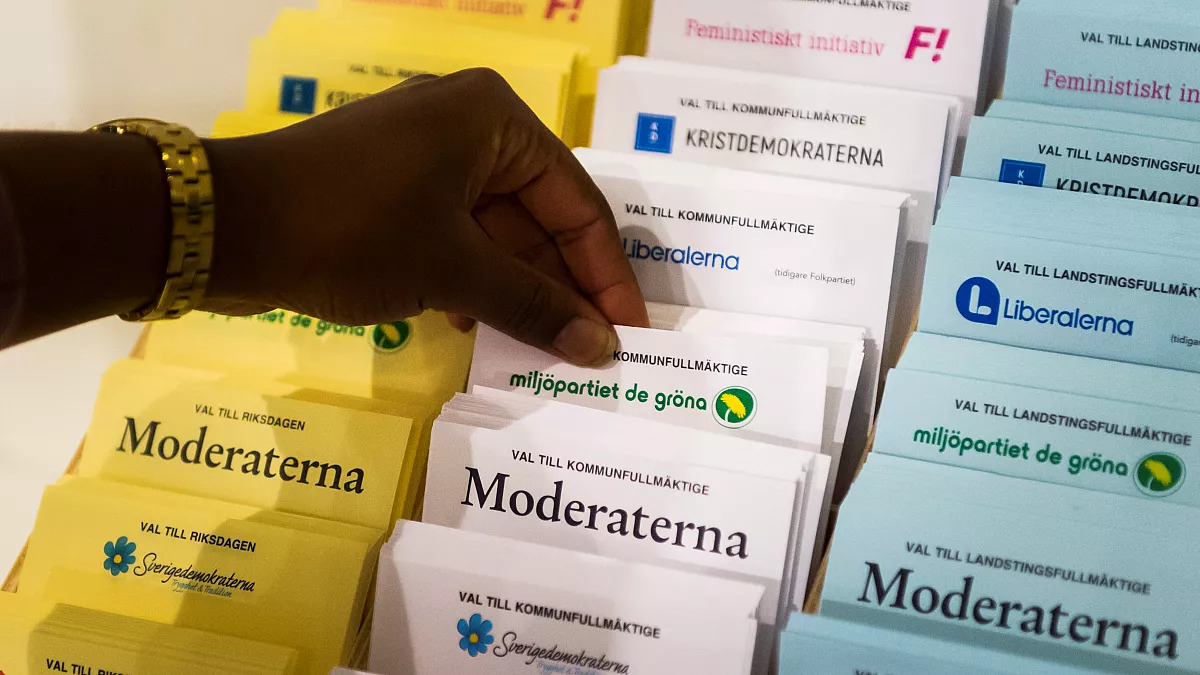
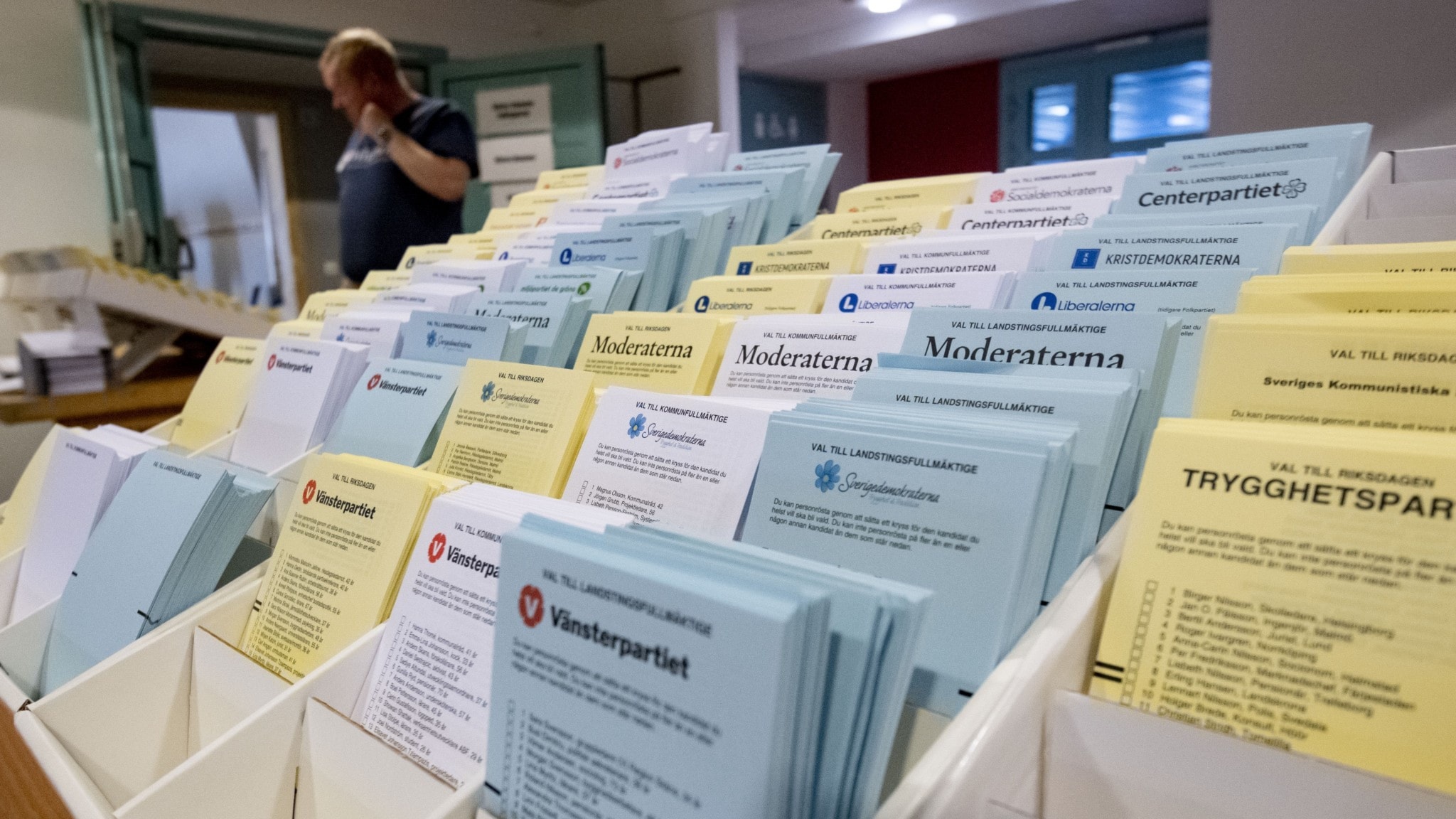
As cores são: branca pra local, a cidade, azul pra região, o que seria equivalente ao estado, e o amarelo é pro parlamento, pra escolher o primeiro ministro. Cada partido já meio que preparar o papel de voto. Mas existem papéis só com as cores e você escreve em que partido ou pessoa e partido você quer votar. Os papéis pronto vêem com os candidatos à cadeira de vereador, deputado regional e deputado do parlamento. É bizarro porque não tem o nome de um candidato pra prefeito, governador ou primeiro ministro. Então você pode só votar no partido ou na pessoa do partido. Quando entra na cabine pra escolher seus votos, você entra com 3 envelopes, como na imagem abaixo:

Cada envelope tem um corte em formato de semi-círculo na parte de baixo. Isso mostra a cor de papel de voto. Assim sabem que escolheu um de cada cor, e que são 3, mas não o conteúdo. Uma vez selados os envelopes, com uma bela lambida na cola de cada um, você leva pro mesário, que registra seu id e colocar os votos num envelope maior, que é marcado via QR-Code como seu. E vai pra urna lacrada. Então sabem quem votou, tem o envelope com os votos, mas não sabem quem votou em quem. Na hora da apuração, só abrem envelope maior, e colocam os votos, ainda em envelopes menores, com os outros votos. E depois é abrir e contar.
Também é comum durante essa época de eleições pessoas batendo na porta e fazendo campanha pro partido delas. Geralmente é legal e estranhamente o partido de extrema-direita, que é contra imigrantes, não bate nunca por aqui. Talvez pra não apanhar. E não faz falta alguma.
Agora o que acontece depois das eleições? Mais especificamente depois das apurações terminadas? Então todos as casas legislativas dividem-se em acordos políticos. Geralmente esquerda e direita. É possível existir outras divisões, mas geralmente fica entre esquerda e direita mesmo. Quem tiver maior número de assentos, não o partido mas essa coligação, pode indicar o comandante que assumirá o posto. Mas não basta só chutar um nome: a pessoa tem de receber 2/3 de aprovação. Não contam os votos à favor, mas os votos rejeitando o nome. Se for menos de 2/3, temos um novo prefeito, ou novo governador ou novo primeiro ministro. Quando isso é feito? Assim que terminam de contar os votos. Se terminam no domingo mesmo, já acontece na segunda. E é tudo um acordo de cavalheiros e damas, porque não existe nada na lei ou constituição pra dizer quando um governo começa ou termina. Legal que a coisa é bem imediata.
O que acontece se não chegarem num acordo de nome? Daí tem de chamar uma nova eleição. Isso quase aconteceu um tempo atrás.
E assim são as eleições daqui. Não tem a modernidade de urnas eletrônicas, mas funcionam e são, acima de tudo, opcionais.
Estive bastante ausente do blog nas últimas semanas. Em parte porque estava de férias. Em parte porque não é fácil escrever aqui. A arte da escrita não é tão fácil quanto parece.
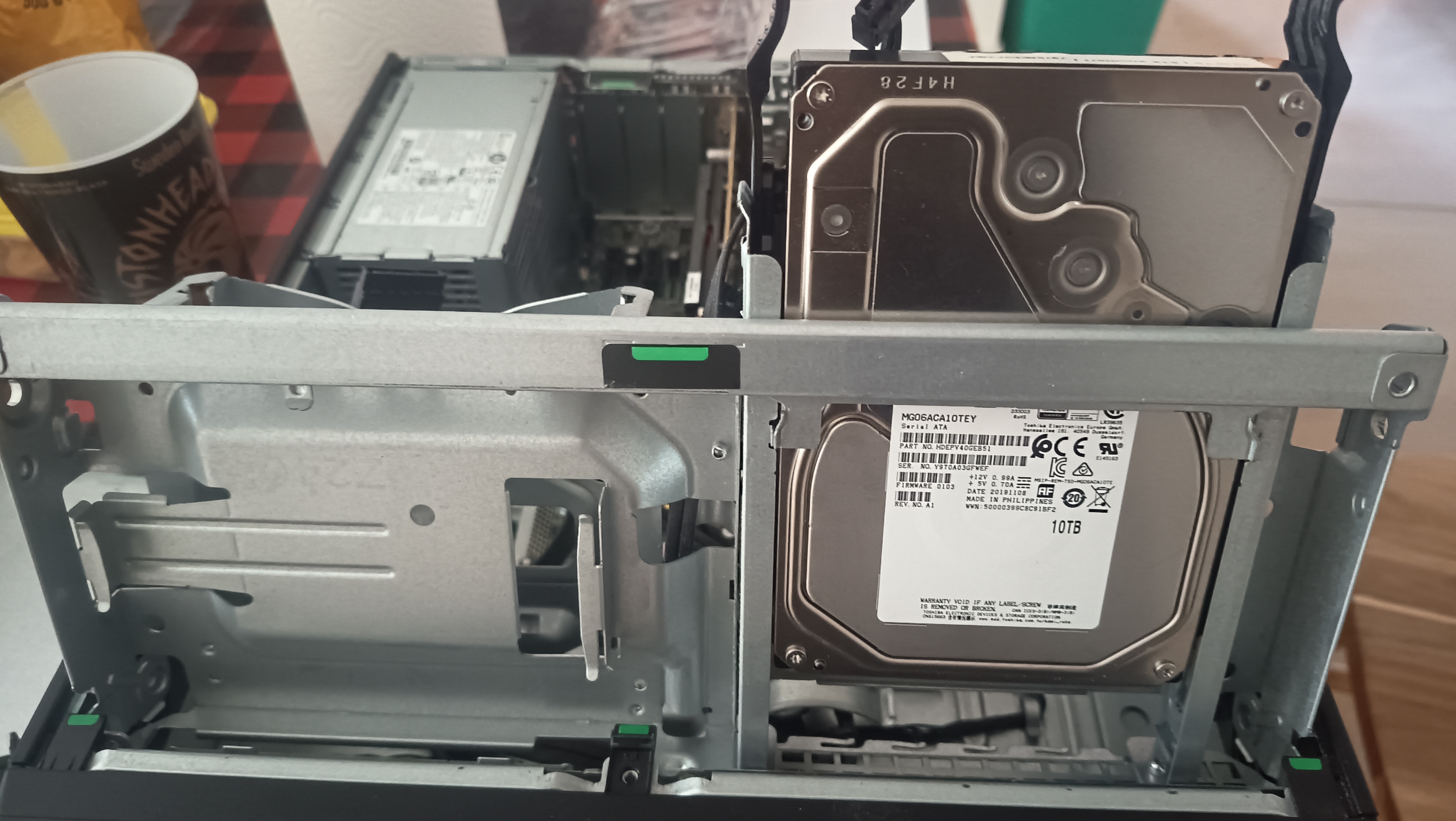
Mas em meio a tanto sofrimento, aproveitei pra fazer um upgrade de verdade no PC que roda o GoToSo e o Immich: adicionei um HDD de 10 TB.
Não é tão rápido quanto um SSD, mas é bem mais em conta. Ainda mais com os preços vertiginosos de hardware hoje em dia.
E como é zfs, não foi tão complicado fazer funcionar. Foi só adicionar o disco, particionar com uma só partição e adicionar ao pool assim:
root@mimir ~# ls -l /dev/disk/by-id/
total 0
lrwxrwxrwx 1 root root  9 Aug 19 19:21 ata-TOSHIBA_MG06ACA10TEY_Y970A03GFWEF@ -> ../../sda
lrwxrwxrwx 1 root root 10 Aug 19 19:21 ata-TOSHIBA_MG06ACA10TEY_Y970A03GFWEF-part1@ -> ../../sda1
lrwxrwxrwx 1 root root 13 Aug 19 19:21 nvme-BC711_NVMe_SK_hynix_512GB__FYB7N017812207D61@ -> ../../nvme0n1
lrwxrwxrwx 1 root root 15 Aug 19 19:21 nvme-BC711_NVMe_SK_hynix_512GB__FYB7N017812207D61-part1@ -> ../../nvme0n1p1
lrwxrwxrwx 1 root root 15 Aug 19 19:21 nvme-BC711_NVMe_SK_hynix_512GB__FYB7N017812207D61-part2@ -> ../../nvme0n1p2
lrwxrwxrwx 1 root root 15 Aug 19 19:21 nvme-BC711_NVMe_SK_hynix_512GB__FYB7N017812207D61-part3@ -> ../../nvme0n1p3
lrwxrwxrwx 1 root root 15 Aug 19 19:21 nvme-BC711_NVMe_SK_hynix_512GB__FYB7N017812207D61-part4@ -> ../../nvme0n1p4
lrwxrwxrwx 1 root root 13 Aug 19 19:21 nvme-BC711_NVMe_SK_hynix_512GB____FYB7N017812207D61@ -> ../../nvme0n1
lrwxrwxrwx 1 root root 15 Aug 19 19:21 nvme-BC711_NVMe_SK_hynix_512GB____FYB7N017812207D61-part1@ -> ../../nvme0n1p1
lrwxrwxrwx 1 root root 15 Aug 19 19:21 nvme-BC711_NVMe_SK_hynix_512GB____FYB7N017812207D61-part2@ -> ../../nvme0n1p2
lrwxrwxrwx 1 root root 15 Aug 19 19:21 nvme-BC711_NVMe_SK_hynix_512GB____FYB7N017812207D61-part3@ -> ../../nvme0n1p3
lrwxrwxrwx 1 root root 15 Aug 19 19:21 nvme-BC711_NVMe_SK_hynix_512GB____FYB7N017812207D61-part4@ -> ../../nvme0n1p4
lrwxrwxrwx 1 root root 13 Aug 19 19:21 nvme-BC711_NVMe_SK_hynix_512GB____FYB7N017812207D61_1@ -> ../../nvme0n1
lrwxrwxrwx 1 root root 15 Aug 19 19:21 nvme-BC711_NVMe_SK_hynix_512GB____FYB7N017812207D61_1-part1@ -> ../../nvme0n1p1
lrwxrwxrwx 1 root root 15 Aug 19 19:21 nvme-BC711_NVMe_SK_hynix_512GB____FYB7N017812207D61_1-part2@ -> ../../nvme0n1p2
lrwxrwxrwx 1 root root 15 Aug 19 19:21 nvme-BC711_NVMe_SK_hynix_512GB____FYB7N017812207D61_1-part3@ -> ../../nvme0n1p3
lrwxrwxrwx 1 root root 15 Aug 19 19:21 nvme-BC711_NVMe_SK_hynix_512GB____FYB7N017812207D61_1-part4@ -> ../../nvme0n1p4
lrwxrwxrwx 1 root root  9 Aug 19 19:21 wwn-0x50000399c8c91bf2@ -> ../../sda
lrwxrwxrwx 1 root root 10 Aug 19 19:21 wwn-0x50000399c8c91bf2-part1@ -> ../../sda1
root@mimir ~# zpool add rpool ata-TOSHIBA_MG06ACA10TEY_Y970A03GFWEF-part1
E temos 10 TB extras.
root@mimir ~# zpool status
  pool: bpool
 state: ONLINE
  scan: scrub repaired 0B in 00:00:02 with 0 errors on Sun Aug  9 00:24:03 2026
config:

        NAME                                                           STATE     READ WRITE CKSUM
        bpool                                                          ONLINE       0     0     0
          nvme-BC711_NVMe_SK_hynix_512GB____FYB7N017812207D61_1-part2  ONLINE       0     0     0

errors: No known data errors

  pool: rpool
 state: ONLINE
  scan: scrub repaired 0B in 00:23:23 with 0 errors on Sun Aug  9 00:47:25 2026
config:

        NAME                                                       STATE     READ WRITE CKSUM
        rpool                                                      ONLINE       0     0     0
          nvme-BC711_NVMe_SK_hynix_512GB__FYB7N017812207D61-part4  ONLINE       0     0     0
          ata-TOSHIBA_MG06ACA10TEY_Y970A03GFWEF-part1              ONLINE       0     0     0

errors: No known data errors
root@mimir ~# zfs list
NAME                                               USED  AVAIL  REFER  MOUNTPOINT
bpool                                             1.41G   346M    96K  /boot
bpool/BOOT                                        1.41G   346M    96K  none
bpool/BOOT/ubuntu_nfrgkj                          1.41G   346M   227M  /boot
rpool                                              412G  9.03T    96K  /
rpool/ROOT                                        38.6G  9.03T    96K  none
rpool/ROOT/ubuntu_nfrgkj                          38.6G  9.03T  3.95G  /
rpool/ROOT/ubuntu_nfrgkj/srv                       264K  9.03T    96K  /srv
rpool/ROOT/ubuntu_nfrgkj/usr                      38.6M  9.03T    96K  /usr
rpool/ROOT/ubuntu_nfrgkj/usr/local                38.5M  9.03T  37.2M  /usr/local
rpool/ROOT/ubuntu_nfrgkj/var                      25.0G  9.03T    96K  /var
rpool/ROOT/ubuntu_nfrgkj/var/games                 152K  9.03T    96K  /var/games
rpool/ROOT/ubuntu_nfrgkj/var/lib                  12.1G  9.03T  4.83G  /var/lib
rpool/ROOT/ubuntu_nfrgkj/var/lib/AccountsService   784K  9.03T    96K  /var/lib/AccountsService
rpool/ROOT/ubuntu_nfrgkj/var/lib/NetworkManager    836K  9.03T   140K  /var/lib/NetworkManager
rpool/ROOT/ubuntu_nfrgkj/var/lib/apt               268M  9.03T  79.0M  /var/lib/apt
rpool/ROOT/ubuntu_nfrgkj/var/lib/dpkg              227M  9.03T  42.7M  /var/lib/dpkg
rpool/ROOT/ubuntu_nfrgkj/var/log                  12.9G  9.03T  3.04G  /var/log
rpool/ROOT/ubuntu_nfrgkj/var/mail                  152K  9.03T    96K  /var/mail
rpool/ROOT/ubuntu_nfrgkj/var/snap                 9.30M  9.03T  2.93M  /var/snap
rpool/ROOT/ubuntu_nfrgkj/var/spool                1.80M  9.03T   140K  /var/spool
rpool/ROOT/ubuntu_nfrgkj/var/www                   416K  9.03T   248K  /var/www
rpool/USERDATA                                     373G  9.03T    96K  none
rpool/USERDATA/home_cedmet                         373G  9.03T   233G  /home
rpool/USERDATA/root_cedmet                        56.3M  9.03T  43.9M  /root
root@mimir ~# duf
╭────────────────────────────────────────────────────────────────────────────────────────────────────────────────────────────────────────────╮
│ 18 local devices                                                                                                                           │
├──────────────────────────┬────────┬────────┬────────┬────────────────────────────┬──────┬──────────────────────────────────────────────────┤
│ MOUNTED ON               │   SIZE │   USED │  AVAIL │            USE%            │ TYPE │ FILESYSTEM                                       │
├──────────────────────────┼────────┼────────┼────────┼────────────────────────────┼──────┼──────────────────────────────────────────────────┤
│ /                        │   9.0T │   3.9G │   9.0T │                       0.0% │ zfs  │ rpool/ROOT/ubuntu_nfrgkj                         │
│ /boot                    │ 573.0M │ 227.1M │ 345.9M │ ███████▌             39.6% │ zfs  │ bpool/BOOT/ubuntu_nfrgkj                         │
│ /boot/efi                │   1.0G │   6.3M │   1.0G │                       0.6% │ vfat │ /dev/nvme0n1p1                                   │
│ /home                    │   9.3T │ 233.1G │   9.0T │                       2.5% │ zfs  │ rpool/USERDATA/home_cedmet                       │
│ /root                    │   9.0T │  44.0M │   9.0T │                       0.0% │ zfs  │ rpool/USERDATA/root_cedmet                       │
│ /srv                     │   9.0T │ 128.0K │   9.0T │                       0.0% │ zfs  │ rpool/ROOT/ubuntu_nfrgkj/srv                     │
│ /usr/local               │   9.0T │  37.2M │   9.0T │                       0.0% │ zfs  │ rpool/ROOT/ubuntu_nfrgkj/usr/local               │
│ /var/games               │   9.0T │ 128.0K │   9.0T │                       0.0% │ zfs  │ rpool/ROOT/ubuntu_nfrgkj/var/games               │
│ /var/lib                 │   9.0T │   4.8G │   9.0T │                       0.1% │ zfs  │ rpool/ROOT/ubuntu_nfrgkj/var/lib                 │
│ /var/lib/AccountsService │   9.0T │ 128.0K │   9.0T │                       0.0% │ zfs  │ rpool/ROOT/ubuntu_nfrgkj/var/lib/AccountsService │
│ /var/lib/NetworkManager  │   9.0T │ 256.0K │   9.0T │                       0.0% │ zfs  │ rpool/ROOT/ubuntu_nfrgkj/var/lib/NetworkManager  │
│ /var/lib/apt             │   9.0T │  79.0M │   9.0T │                       0.0% │ zfs  │ rpool/ROOT/ubuntu_nfrgkj/var/lib/apt             │
│ /var/lib/dpkg            │   9.0T │  42.8M │   9.0T │                       0.0% │ zfs  │ rpool/ROOT/ubuntu_nfrgkj/var/lib/dpkg            │
│ /var/log                 │   9.0T │   3.0G │   9.0T │                       0.0% │ zfs  │ rpool/ROOT/ubuntu_nfrgkj/var/log                 │
│ /var/mail                │   9.0T │ 128.0K │   9.0T │                       0.0% │ zfs  │ rpool/ROOT/ubuntu_nfrgkj/var/mail                │
│ /var/snap                │   9.0T │   3.0M │   9.0T │                       0.0% │ zfs  │ rpool/ROOT/ubuntu_nfrgkj/var/snap                │
│ /var/spool               │   9.0T │ 256.0K │   9.0T │                       0.0% │ zfs  │ rpool/ROOT/ubuntu_nfrgkj/var/spool               │
│ /var/www                 │   9.0T │ 256.0K │   9.0T │                       0.0% │ zfs  │ rpool/ROOT/ubuntu_nfrgkj/var/www                 │
╰──────────────────────────┴────────┴────────┴────────┴────────────────────────────┴──────┴──────────────────────────────────────────────────╯
╭───────────────────────────────────────────────────────────────────────────────────────────────────────────────────────────╮
│ 12 special devices                                                                                                        │
├───────────────────────────────────────────┬────────┬────────┬────────┬────────────────────────────┬──────────┬────────────┤
│ MOUNTED ON                                │   SIZE │   USED │  AVAIL │            USE%            │ TYPE     │ FILESYSTEM │
├───────────────────────────────────────────┼────────┼────────┼────────┼────────────────────────────┼──────────┼────────────┤
│ /dev                                      │   6.1G │     0B │   6.1G │                       0.0% │ devtmpfs │ udev       │
│ /dev/shm                                  │   7.5G │ 168.0K │   7.5G │                       0.0% │ tmpfs    │ tmpfs      │
│ /helio-cache                              │ 500.0G │     0B │ 500.0G │                       0.0% │ tmpfs    │ tmpfs      │
│ /run                                      │   1.5G │   2.8M │   1.5G │                       0.2% │ tmpfs    │ tmpfs      │
│ /run/credentials/This email address is being protected from spambots. You need JavaScript enabled to view it.       │   1.0M │     0B │   1.0M │                       0.0% │ tmpfs    │ none       │
│ /run/credentials/systemd-journald.service │   1.0M │     0B │   1.0M │                       0.0% │ tmpfs    │ none       │
│ /run/credentials/systemd-networkd.service │   1.0M │     0B │   1.0M │                       0.0% │ tmpfs    │ none       │
│ /run/credentials/systemd-resolved.service │   1.0M │     0B │   1.0M │                       0.0% │ tmpfs    │ none       │
│ /run/snapd/ns                             │   1.5G │   2.8M │   1.5G │                       0.2% │ tmpfs    │ tmpfs      │
│ /run/user/1000                            │   1.5G │ 560.0K │   1.5G │                       0.0% │ tmpfs    │ tmpfs      │
│ /sys/firmware/efi/efivars                 │ 117.9K │  80.9K │  32.0K │ █████████████▌       68.6% │ efivarfs │ efivarfs   │
│ /tmp                                      │   7.5G │     0B │   7.5G │                       0.0% │ tmpfs    │ tmpfs      │
╰───────────────────────────────────────────┴────────┴────────┴────────┴────────────────────────────┴──────────┴────────────╯
Agora é atolar de fotos e vídeos o bichinho.

Essa semana tivemos um problema de alguém rodando um container que estava marretando uma das placas NVIDIA RTX 6000 que temos na firma.
Pelo ollama podiamos ver qual era o IP usando o modelo, mas não sabiamos qual era o container com esse IP.
Então acabei fazendo um comando no shell que mostrou isso usando o próprio comando docker e jq.
for container in $(docker ps --format json | jq -r .Names)
  do echo -n "$container: "
  docker inspect $container | jq -r '.[0].NetworkSettings.Networks | .. | objects | select(has("IPAddress")) | .IPAddress'
done
Assim o restulado foi mais ou menos esse aqui:
helio@nvidia-server:~$ for container in $(docker ps --format json | jq -r .Names)
> do echo -n "$container: "
> docker inspect $container | jq -r '.[0].NetworkSettings.Networks | .. | objects | select(has("IPAddress")) | .IPAddress'
> done
rabbitmq-1: 172.24.0.4
ollama: 172.21.0.2
vllm-proxy-1: 172.23.0.2
vllm-qwen36-27b-1: 172.23.0.3
vllm-qwen36-35b-1: 172.23.0.4
postgres: 172.17.0.3
mcp-1: 172.24.0.3
redis-1: 172.24.0.5
postgres-1: 172.24.0.7
mlflow-server: 172.17.0.9
ollama-router-backend: 172.17.0.8
helio_development: 172.17.0.4
anna_development: 172.17.0.5
watchtower: 172.17.0.2
nvidia_metrics: 172.17.0.10
portainer_agent: 172.17.0.6
O culpado não está nessa lista. Mas era um agente que estava devorando a GPU.

Tchau Google. Como paguei anual, o serviço vai estar lá até 25 de maio de 2027. Mas já não uso mais. Vida longa ao Immich!
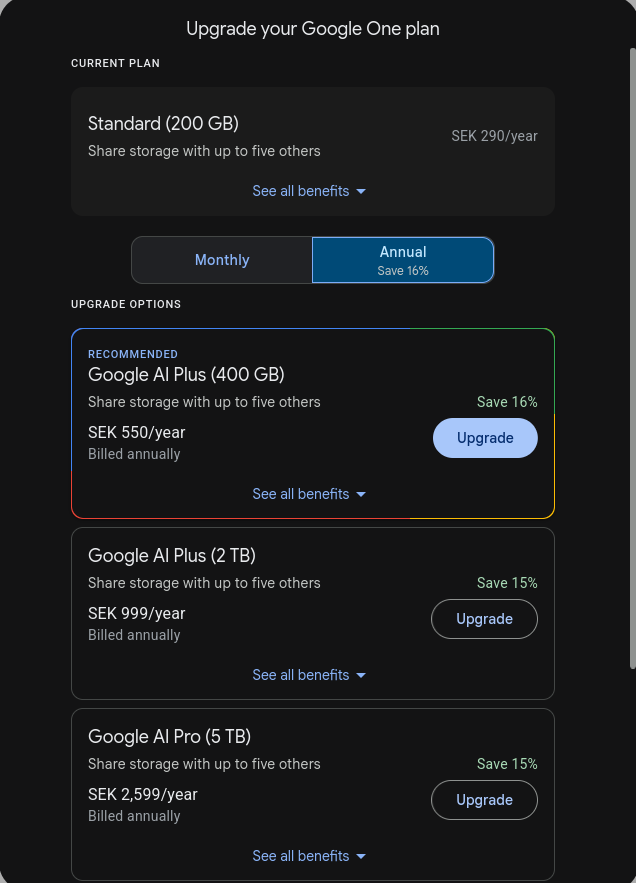
Eu uso Google Photos. E bastante. Passei já faz tempo da cota de 30 GB gratuitos e passei a pagar a cota de até 200 GB. O preço é barato (~24 sek/mês, 290 sek/ano). O problema é que estou chegando perto do limite de 200 GB. E não tem muito plano intermediário. O próximo te libera 500GB, mas já custa 550 se/ano..
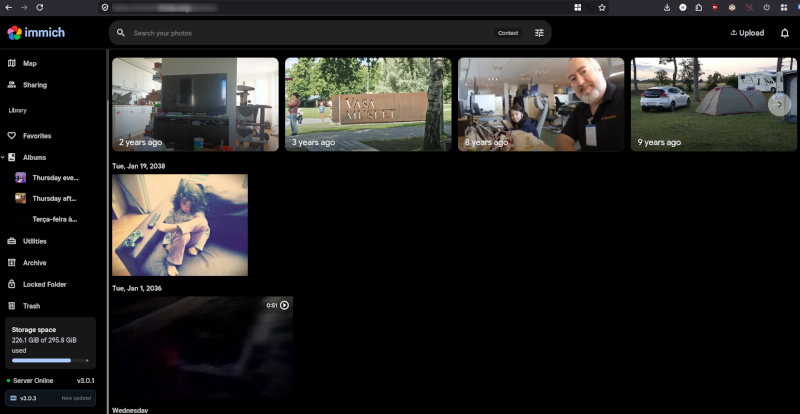
Nesse dilema de falta de espaço, eis que me aparece um projeto que faz exatamente o que o Google Photos faz. Com app pra mobile e tudo mais. E fica comigo. O Immich, da imagem que abre o artigo.
Joguei no servidor onde rodo a bolha com podman. E já comecei a migrar.
Descobri que existe um serviço no Google pra exportar todos os seus dados: o takeout. Você vai nele e escolhe o que quer fazer backup. Ele prepara e te envia os links quando pronto. Cada link com até 25 GB.
Baixei tudo e rodei um script pra importar no Immich. Bastou o immich cli pra isso.
❯ cd /googlephotos/data/Takeout/Google\ Photos/
❯ ls -1 | head
'2 days in Skärholmen and Kista'
'2 days in Stockholm'
'2 de março de 2012'
'3 anos atrás...'
'3 days in Stockholm'
'5 dia em Kista'
'21 de maio de 2013'
'28 de dezembro de 2011'
'30 de junho de 2011'
'2004-08-06 - Viagem da Leca e da Ju  - PSL RJ'
❯ for d in *
      echo $d
      immich upload --album --recursive $d
  end
O script é em fish shell.
O backup vem com vários json juntos. Por isso o immich cli funciona melhor que tentar importar de outra forma.
Agora resta apagar o que tenho o Google Photos. E provavelmente comprar um outro HDD.
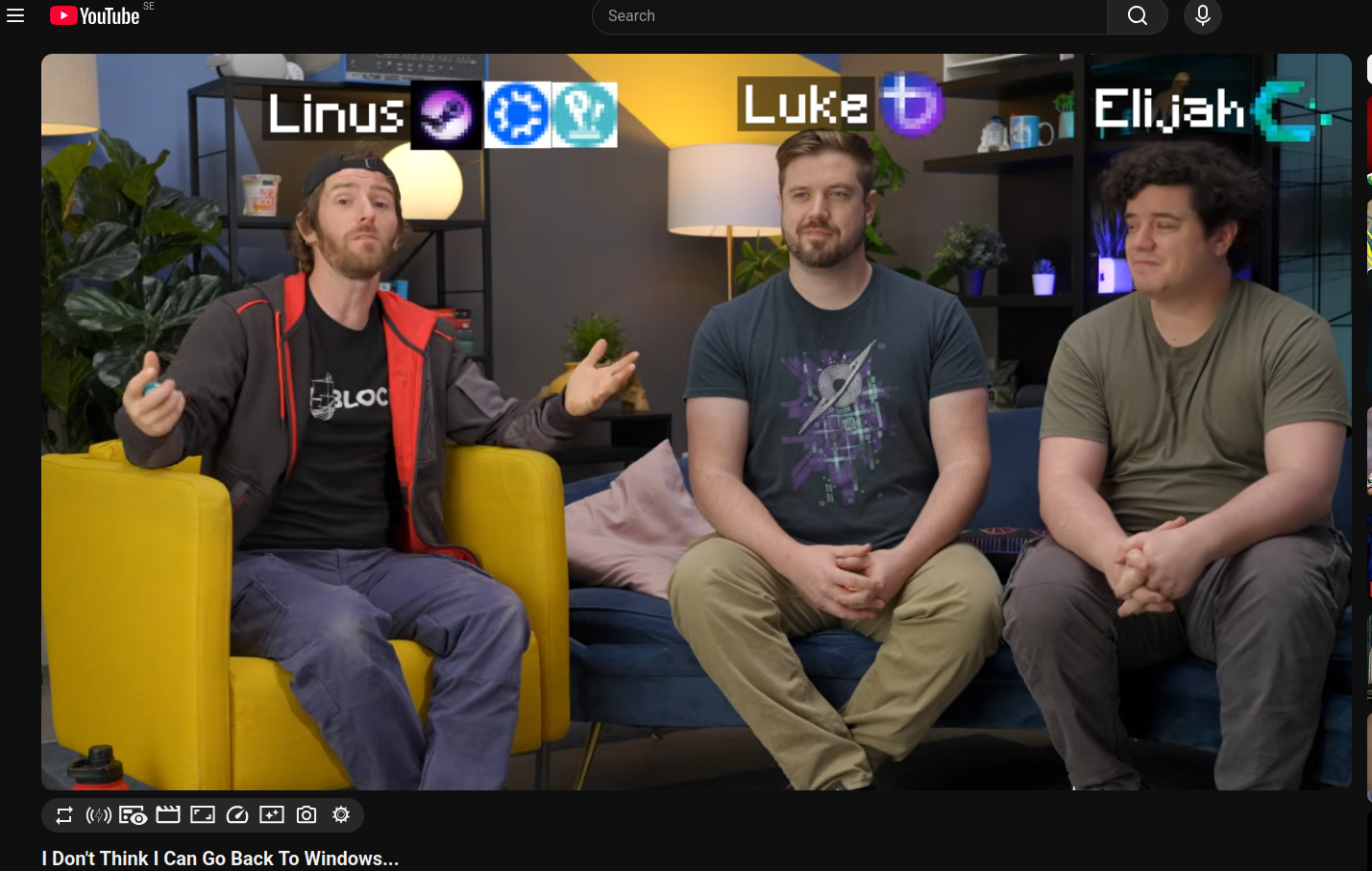
Se 2025 já foi o ano do Linux no desktop. 2026 não poderia ser diferente. E com um vídeo do Linus Tech Tips bastante positivo sobre o uso de Linux.
Comparado com outro vídeo que fizeram uns 4 anos atrás, esse foi só sucesso. E, claro, com a uma grande ajuda da MicroSlop que merdificou ainda mais seu sistema operacional. Ponto pro Linux!
Já faz algum tempo que o https://linux-br.org tem aparecido posts como esse, sem a imagem. Isso quando o bot, escrito em python, faz o post automático.
Isso ocorria porque eu fiz o código de forma que pegasse a primeira image que estava no link do post. No caso desse post, a imagem deveria ser essa:
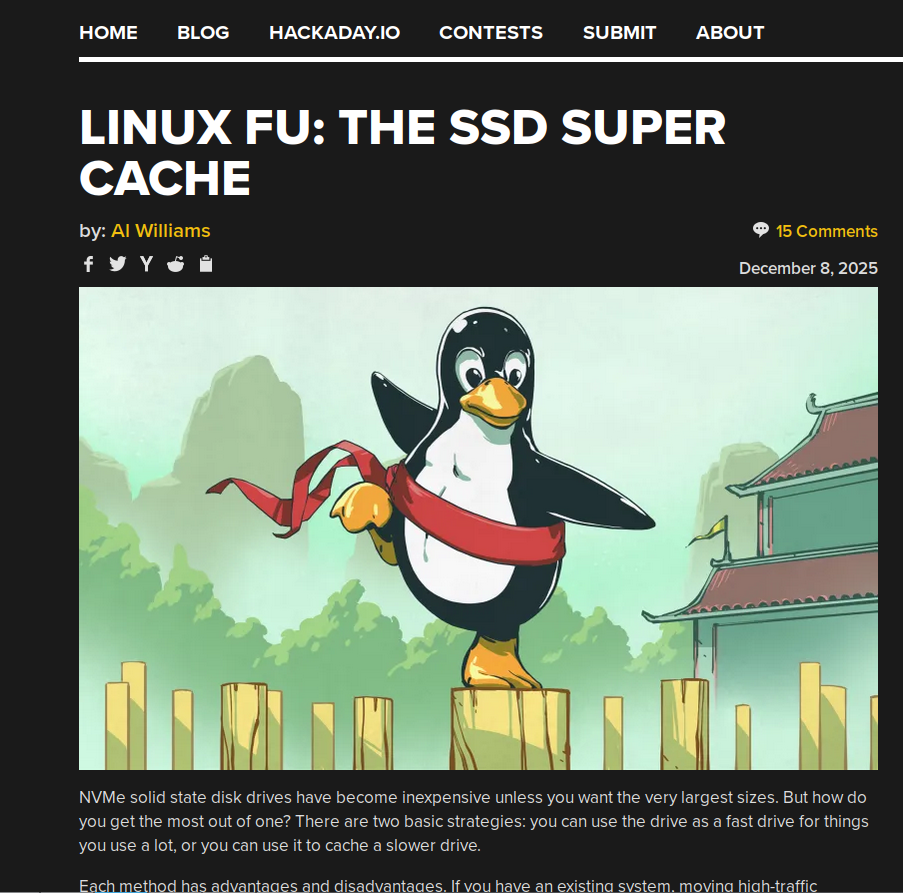
Mas como no cabeçalho do mapa tem alguma outra imagem de logo, era isso que era usado. E em muitos sites existem images de 1x1 pixel com nada. Só pra preenchimento. E era isso que aparecia.
Ontem eu fiz um refactoring no código e introduzi a biblioteca PIL pra gerenciar imagens. Assim eu olho pra cada link de imagem e vejo se o tamanho é no mínimo 400x400 pixels. Abaixo disso eu simplesmente descarto.
Agora os posts aparecerão com melhor visualização. E os posts sem imagem? Eu já descartava anteriormente.
O código continua sendo atualizado no CodeBerg.
Na firma estamos com um projeto de autenticar clientes usando OpenBAO. OpenBAO, pro não iniciados, é um fork do Vault da Hashicorp que por sua vez é uma forma de você gerar sua própria CA, Certificate Authority, e criar seus próprios certificados. E com isso temos um caso novo que são os computadores com TPM, Trusted Platform Module, que é um hardware que gera e armazena suas chaves criptográficas.
Na forma antiga, você recebe um token da rede e usa esse token pra pedir pro OpenBAO pra gerar tanto certificado quanto a chave privada. Com TPM, que gera sua própria chave privada e armazena localmente, você precisa gerar uma chave privada localmente e depois armazenar criar uma CSR, Certificate Signing Request, pra solicitar que seja gerado um certificado.
É preciso instalar o pacote "tpm2-tools", que vai baixar o que é preciso pra falar com o TPM. Também é preciso adicionar seu usuário no grupo "tss", do contrário somente como "root" vai conseguir acessar os devices do TPM.
Os comandos pra gerar a chave privada via TPM e o CSR são esses abaixo:
tpm2_createek -G ecc -c ek_ecc.ctx || echo "TPM already initialized"
tpm2_createak -C ek_ecc.ctx -G ecc -g sha256 -s ecdsa -c ak_ecc.ctx || echo "TPM already initialized"
tpm2_evictcontrol -c ak_ecc.ctx 0x81000000 || echo "TPM already initialized and it is persistent"

openssl req \
    -provider tpm2 \
    -provider default \
    -propquery '?provider=tpm2' \
    -new \
    -subj "/CN=client.loureiro.eng.br/" \
    -key handle:0x81000000 \
    -out client.csr
Depois disso é enviar ao OpenBAO, que no caso está rodando via container pra testes na porta 8200 e sem TLS habilitado. O truque do "data" é colocar o certificado inteiro em uma linha só, por isso o "sed" e "tr".
curl \
    -s \
    -o client_data.json \
    --cacert openbao_ca.crt \
    --header "X-Vault-Token: $TOKEN" \
    --header "Content-Type: application/json" \
    --data "{\"csr\": \"$(
        cat $CLIENT_CSR | sed "s/\$/@@@/g" | tr -d "\n" | sed "s/@@@/\\\n/g"
    )\",\"common_name\": \"client\",\"alt_names\": \"client.loureiro.eng.br\",\"ttl\": \"90d\"}" \
    "http://openbao:8200/v1/pki/sign/client-loureiro"
Feito isso, os certificados ficam disponíveis no client_data.json. Basta extrair e usar.
jq -re .data.certificate > client.csr
export OPENSSL_CONF=$PWD/openssl.cnf
export OPENSSL_MODULES=/usr/lib/x86_64-linux-gnu/ossl-modules
curl \
    --cert client.csr \
    --cacert openbao_ca.crt \
    --key handle:0x81000000 \
    --key-type PROV \
    --engine tpm2 \
    -H "Content-Type: application/json" \
    -d '{"agent_id":"0001","message":"testing"}' \
    https://api.loureiro.eng.br/v1/getdata
Na falta de uma imagem melhor ou relacionada, deixei essa do meu peruzão que comi durante o Sweden Rock.
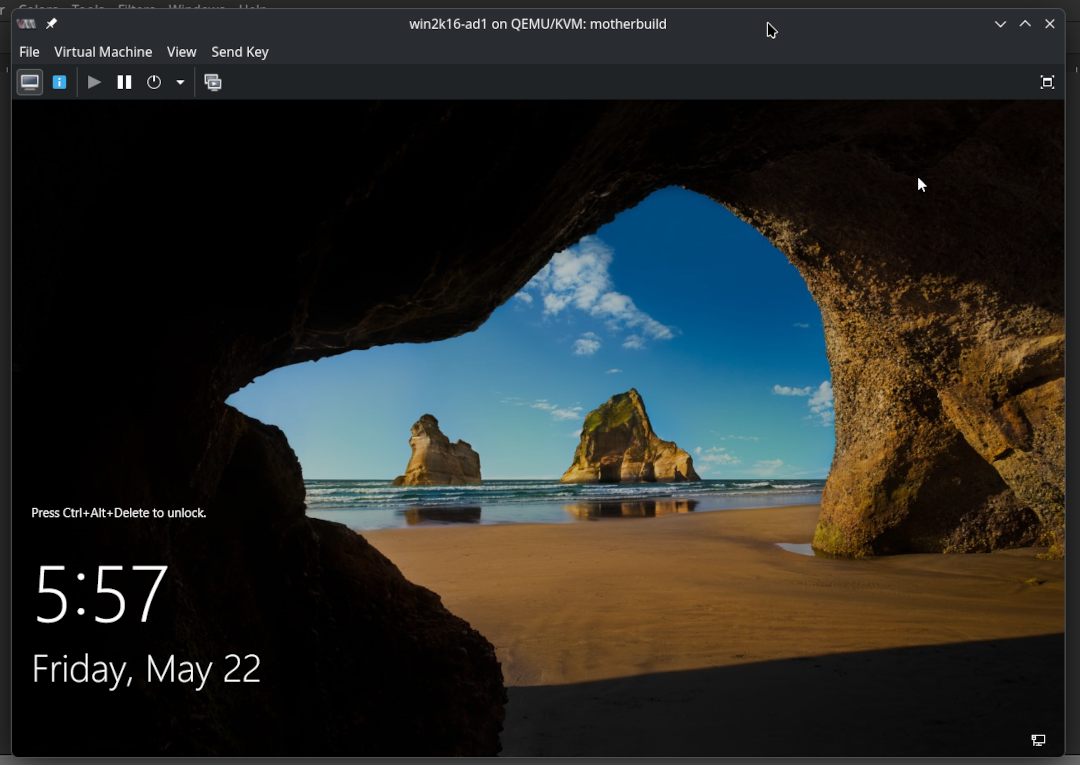
Já que comentei no post anterior das desventuras de libvirt, então vou aproveitar e comentar também sobre como migrei uma VM de VMWare pra KVM. A versão era a 7 e eu apenas fiz shutdown da VM e selecionei pra exportar o disco, que veio em format vmx. Daí começou a migração.
Copiado o disco pra dentro da máquina onde ia rodar com KVM, converti pro formato qcow2. Usei o seguinte comand:
qemu-img convert -cpf vmdk -O qcow2 windows-ad1.vmdk windows-ad1.qcow2
Mas daí eu não conseguia fazer funcionar o boot: não achava TPM e depois tinha algum problema com UEFI.
Eu achei um link com uma receita pronta e usei. Como bom leitor de Internet, esqueci de salvar o link. Mas o comando foi o seguinte:
virt-install \
    --virt-type kvm \
    --name=win2k16-ad1 \
    --os-variant=win10 \
    --vcpus 4,sockets=1,cores=4,threads=1 \
    --cpu host-passthrough \
    --memory 8192 \
    --features smm.state=on,kvm_hidden=on,hyperv_relaxed=on,hyperv_vapic=on,hyperv_spinlocks=on,hyperv_spinlocks_retries=8191 \
    --clock hypervclock_present=yes \
    --disk path=/var/lib/libvirt/images/windows-ad1.qcow2,size=100,format=qcow2,sparse=true,bus=sata,cache=writethrough,discard=unmap,io=threads  \
    --controller type=scsi,model=virtio-scsi \
    --graphics spice \
    --video model=qxl,vgamem=32768,ram=131072,vram=131072,heads=1 \
    --channel spicevmc,target_type=virtio,name=com.redhat.spice.0 \
    --channel unix,target_type=virtio,name=org.qemu.guest_agent.0 \
    --network bridge=br0,model=virtio \
    --input type=tablet,bus=virtio \
    --metadata title='Win2k16-AD1' \
    --tpm type=emulator,version=2.0,model=tpm-tis \
    --boot loader=/usr/share/OVMF/OVMF_CODE_4M.secboot.fd,loader.readonly=yes,loader.type=pflash,loader.secure=yes,nvram.template=/usr/share/OVMF/OVMF_VARS_4M.ms.fd,menu=on
Com isso migrei a máquina e botei de novo em pé pro pessoal de desenvolvimento usar pra tests com AD.
UPDATE: achei o link original.
https://github.com/sej7278/virt-installs/blob/master/win10.sh
Page 1 of 40