
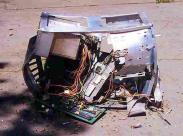
 Fiz um pequeno programa para ajudar aos novos estagiários a entender o "modus operandi" da empresa. Os efeitos superaram as expectativas, como comprovaram meus amigos de NRO (network rollout):
(15:00:55) Adriano_ASA @ at work SP: que porra é essa ????
(15:01:55) Adriano_ASA @ at work SP: responde essa merda !!!
(15:02:00) Adriano_ASA @ at work SP: seu fdp !!!
(15:02:12) Adriano_ASA @ at work SP: tá formatando o IO do NRG de cliente !!!
(15:02:23) helio: hahahahahaha
(15:02:32) helio: ele não faz nada
(15:02:37) helio: é pra dar trote nos estags
(15:02:41) helio: e nos manés!!!!
(15:02:44) helio: hahahahahaha
(15:02:46) helio: peguei!!!
(15:02:55) Adriano_ASA @ at work SP: hehehehe...
(15:03:02) Adriano_ASA @ at work SP: legal !!
(15:03:09) helio: pega os caras aí
(15:03:39) Adriano_ASA @ at work SP: seu viado !!!
(15:07:46) Adriano_ASA @ at work SP: Vai correr atrás de mulher !!!
(15:08:01) Adriano_ASA @ at work SP: fica gastando tempo com estas porras !!!
(15:11:41) helio: hahahahaha
(15:11:47) helio: tá todo mundo do GSDC sabendo
(15:11:51) helio: fracasso miserável
(15:13:12) Adriano_ASA @ at work SP has closed the conversation window.
Chamei de "counter.c", e pode ser compilado com "gcc -o counter counter.c". Os efeitos são hi-lá-ri-os!!!
#include
#include
#include

void start_msg( int );
void print_point( int );

int main() {
   char response[128];
   int progress = 0;
   struct sigaction sa;
   sa.sa_handler = SIG_IGN;
   sa.sa_flags = 0;
   sigemptyset(&sa.sa_mask);
   sigaction(SIGCHLD, &sa, NULL);
   sigaction(SIGTERM, &sa, NULL);
   sigaction(SIGKILL, &sa, NULL);
   sigaction(SIGINT, &sa, NULL);
   sigaction(SIGTRAP, &sa, NULL);
   sigaction(SIGSTOP, &sa, NULL);
   sigaction(SIGTSTP, &sa, NULL);
   sigaction(SIGTTIN, &sa, NULL);
   sigaction(SIGTTOU, &sa, NULL);
   start_msg(500);
   printf("Do you want to format your hard disk c:\\ ? [yes/no]: yes\n");
   printf("Are you really sure you want to do this? [yes/no]: ");
   scanf(response);
   start_msg(1);
   printf("Do you want to format your hard disk c:\? [yes/no]: yes\n");
   printf("Are you really sure you want to do this? [ yes/no]: yes\n");
   printf("\nProceeding with disk formatting.\n");
   printf("All your data will be erased and lost.\n");
   printf("Stop the process in case you didn´t create a backup.\n");
   printf("Formatting");
   for (progress = 10; progress <= 100 ; progress += 10) {
      print_point(10);
      printf("%d%c", progress,'%');
   }
printf("\nHard disk successfuly formatted\n\n\n\n");
printf("System rebooting....");
fflush(NULL);
sleep(60*3);
return 0;
}

void start_msg(int timeout ) {
   int i, counter = 30;
   system("clear");
   printf("\n#####################################################################\n");
   printf("# Disk Formatter - Use with caution!!!! #\n");
   printf("# DISCLOSURE: There isn´t responsabilities for any damage caused #\n");
   printf("# this program. The usage and responsability, as any prosecution #\n");
   printf("# belongs exclusively to the user. #\n");
   printf("# Be sure about the impacts and use with caution. #\n");
   printf("#####################################################################\n\n\n");
   printf("Formatting system startup");
   for (i=0; i < counter; i++){
      printf(".");
      usleep(timeout);
   }
   printf(" ready!\n");
}

void print_point(int n) {
   int i;
   for (i=0; i <= n; i++) {
      printf(".");
      fflush(NULL);
      sleep(3);
   }
}
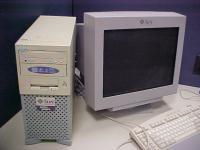 Finalmente recebi os dvds de instalação do Solaris 10 (que podem ser solicitados gratuitamente no site da Sun). Aproveitei uma máquina que estava com problemas de instalação do programa RT, um sistema de tickets para problemas de operação (ideal para ambiente de NOC), rodando Solaris 11 (Open Solaris na verdade) num hardware Sun-Fire-V210.
Apanhei um pouco pra instalar já que a mesma tem de ser feita via cabo console (demorei pra achar a opção correta de terminal). Ao final tinha tudo pronto e rodando o Solaris 10.
SunOS ssgo 5.10 Generic_118833-33 sun4u sparc SUNW,Sun-Fire-V210
De cara já percebi que a máquina respondia melhor e mais rápido em relação ao sistema anterior, não querendo denegrir o OpenSolaris.
Nada como ser _user_ friendly.
Faz tempo que instalei o grub, boot loader muito flexível e fácil de configurar, no meu FreeBSD, aliás desde que era 6.1-RELEASE. Agora que estou totalmente atualizado como 6.2-STABLE, isso tornou-se ponto de honra. Infelizmente o erro abaixo insistia em ocorrer ao tentar instalar o mesmo na MBR:
musashi# grub-install hd0
GNU GRUB version 0.97 (640K lower / 3072K upper memory)
[ Minimal BASH-like line editing is supported. For the first word, TAB lists possible command completions.
   Anywhere else TAB lists the possible completions of a device/filename. ]
grub> root (hd0,0,a)
Filesystem type is ufs2, partition type 0xa5
grub> setup --stage2=/boot/grub/stage2 --prefix=/boot/grub (hd0)
Checking if "/boot/grub/stage1" exists... yes
Checking if "/boot/grub/stage2" exists... yes
Checking if "/boot/grub/ufs2_stage1_5" exists... yes
Running "embed /boot/grub/ufs2_stage1_5 (hd0)"... failed (this is not fatal)
Running "embed /boot/grub/ufs2_stage1_5 (hd0,0,a)"... failed (this is not fatal)
Running "install --stage2=/boot/grub/stage2 /boot/grub/stage1 (hd0)
   /boot/grub/stage2 p /boot/grub/menu.lst "... failed
Error 29: Disk write error
grub> quit
Eu já tinha tido o desprazer de ver esse erro anteriormente, mas achava que era relacionado com a versão do grub (como descrito em algumas listas). Dessa vez, sapeando no Google, que já começa a trazer muito mais ruído que informação, encontrei esse link:
Por um grande acaso vi a variável kern.geom.debugflags com um parâmetro configurado. Não tive dúvidas e segui o mesmo.
musashi# sysctl kern.geom.debugflags=16
kern.geom.debugflags: 0 -> 16
Resultado: sou um feliz usuário com um novo boot loader, o qual vou colocar uma bela tela gráfica :-) Só espero que meu sistema funcione amanhã, já que eu ainda não desliguei o mesmo...
musashi# grub-install /dev/ad0
Installation finished. No error reported.
This is the contents of the device map /boot/grub/device.map.
Check if this is correct or not. If any of the lines is incorrect, fix it and re-run the script `grub-install'.
(fd0) /dev/fd0
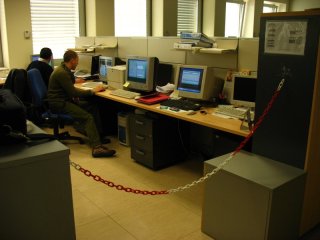
 Logo na visita ao NOC da Itália, tive a agradável surpresa que o método de acesso à rede cabeada, leia-se switches fast/giga/ethernet, tinha mudado para usar autenticação via 802.1X.
Como já tinha trabalhado anteriormente com a mesma solução durante meus tempos de D-Link, achei que ia ser fácil.
Primeiramente tentei o seguinte comando:
musashi# wpa_supplicant -i bge0 -c ~helio/IEEE8021X/wpa_supplicant.conf
ioctl[SIOCG80211, op 16]: Invalid argument Failed to initialize driver interface
Qual não foi minha surpresa... Não tinha funcionado. Tentei verificar o erro mais de perto com a opção "-dd" (extra debug):
Initializing interface (2) 'bge0'
EAPOL: SUPP_PAE entering state
DISCONNECTED EAPOL: KEY_RX
entering state NO_KEY_RECEIVE
EAPOL: SUPP_BE
entering state INITIALIZE EAP: EAP
entering state DISABLED EAPOL: External notification - portEnabled=0
EAPOL: External notification - portValid=0
ioctl[SIOCG80211, op 16]: Invalid argument
wpa_driver_bsd_init: failed to get roaming state: Invalid argument
Failed to initialize driver interface
Failed to add interface bge0
Cancelling scan request
A mensagem ioctl[SIOCG80211, op 16] me fez pensar sobre driver. Verifiquei a versão no ports, e realmente era muito mais antiga que a versão atual. Baixei manualmente e compilei. Consegui fazer rodar, mas dessa vez utilizando o comando:
musashi# wpa_supplicant -i bge0 -D wired -c ~helio/IEEE8021X/wpa_supplicant.conf
Com a opção -D wired consegui forçar o uso da interface de rede. Só restava verificar se meu arquivo de configuração estava correto ou não.
musashi# ./wpa_supplicant -i bge0 -D wired -c /tmp/wpa.conf -dd
Initializing interface 'bge0' conf '/tmp/wpa.conf' driver 'wired'
   ctrl_interface 'N/A' bridge 'N/A'
Configuration file '/tmp/wpa.conf' -> '/tmp/wpa.conf'
Reading configuration file '/tmp/wpa.conf'
ctrl_interface='/var/run/wpa_supplicant'
ctrl_interface_group='0' (DEPRECATED)
eapol_version=1
ap_scan=0
fast_reauth=1
Line: 12 - start of a new network block ssid - hexdump_ascii(len=0): key_mgmt: 0x8
eap methods - hexdump(len=16): 00 00 00 00 19 00 00 00 00 00 00 00 00 00 00 00
phase2 - hexdump_ascii(len=13): 61 75 74 68 3d 4d 53 43 48 41 50 56 32
auth=MSCHAPV2 identity - hexdump_ascii(len=4): 75 73 65 72
user password - hexdump_ascii(len=4): [REMOVED]
Priority group 0 id=0 ssid=''
Initializing interface (2) 'bge0'
EAPOL: SUPP_PAE entering state DISCONNECTED
EAPOL: KEY_RX entering state NO_KEY_RECEIVE
EAPOL: SUPP_BE entering state INITIALIZE
EAP: EAP entering state DISABLED
EAPOL: External notification - portEnabled=0
EAPOL: External notification - portValid=0
wpa_driver_wired_init: Added multicast membership with SIOCADDMULTI
Own MAC address: 00:14:c2:e7:d2:55
Setting scan request: 0 sec 100000 usec
Using existing control interface directory.
ctrl_interface_group=0
ctrl_iface bind(PF_UNIX) failed: Address already in use
ctrl_iface exists, but does not allow connections - assuming it was leftover from
   forced program term ination
Successfully replaced leftover ctrl_iface socket '/var/run/wpa_supplicant/bge0'
Added interface bge0
EAPOL: External notification - portControl=Auto
Already associated with a configured network - generating associated event
Association info event State: DISCONNECTED -> ASSOCIATED
Associated to a new BSS: BSSID=01:80:c2:00:00:03
No keys have been configured - skip key clearing
Network configuration found for the current AP
EAPOL: External notification - portControl=Auto
Associated with 01:80:c2:00:00:03
EAPOL: External notification - portEnabled=0
EAPOL: External notification - portValid=0
EAPOL: External notification - portEnabled=1
EAPOL: SUPP_PAE entering state CONNECTING
EAPOL: SUPP_BE entering state IDLE
EAP: EAP entering state INITIALIZE
EAP: EAP entering state IDLE Cancelling scan request
EAPOL: startWhen --> 0
EAPOL: SUPP_PAE entering state CONNECTING
EAPOL: txStart TX EAPOL - hexdump(len=4): 01 01 00 00
EAPOL: startWhen --> 0
EAPOL: SUPP_PAE entering state CONNECTING
EAPOL: txStart TX EAPOL - hexdump(len=4): 01 01 00 00
EAPOL: idleWhile --> 0
EAP: EAP entering state FAILURE CTRL-EVENT-EAP-FAILURE EAP authentication failed
EAPOL: SUPP_PAE entering state AUTHENTICATING
EAPOL: SUPP_BE entering state FAIL
EAPOL: SUPP_PAE entering state HELD
EAPOL: SUPP_BE entering state IDLE
EAPOL: startWhen --> 0
Apesar da interface ter sido inicializada corretamente e enviando o primeiro frame, o switch respondia com a solicitação de "identity" que nunca ocorria, ficando a interface sempre em "startWhen --> 0". Busquei vários sites e não encontrei nenhuma resposta satisfatória. Aparentemente o driver de ethernet do FreeBSD não é capaz de utilizar uma chamada ioctl para detectar que um frame foi recebido pela interface.
A única solução que encontrei, não muito elegante, foi inicialiar um linux via quemu com uma interface tap0 em bridge. O wpa_supplicant do Linux funcionou corretamente e pude auntenticar na rede. O método de autenticação foi bem simples, onde segue o arquivo de configuração:
eapol_version=1

ap_scan=0

fast_reauth=1

network={

   key_mgmt=IEEE8021X

   eap=PEAP

   identity="DOMAIN\login"

   phase2="auth=MSCHAPV2"

   password="password"

}
Realmente as coisas na Itália são levada à sério. Gostei do estilo do NOC.
Tudo atualizado via cvsup e compilado. Deve ter levado uns 10 dias no total (incluindo o ports).
Copyright (c) 1992-2007 The FreeBSD Project.
Copyright (c) 1979, 1980, 1983, 1986, 1988, 1989, 1991, 1992, 1993, 1994
The Regents of the University of California. All rights reserved.
FreeBSD is a registered trademark of The FreeBSD Foundation.
FreeBSD 6.2-STABLE #2: Wed Mar 21 12:55:18 BRST 2007 This email address is being protected from spambots. You need JavaScript enabled to view it. :/usr/src/sys/i386/compile/MUSASHI
WARNING: debug.mpsafenet forced to 0 as ipsec requires Giant
WARNING: MPSAFE network stack disabled, expect reduced performance.
Timecounter "i8254" frequency 1193182 Hz quality 0
CPU: Intel(R) Pentium(R) M processor 1.73GHz (799.68-MHz 686-class CPU)
Origin = "GenuineIntel" Id = 0x6d8 Stepping = 8
Copyright (c) 1992-2007 The FreeBSD Project.
Copyright (c) 1979, 1980, 1983, 1986, 1988, 1989, 1991, 1992, 1993, 1994
The Regents of the University of California. All rights reserved.
FreeBSD is a registered trademark of The FreeBSD Foundation.
FreeBSD 6.2-STABLE #2: Wed Mar 21 12:55:18 BRST 2007 This email address is being protected from spambots. You need JavaScript enabled to view it. :/usr/src/sys/i386/compile/MUSASHI
WARNING: debug.mpsafenet forced to 0 as ipsec requires Giant
WARNING: MPSAFE network stack disabled, expect reduced performance.
Timecounter "i8254" frequency 1193182 Hz quality 0
CPU: Intel(R) Pentium(R) M processor 1.73GHz (799.68-MHz 686-class CPU)
Origin = "GenuineIntel" Id = 0x6d8 Stepping = 8 Features=0xafe9fbff&
<FPU,VME,DE,PSE,TSC,MSR,PAE,MCE,CX8,APIC,SEP,MTRR,PGE,MCA,CMOV,PAT,CLFLUSH,DTS,ACPI,
MMX,FXSR,SSE,SSE2,SS,TM,PBE> Features2=0x180<EST,TM2>
real memory = 528285696 (503 MB)
avail memory = 507547648 (484 MB)
kqemu version 0x00010300
kqemu: KQEMU installed, max_locked_mem=253584kB.
kbd1 at kbdmux0
ath_hal: 0.9.20.3 (AR5210, AR5211, AR5212, RF5111, RF5112, RF2413, RF5413)
ACPI: Overriding _OS definition with "Windows 2001"
acpi0: on motherboard
acpi_bus_number: can't get _ADR
acpi_bus_number: can't get _ADR
acpi_bus_number: can't get _ADR
acpi_bus_number: can't get _ADR
acpi_bus_number: can't get _ADR
acpi_bus_number: can't get _ADR
acpi0: Power Button (fixed)
Timecounter "ACPI-fast" frequency 3579545 Hz quality 1000
acpi_timer0: port 0x1008-0x100b on acpi0
acpi_ec0: port 0x62,0x66 on acpi0
cpu0: on acpi0
acpi_perf0: on cpu0
acpi_perf0: failed in PERF_STATUS
attach device_attach: acpi_perf0 attach returned 6
acpi_perf0: on cpu0
acpi_perf0: failed in PERF_STATUS
attach device_attach: acpi_perf0 attach returned 6
acpi_throttle0: on cpu0
pcib0: port 0xcf8-0xcff on acpi0
pci0: on pcib0
agp0: port 0x5000-0x5007 mem 0xd0800000-0xd087ffff,0xc0000000-0xcfffffff,
0xd0880000-0xd08bffff irq 10 at device 2.0 on pci0
agp0: detected 7932k stolen memory
agp0: aperture size is 256M
drmsub0: : (child of agp_i810.c) on agp0
info: [drm] AGP at 0xd0800000 0MB
info: [drm] Initialized i915 1.5.0 20060119
pci0: at device 2.1 (no driver attached)
pcib1: irq 10 at device 28.0 on pci0
pci16: on pcib1
bge0: mem 0xd0000000-0xd000ffff irq 10 at device 0.0 on pci16
miibus0: on bge0
brgphy0: on miibus0
brgphy0: 10baseT, 10baseT-FDX, 100baseTX, 100baseTX-FDX, 1000baseTX, 1000baseTX-FDX, auto
bge0: Ethernet address: 00:14:c2:e7:d2:55
bge0: [GIANT-LOCKED]
pcib2: at device 28.1 on pci0
pci32: on pcib2
uhci0: port 0x2000-0x201f irq 10 at device 29.0 on pci0
uhci0: [GIANT-LOCKED]
usb0: on uhci0
usb0: USB revision 1.0
uhub0: Intel UHCI root hub, class 9/0, rev 1.00/1.00, addr 1
uhub0: 2 ports with 2 removable, self powered
uhci1: port 0x2020-0x203f irq 11 at device 29.1 on pci0
uhci1: [GIANT-LOCKED]
usb1: on uhci1
usb1: USB revision 1.0
uhub1: Intel UHCI root hub, class 9/0, rev 1.00/1.00, addr 1
uhub1: 2 ports with 2 removable, self powered
uhci2: port 0x2040-0x205f irq 11 at device 29.2 on pci0
uhci2: [GIANT-LOCKED]
usb2: on uhci2
usb2: USB revision 1.0
uhub2: Intel UHCI root hub, class 9/0, rev 1.00/1.00, addr 1
uhub2: 2 ports with 2 removable, self powered
ehci0: mem 0xd0980000-0xd09803ff irq 10 at device 29.7 on pci0
ehci0: [GIANT-LOCKED]
usb3: EHCI version 1.0
usb3: wrong number of companions (4 != 3)
usb3: companion controllers, 2 ports each: usb0 usb1 usb2
usb3: on ehci0
usb3: USB revision 2.0
uhub3: Intel EHCI root hub, class 9/0, rev 2.00/1.00, addr 1
uhub3: 8 ports with 8 removable, self powered
pcib3: at device 30.0 on pci0
pci2: on pcib3
cbb0: mem 0xd0400000-0xd0400fff irq 11 at device 6.0 on pci2
cardbus0: on cbb0
pccard0: on cbb0
pci2: at device 6.5 (no driver attached)
pcm0: port 0x2100-0x21ff,0x2200-0x223f mem 0xd0981000-0xd09811ff,0xd0982000-0xd09820ff
irq 11 at device 30.2 on pci0
pcm0:
isab0: at device 31.0 on pci0
isa0: on isab0
atapci0: port 0x1f0-0x1f7,0x3f6,0x170-0x177,0x376,0x2240-0x224f irq 10 at device 31.1 on pci0
ata0: on atapci0
ata1: on atapci0
battery0: on acpi0
battery1: on acpi0
acpi_acad0: on acpi0
acpi_button0: on acpi0
acpi_lid0: on acpi0
acpi_tz0: on acpi0
acpi_tz1: on acpi0
acpi_tz2: on acpi0
atkbdc0: port 0x60,0x64 irq 1 on acpi0
atkbd0: irq 1 on atkbdc0 kbd0 at atkbd0
atkbd0: [GIANT-LOCKED]
psm0: <PS/2 Mouse> irq 12 on atkbdc0
psm0: [GIANT-LOCKED]
psm0: model IntelliMouse, device ID 3
sio0: port 0x3f8-0x3ff irq 4 flags 0x10 on acpi0
sio0: type 16550A
sio1: port 0x3e8-0x3ef,0x100-0x10f irq 3 drq 3 on acpi0
sio1: type 16550A
ppc0: port 0x378-0x37f,0x778-0x77a irq 7 drq 1 on acpi0
ppc0: SMC-like chipset (ECP/EPP/PS2/NIBBLE) in COMPATIBLE mode
ppc0: FIFO with 16/16/8 bytes threshold
ppbus0: on ppc0
lpt0: on ppbus0
lpt0: Interrupt-driven port
ppi0: on ppbus0 pmtimer0 on isa0
orm0: at iomem 0xc0000-0xcffff on isa0
sc0: at flags 0x100 on isa0
sc0: VGA
vga0: at port 0x3c0-0x3df iomem 0xa0000-0xbffff on isa0
Timecounter "TSC" frequency 799681511 Hz quality 800
Timecounters tick every 1.000 msec
IPsec: Initialized Security Association Processing.
ad0: 38154MB at ata0-master UDMA100
acd0: DVDROM at ata0-slave PIO4
Trying to mount root from ufs:/dev/ad0s1a
interface tap0 Not found in bridge
interface tap1 Not found in bridge
Faz tempo que não publico nada, então não fiquem com a impressão que tudo falhou no upgrade. Realmente demorou e encontrei o seguinte erro:
---> Cleaning out obsolete shared libraries
[Updating the pkgdb  in /var/db/pkg ... - 823 packages found (-0 +1) . done]
[...]
* misc/kdeaddons3 (kdeaddons-3.5.5)
---> Packages processed: 18 done, 652 ignored, 143 skipped and 4 failed
** Could not clean up temporary directory: Directory not empty
- /var/tmp/portupgradeviBK2OZ6
Como o símbolo "!" mostra, realmente alguns aplicativos falharam. Removi o xine e recompilei a libkde3 com um "make work; make deinstall; make install". Depois disso tudo funcionou. No fim ainda subi o sistema para um 6.2 STABLE. Agora só alegria, até o próximo upgrade :-)
---> Cleaning out obsolete shared libraries
[Updating the pkgdb  in /var/db/pkg ... - 823 packages found (-0 +1) . done]
---> Skipping 'www/kdewebdev' (kdewebdev-3.5.5,2) because a requisite package 'kdelibs-3.5.5_2' (x11/kdelibs3) failed (specify -k to force)
---> Skipping 'x11/kde3' (kde-3.5.5) because a requisite package 'kdegames-3.5.5' (games/kdegames3) failed (specify -k to force)
---> Skipping 'games/atlantikdesigner' (kdeaddons-atlantikdesigner-3.5.5) because a requisite package 'kdelibs-3.5.5_2' (x11/kdelibs3) failed (specify -k to force)
---> Skipping 'comms/kallers' (kallers-0.3.0_7) because a requisite package 'kdelibs-3.5.5_2' (x11/kdelibs3) failed (specify -k to force)
---> Skipping 'multimedia/noatun-plugins' (kdeaddons-noatun-plugins-3.5.5) because a requisite package 'kdemultimedia-3.5.5' (multimedia/kdemultimedia3) failed (specify -k to force)
---> Skipping 'misc/kdeaddons3' (kdeaddons-3.5.5) because a requisite package 'kdeaddons-konq-plugins-3.5.5' (misc/konq-plugins) failed (specify -k to force)
** Listing the failed packages (*:skipped / !:failed)
! ports-mgmt/portupgrade (portupgrade-2.2.2_4,2) (invalid package name)
! x11/kdelibs3 (kdelibs-3.5.5_2) (linker error)
* sysutils/eventwatcher (eventwatcher-0.4.2)
* print/kcdlabel (kcdlabel-2.12_4)
* misc/knewsticker-scripts (kdeaddons-knewsticker-scripts-3.5.5)
* x11/xscreensaver-kde (kdeartwork-xscreensaver-kde-3.5.5)
* math/pgcalc (pgcalc2-2.2.4)
* misc/k3b-i18n (k3b-i18n-0.12.17)
* deskutils/ksmoothdock (ksmoothdock-3.6.1)
* deskutils/ktagebuch (ktagebuch-0.74_3)
* sysutils/kcpuload (kcpuload-1.99_6)
* games/kamikaze (kamikaze-0.2.1)
* sysutils/k3b (k3b-0.12.17)
* sysutils/klaptopdaemon (kdeutils-klaptopdaemon-3.5.5)
* x11-themes/qnxstyle (qnxstyle-0.2_3)
* misc/kwatch (kwatch-2.3.3_2)
* databases/kbibtex (kbibtex-0.1.5)
* net/lanbrowsing (kdenetwork-lanbrowsing-3.5.5_1)
* misc/kdeedu3 (kdeedu-3.5.5)
* editors/koffice-kde3 (koffice-1.6.1_1,2)
* net/krdesktop (krdesktop-1.8_4)
* accessibility/kdeaccessibility (kdeaccessibility-3.5.5)
* databases/ksqlanalyzer (ksqlanalyzer-0.2.2_1)
* math/fung-calc (fung-calc-1.3.2b_7)
* misc/ksig (kdeaddons-ksig-3.5.5)
* graphics/libkipi (libkipi-0.1.5)
* ftp/kbear (kbear-3.0.a.1_6)
* graphics/kooka (kdegraphics-kooka-3.5.5)
* databases/ksqlshell (ksqlshell-0.2_1)
* lang/klogoturtle (klogoturtle-0.6_4)
* misc/renamedlgplugins (kdeaddons-renamedlg-plugins-3.5.5)
* irc/kmyirc (kmyirc-0.2.9_5)
* graphics/libkexif (libkexif-0.2.5)
* audio/xmms-kde (xmms-kde-3.1_5)
* deskutils/kblticker (kblticker-0.2.1_2)
* net-im/kpopup (kpopup-0.9.8.2)
* emulators/kmamerun (kmamerun-1.1.0_5)
* ports-mgmt/kports (kports-0.6.1)
* audio/mpeglib_artsplug (kdemultimedia-mpeglib_artsplug-3.5.5)
* security/kgpg (kgpg-1.0.0_6)
* x11-wm/kompmgr (kdebase-kompmgr-3.5.5)
* x11/kdebase3 (kdebase-3.5.5_3)
* x11-themes/kde-windeco-smoothblend (kde-windeco-smoothblend-1.2_3)
* x11-themes/kde-windeco-activeheart (kde-windeco-activeheart-1.1_1)
* deskutils/kickpim (kickpim-0.5.3_4)
* sysutils/kcube (kcube-0.61_4)
* sysutils/kmilo (kdeutils-kmilo-3.5.5)
* finance/kexchange (kexchange-1.0_4)
* net-p2p/ktorrent (ktorrent-2.1)
* databases/mysql-navigator (mysql-navigator-1.4.2_4)
* x11-themes/kdeartwork3 (kdeartwork-3.5.5)
* deskutils/kompose (kompose-0.5.1_3)
* sysutils/krename (krename-3.0.13)
* textproc/kbedic (kbedic-4.0_2)
* misc/kicker-applets (kdeaddons-kicker-applets-3.5.5)
* x11-themes/baghira (baghira-0.8)
* misc/konq-plugins (kdeaddons-konq-plugins-3.5.5)
* converters/ktextdecode (ktextdecode-3.0_4)
* x11-themes/phase (phase-0.7_1)
* net/smb4k (smb4k-0.8.0)
* sysutils/cdbakeoven (cdbakeoven-1.8.9_9)
* graphics/kbarcode (kbarcode-2.0.5)
* games/kbilliards (kbilliards-0.8.7b)
! graphics/ImageMagick (ImageMagick-6.3.2.0) (unknown build error)
* x11-themes/qinx (qinx-1.4_1)
* x11-themes/kde-windeco-neos (kde-windeco-neos-0.2b_3)
* graphics/pstoedit (pstoedit-3.44_1)
* graphics/digikam (digikam-0.9.0)
* graphics/digikamimageplugins (digikamimageplugins-0.9.0)
* x11-clocks/kdetoys3 (kdetoys-3.5.5)
* misc/kdeutils3 (kdeutils-3.5.5_2)
* graphics/autotrace (autotrace-0.31.1_7)
* sysutils/kdirstat (kdirstat-2.4.4_1)
* devel/kdbg (kdbg-2.0.4)
* deskutils/metabar (metabar-0.8_2)
* databases/knoda (knoda-0.8.1)
* x11-themes/kde-style-comix (kde-style-comix-1.3.7_1)
* x11-themes/kdmtheme (kdmtheme-1.1.2)
* deskutils/dragstack (dragstack-1.4_2)
* x11-themes/kde-style-lipstik (kde-style-lipstik-2.2_1)
* devel/kdesdk3 (kdesdk-3.5.5)
* devel/kdevelop (kdevelop-3.3.5)
* textproc/kdiff3 (kdiff3-0.9.91)
* misc/katalog (katalog-0.3_3)
* multimedia/xine_artsplugin (kdemultimedia-xine_artsplugin-3.5.5)
* graphics/kallery (kallery-1.0.7a_6)
* games/easysok (easysok-0.3.5_2)
* sysutils/filelight (filelight-1.0)
* x11-themes/kde-windeco-knifty (kde-windeco-knifty-0.4.2_3)
* x11-themes/kde-windeco-crystal (kde-windeco-crystal-1.0.2)
* games/kwappen (kwappen-1.1.5_4)
* multimedia/k9copy (k9copy-1.0.4)
* graphics/kuickshow (kdegraphics-kuickshow-3.5.5)
* graphics/potracegui (potracegui-1.3.4)
* multimedia/kaffeine (kaffeine-0.8.3_1)
* editors/kate-plugins (kdeaddons-kate-plugins-3.5.5)
* games/kdegames3 (kdegames-3.5.5)
* games/kfreerings (kfreerings-1.0_3)
* misc/kfile-plugins (kdeaddons-kfile-plugins-3.5.5)
* ftp/kasablanca (kasablanca-0.4.0.2_2)
* deskutils/kchmviewer (kchmviewer-2.7)
* editors/kxmleditor (kxmleditor-1.1.4_3)
* net-p2p/kmldonkey (kmldonkey-0.10.1_3)
* x11-themes/kde-style-tiblit (kde-style-tiblit-1.2_3)
* audio/juk (kdemultimedia-juk-3.5.5)
* multimedia/kdemultimedia3 (kdemultimedia-3.5.5)
* deskutils/kdepim3 (kdepim-3.5.5_1)
* mail/kshowmail (kshowmail-3.1.0_5)
* graphics/kamera (kdegraphics-kamera-3.5.5)
* print/kpdftool (kpdftool-0.22)
* mail/kbiff (kbiff-3.8)
* deskutils/kluje (kluje-0.7_4)
* games/ksudoku (ksudoku-0.3_1)
* ftp/kwebget (kwebget-0.8.1_2)
* sysutils/desktopbsd-tools (desktopbsd-tools-1.1)
* deskutils/kbirthday (kbirthday-0.7.3_3)
* science/kst (kst-1.3.1)
* audio/klira (klira-0.1_3)
* graphics/gwenview (gwenview-1.4.1)
* net/kdenetwork3 (kdenetwork-3.5.5_1)
* games/kpuzzle (kpuzzle-0.4_3)
* print/kover (kover-2.9.5_4)
* x11-wm/kappdock (kappdock-0.46.1_5)
* games/knights (knights-0.6_4)
* graphics/pixieplus (pixieplus-0.5.4.1_7)
! multimedia/xine (xine-0.99.4_8) (install error)
* games/ktritoc (ktritoc-1.0_6)
* graphics/kalbum (kalbum-0.8.0_4)
* sysutils/komparator (komparator-0.5)
* deskutils/basket (basket-0.6.0)
* multimedia/hayes (hayes-1.4_5)
* x11-themes/kde-style-polyester (kde-style-polyester-1.0)
* x11-themes/moodin (moodin-0.4.2)
* sysutils/kdeadmin3 (kdeadmin-3.5.5)
* graphics/kdegraphics3 (kdegraphics-3.5.5_1)
* editors/kile (kile-1.9.3)
* deskutils/kchm (kchm-0.6.5_4)
* misc/krecipes (krecipes-0.9.1)
* ports-mgmt/barry (barry-0.7_2)
* misc/kaddressbook-plugins (kdeaddons-kaddressbook-plugins-3.5.5)
* net/knemo (knemo-0.4.1)
* www/kdewebdev (kdewebdev-3.5.5,2)
* x11/kde3 (kde-3.5.5)
* games/atlantikdesigner (kdeaddons-atlantikdesigner-3.5.5)
* comms/kallers (kallers-0.3.0_7)
* multimedia/noatun-plugins (kdeaddons-noatun-plugins-3.5.5)
* misc/kdeaddons3 (kdeaddons-3.5.5)
---> Packages processed: 18 done, 652 ignored, 143 skipped and 4 failed **
Could not clean up temporary directory: Directory not empty - /var/tmp/portupgradeviBK2OZ6
 Ano novo, vida nova, sistema novo... com a chegada de 2007, resolvi encarar a atualização de meu FreeBSD, de 6.1 para 6.2 (que no momento encontra-se ainda em RC2, mas acho que pouca coisa vai mudar). E também fazer minha primeira postagem de 2007 :-)
Ao invés de iniciar pelo sistema, resolvi começar pelos aplicativos, autilizando primeiramente o ports. Pelas minhas experiências anteriores, a atualização é o único ponto fraco do FreeBSD. Comparando com Debian, com seu sistema via apt, é realmente chato, moroso, e frequentemente com falhas o sistema de atualização dos BSDs. Mesmo assim resolvi encarar o ports, já que o mesmo se encontra em FROZEN para o lançamento do release 6.2.
Antes de iniciar, busquei algumas dicas de atualização e achei a página
http://sig9.com/articles/ports-howto
com um howto sobre atualização do ports. Como não era exatamente o que eu pensava em fazer, resolvi seguir, pois aparenta ser uma solução bem simples.
Já tinha feito a atualização do ports via portsnap, usando as opções fetch e depois extract, então somente refiz o INDEX para iniciar a atualização.
Alterei a sequência de comandos para:
portupgrade -arRP && pkgdb -F && pkgdb -fu
A opção -P do portupgrade faz com que seja buscado primeiramente o pacote já compilado antes de re-compilar a partir dos fontes. Isso tornaria a atualização mais rápida, porém...
---> Fetching the package(s) for 'ctags-5.6' (devel/ctags)
---> Fetching ctags-5.6 fetch:
   ftp://ftp.FreeBSD.org/pub/FreeBSD/ports/i386/packages-6.1-release/All/ctags-5.6.tbz:
    File unavailable (e.g., file not found, no access)
O sistema continua buscando packages-6.1-release, o que é correto já que ainda não foi atualizado, mas os pacotes compilados só estão disponiveis pro release 6.2... sendo assim, não consegui poupar o tempo que queria...
Até o momento a atualização dos aplicativos já consumiu 20 horas, sem vistas de acabar. Ao menos está indo de uma forma menos traumáticas que das outras vezes. Vamos ver qual vai ser o resultado final...

Para quem diz que hacker não bebe: encontrei uma cerveja, e deliciosa, chamada "Hacker-Pschorr". Cerveja de trigo, alemã, feita segunda a lei da pureza. Dilissa!!!!!!!!!
A foto ficou meio tremidinha, mas é que depois de uma caixa de Hacker.... difícil manter o prumo...
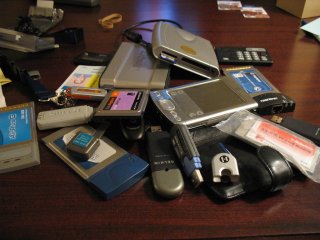
A vida em Dallas, EUA, não é fácil: a cada dia somos tentados pelas belezas da tecnologia e por seus preços tentadores. Não resistindo a tais tentações, sucumbi com meu cartão de crédito em tudo quanto é traquitana eletrônica com led (se o led pisca então...).
O resultado disso pode ser visto na figura. Entre viagens à China e EUA, pude adquirir, somente nesse ano:
O fato de algumas coisas não funcionarem como deviam me deixa irritado às vezes, mas basta ver alguns leds piscando que esqueço tudo e volto a gastar. Para minha sorte as vendas de PS3 esgotaram mais rápido do que eu pude gastar. Só me resta ficar com meus brinquedos caros e ficar tentando descobrir como corrigir os endereçamentos de memória para poder funcionar no meu FreeBSD 6.0 bonitinho.
Antes de algum espertão perguntar o motivo pelo qual eu só testei alguns dos equipamentos, como placas PCMCIA, somente em FreeBSD: no meu laptop só tem o mesmo. No windows, no Linux, no fear. Just BSD.
Dica retirada de http://www.network-theory.co.uk/docs/cvsmanual/cvs_53.html.
Em alguns trabalhos cooperativos, sempre que baixo uma versão específica do cvs, utilizando algo como "cvs checkout -r1.1 programa", acabou com um erro de "sticky tag" ao fazer o novo commit.
Pelo link acima vi que basta usar um "cvs update -A" para resolver isso.
 Nesse domingo de feriadão, fui saudado com uma alteração no horário de verão de minhas máquinas. Eu já sabia que isso iria acontecer algum dia, já que o governou alterou o início do mesmo para seguir o calendário eleitoral.
Porém eu aguardava algum arquivo de zona lançado oficialmente por alguma entidade como o CAIS. Como isso não ocorreu, criei meu próprio arquivo de zona, baseado em um modelo de 2005, chamado hverao2006.zic, e coloquei a data de início, 00:00 horas de 05 de novembro, e a data final, 00:00 horas de 25 de fevereiro de 2007:
Rule Brazil 2006 only - Nov 05 00:00 1 D
Rule Brazil 2007 only - Feb 25 00:00 0 S
Zone America/Sao_Paulo -3:00 Brazil BR%sT
Zone Brazil/East -3:00 Brazil BR%sT
Verifiquei se meu /etc/localtime apontava como link simbólico para /usr/share/zoneinfo/Brazil/East ou /usr/share/zoneinfo/America/Sao_Paulo(ambos são corrigidos pelo arquivo acima) e simplesmente atualizei a informação de timezone:
zic hverao2006.zic
Page 37 of 40